Workflows
Use Workflows in NocoDB to automate tasks. A workflow responds to events or conditions in your base. It starts with a trigger and runs a sequence of actions. Optionally, flow logic such as conditions or iteration controls the actions.
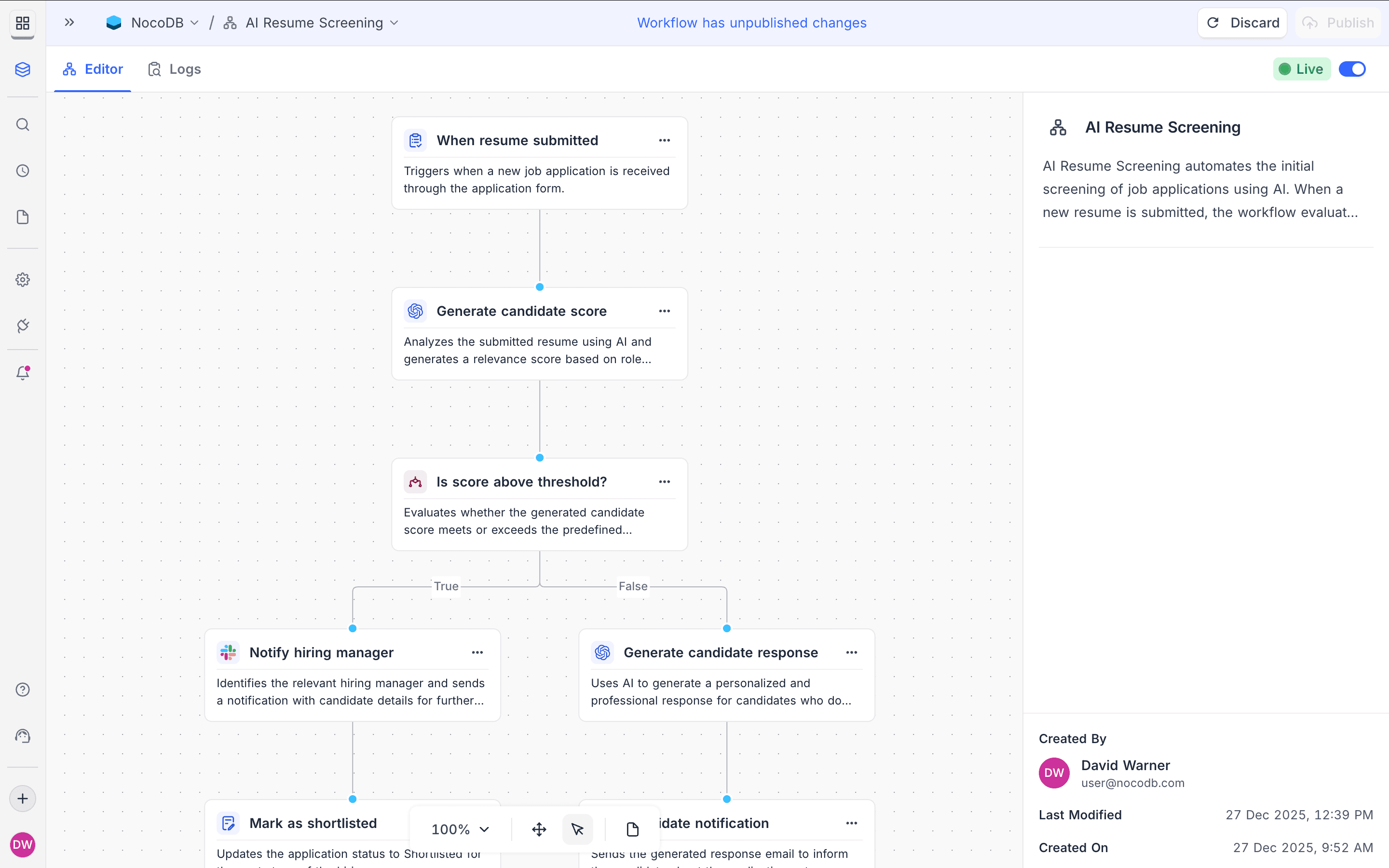
Your plan sets a limit on workflow runs. Refer to Pricing for details.
NocoDB counts one workflow run each time a workflow is triggered. The number of actions in the run has no effect. For conditional triggers, NocoDB counts a run only when the conditions are true and the workflow runs.
Some nodes are available only on some plans. For plan details, refer to the page of each node.
Copy a prompt, paste it into NocoAI in any base, and replace the words in [brackets] with your own.
- When a record is added to [table], send an email to [address]
- When [Status] changes to [Done], set [Completed On] to today
- Every [Monday], email me a list of [overdue tasks]
- Which workflows does this base have, and what does each one do?
Workflow structure
A Workflow has these building blocks:
| Component | Purpose |
|---|---|
| Trigger node | Defines when the workflow starts |
| Action nodes | Defines what the workflow does |
| Flow nodes | Defines how actions are executed (logic, iteration or delays) |
| Integration nodes | Action nodes. Connects to external services or AI capabilities |
Trigger nodes
A Trigger defines the event that starts a workflow. Each workflow must have exactly one trigger.
| Trigger | Description |
|---|---|
| Manual trigger | Runs only when started by a user |
| Button clicked | Runs when a user clicks a Run automation button on an interface record |
| Scheduled time | Runs on a defined schedule |
| Record created | Runs when a new record is added |
| Record updated | Runs when an existing record changes |
| Record deleted | Runs when a record is removed |
| Form submitted | Runs when a specific form is submitted |
| Record enters a view | Runs when a record appears in a view for the first time |
| Record matches conditions | Runs when defined field conditions are met |
| Comment changes | Runs when a comment is added, edited, deleted, resolved, or reopened |
Action nodes
Action nodes define the operations that run after the trigger fires. Actions run one after the other, in the order that they are connected.
| Action | Description |
|---|---|
| List records | Retrieves multiple records based on filters |
| Create record | Creates a new record in a table |
| Update record | Updates fields in an existing record |
| Delete record | Removes a record from a table |
| Find record | Retrieves a single matching record |
| Send email | Sends an email using configured email settings |
Flow nodes
Flow nodes control the execution logic in a workflow. They do not do actions themselves. They control how actions run.
| Flow node | Description |
|---|---|
| If / else | Executes different paths based on a condition |
| Iterate | Repeats actions for each item in a list |
| Delay | Pauses execution for a specified time |
| Wait until | Pauses until a condition is met |
Flow nodes can use data from previous actions to control branching, iteration or delays.
Execution order
A workflow always runs in this sequence:
- The trigger fires.
- Actions run from top to bottom.
- Flow nodes apply branching or iteration.
- All execution paths complete.
- NocoDB records execution logs for auditing and debugging.
FAQ(s)
How can I monitor workflow runs?
Use the execution logs to monitor workflow runs. Each workflow has a run history. The run history shows the execution status, the duration and all errors. Your plan limits set how long NocoDB keeps execution logs.
Can I edit a workflow after it is created?
Yes, you can edit workflows at any time. Changes apply only to future runs. Runs that are already in progress continue with the workflow version that was active when they started. For workflows that are paused (for example, at Delay or Wait Until nodes), NocoDB asks you to select one of two options: continue with the current workflow definition, or update to the latest version.
Are there limits on the number of workflows I can create?
There is no limit on the number of workflows that you can create. But your subscription plan can limit workflow runs, log retention and the availability of some node types. Refer to the Pricing page for details.
Can workflows interact with external services?
Yes. Workflows use Integration nodes to connect to external services. With these nodes, workflows can send data to third-party APIs and get data from them. Future releases will add more integration nodes.
How are workflow runs counted?
NocoDB counts one workflow run each time a workflow is triggered. The number of actions in the run has no effect. For conditional triggers, NocoDB counts a run only when the defined conditions are true and the workflow runs.
Availability
- Workflows are available on NocoDB Cloud (all plans) and on self-hosted deployments. The Community Edition includes 2 workflows per base. These workflows can use the record and manual triggers, the record action nodes, and the If and Iterate flow nodes.
Related
Last updated on