Wait Until
The Wait Until node in NocoDB workflows pauses execution until a specified date and time. Use this node to run actions at an exact moment, not after a relative delay.
Ask NocoAI
Copy a prompt, paste it into NocoAI in any base, and replace the words in [brackets] with your own.
- When an [event] is added, wait until [1 day before Event Date] and email [the attendees]
- When a [task] is created, wait until its [Due Date] and email [the Owner] if it's not [Done]
- When a [contract] is added, wait until [30 days before End Date] and email [the account manager]
Configuration
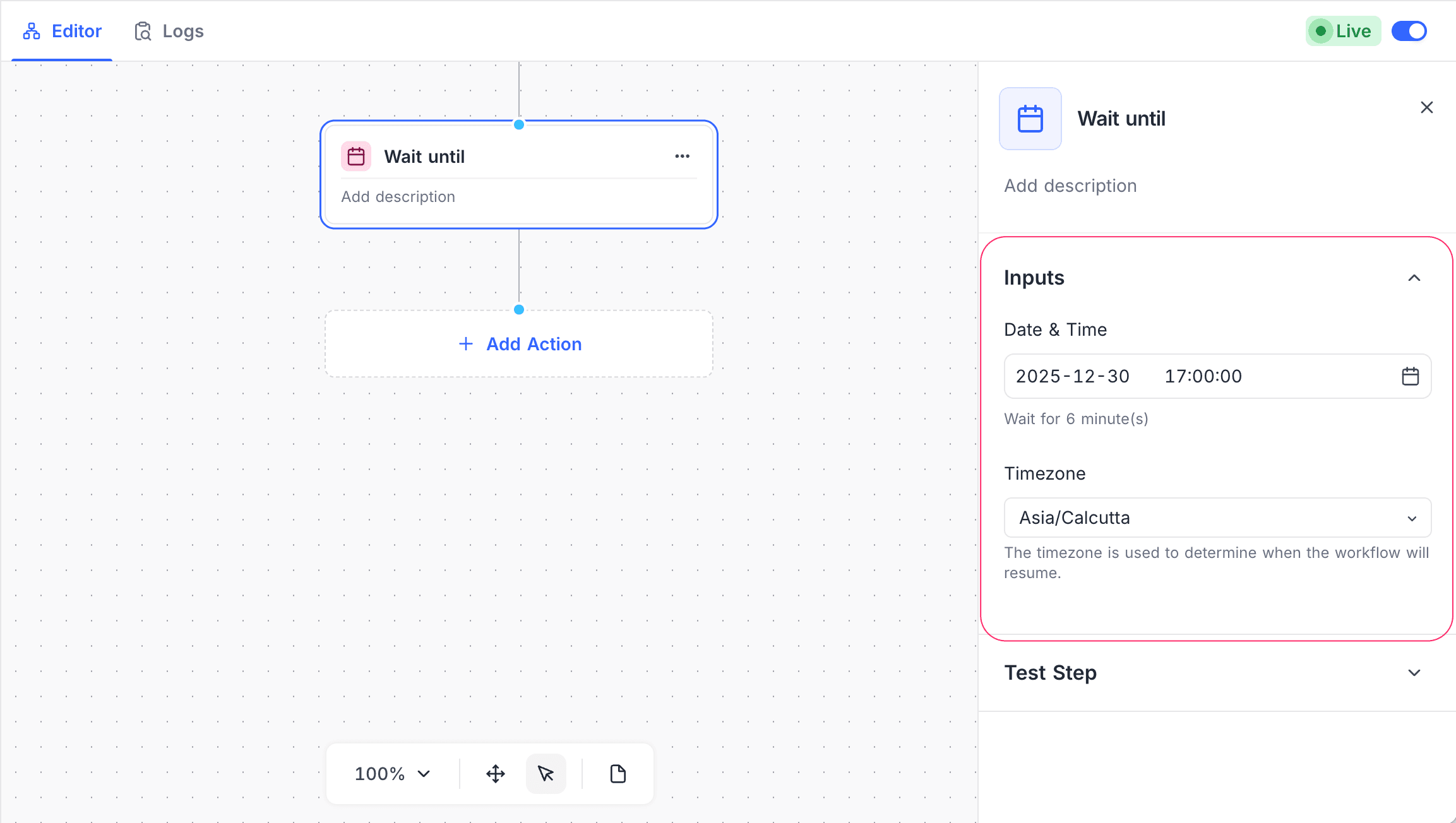
- Date & Time: Set the exact date and time when the workflow continues.
- Timezone: Set the timezone for the date and time when the workflow continues.
How it works
- When the workflow gets to the node, the execution pauses immediately.
- The workflow continues automatically at the configured date and time, in the selected timezone.
If you edit and publish the workflow again, NocoDB asks what to do with the executions that are paused at a Delay node. For details, refer to Pending Workflow Executions.
Use cases
- Schedule reminders or notifications
- Do actions at a future date
- Run the workflow at times that match business hours or deadlines
Availability
- Available on the NocoDB Cloud Plus plan and higher, and on licensed on-premise deployments.
Last updated on
Latest product updates?See Changelog