Record Updated
This NocoDB trigger starts a workflow when an existing record changes. The workflow context gets the data of the updated record. You can set the trigger to fire only when specific fields change.
Ask NocoAI
Copy a prompt, paste it into NocoAI in any base, and replace the words in [brackets] with your own.
- When [Status] changes in [table], email [the record's Owner]
- When [Stage] changes to [Won], create a record in [Projects]
- When [Priority] changes in [Tickets], set [Updated On] to today
Configuration
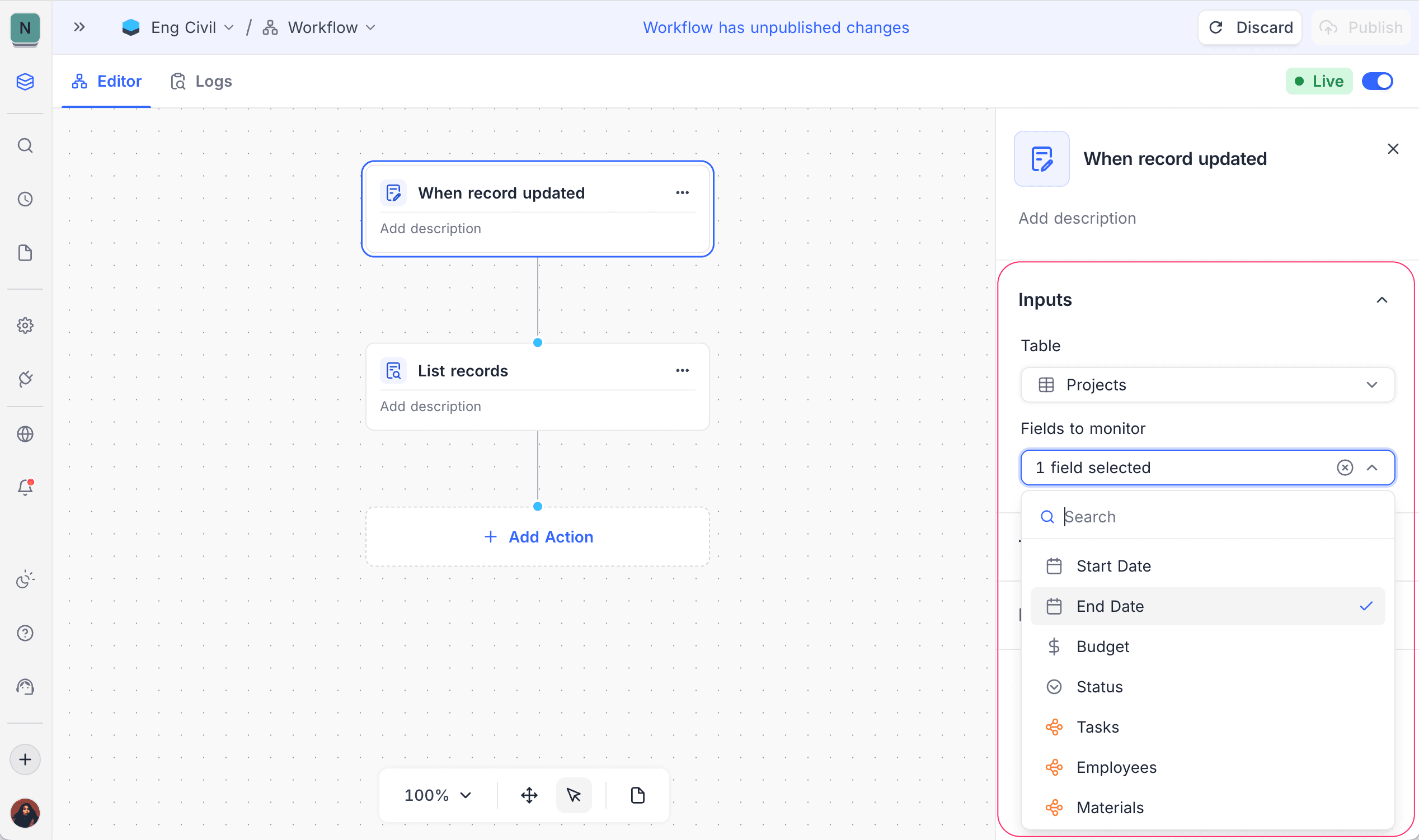
- Table: Select the target table.
- Fields to monitor: Optional. Select fields to fire the trigger only when those fields change. If you select no fields, an update to any field starts the workflow.
Additional options
| To | Use the trigger node |
|---|---|
| Add a condition for updates | when record matches condition |
| Monitor records that enter a specific view after an update | when record enters a view |
How it works
- The trigger fires after a record update.
- Field filters limit runs to relevant changes.
If you set Fields to monitor, NocoDB counts workflow runs for billing only when those fields change.
Use cases
- React to status changes
- Sync updates across tables
- Notify stakeholders when critical fields change
Availability
- Available on NocoDB Cloud (all plans) and licensed on-premise deployments.
Last updated on
Latest product updates?See Changelog