Record Matches Condition
This NocoDB trigger starts a workflow when a created or updated record in a selected table meets the conditions that you set. Use it to run actions automatically when the data meets specific criteria. The workflow context gets the data of the matching record.
Ask NocoAI
Copy a prompt, paste it into NocoAI in any base, and replace the words in [brackets] with your own.
- When a record in [table] has [Status] set to [Blocked], email [its Owner]
- When [Stock] drops below [10] in [Products], email [purchasing]
- When [Amount] is over [10000] in [Deals], set [Needs Approval] to checked
Configuration
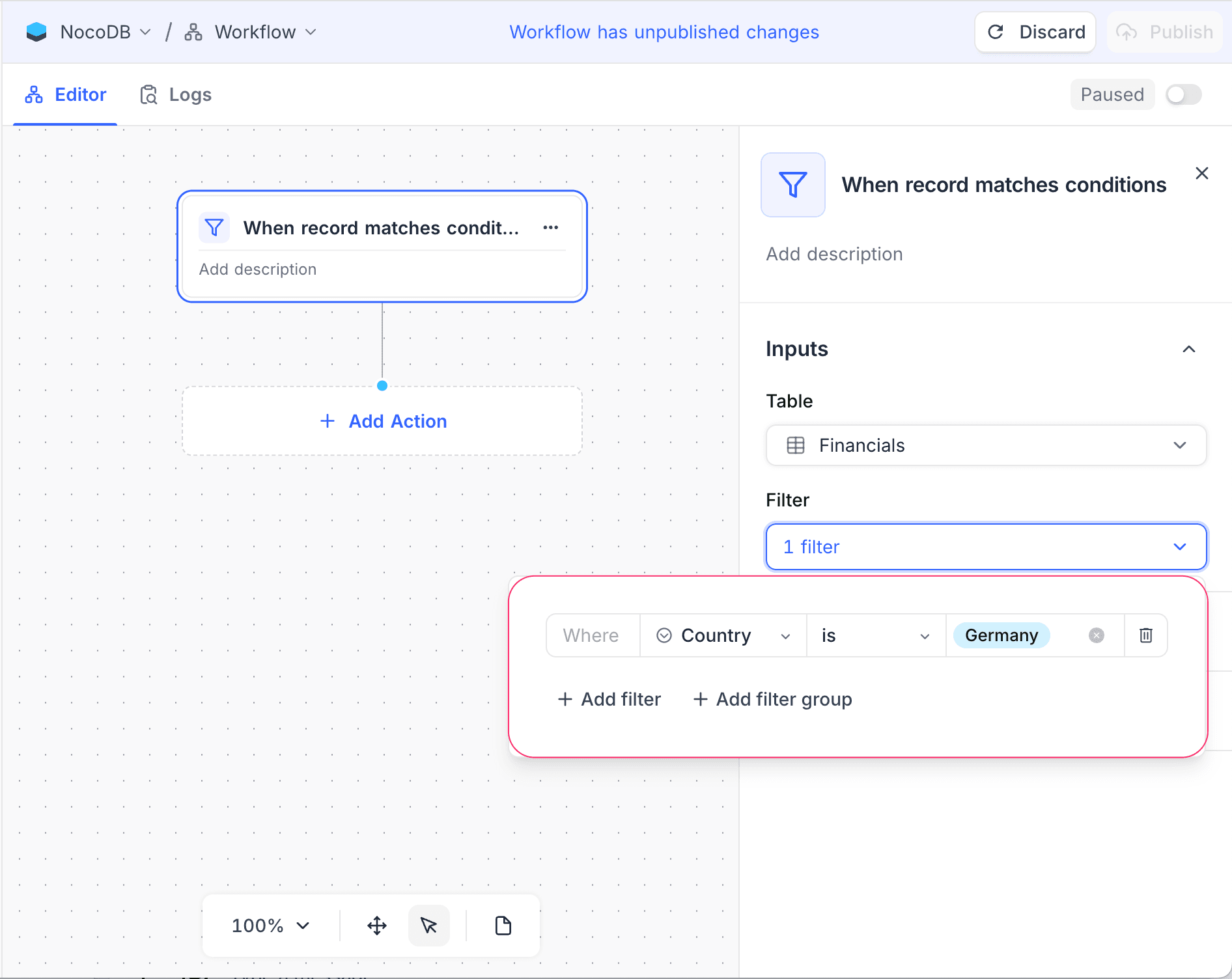
- Table: Select the target table to monitor.
- Filter: Set the criteria that a record must meet to start the workflow. You can set multiple conditions with logical operators (AND/OR). For complex conditions, you can also create filter groups.
How it works
- The trigger compares records with the conditions that you set.
- The trigger fires when a record meets all the specified criteria.
- The trigger works for new records and for updated records.
Billing: NocoDB counts a workflow run from this trigger for billing only when a record meets the specified conditions.
Use cases
- Send notifications for high-priority records
- Assign tasks automatically from status or priority
- Update related records when specific conditions are met
Availability
- Available on NocoDB Cloud (all plans) and licensed on-premise deployments.
Last updated on
Latest product updates?See Changelog