Delete Record
Use the Delete Record action node in NocoDB workflows to permanently remove records from a selected table. Use this node to clean up data, apply data retention policies, or remove records that no longer match defined conditions.
Ask NocoAI
Copy a prompt, paste it into NocoAI in any base, and replace the words in [brackets] with your own.
- Every [night], delete records in [Logs] older than [30] days
- When a [Project] is deleted, delete its linked [tasks]
- When [Status] changes to [Spam] in [Leads], delete the record
Configuration
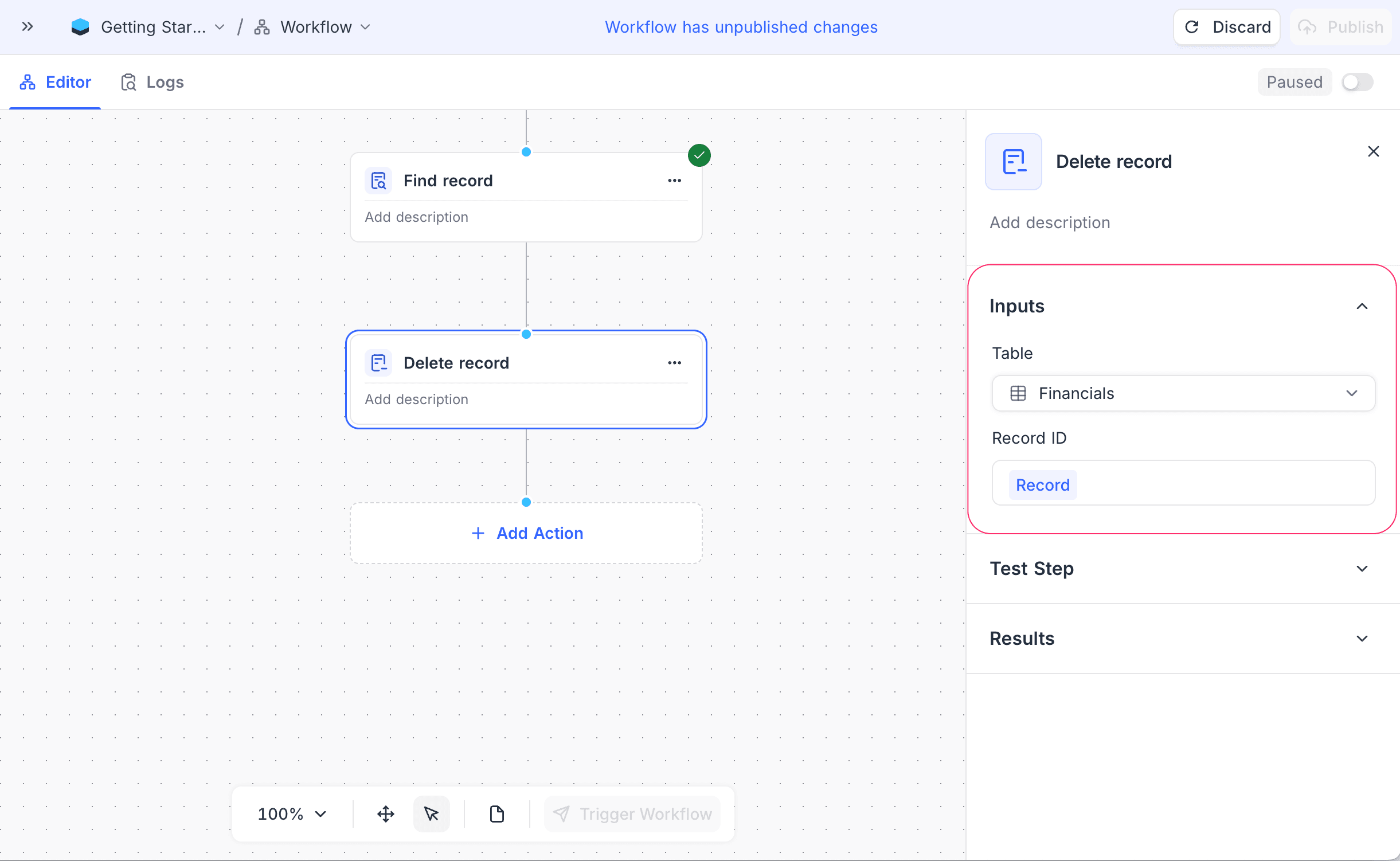
- Table: Select the table that contains the record to delete.
- Record ID: Specify the record to delete. You can use a record ID from a previous node, or map it from the workflow context.
How it works
- When the workflow gets to the Delete Record node, the node finds the specified record in the selected table.
- The node permanently deletes the record from the table.
- The workflow then continues to the next nodes.
Use cases
- Automatically remove old or expired records.
- Delete records that fail validation or business rules.
- Apply data lifecycle and retention policies with automated workflows.
Availability
- Available on NocoDB Cloud (all plans) and licensed on-premise deployments.
Last updated on
Latest product updates?See Changelog