Scheduled
Ask NocoAI
Copy a prompt, paste it into NocoAI in any base, and replace the words in [brackets] with your own.
- Every [weekday at 9am], email me a list of [tasks due today]
- Every [Monday], set [Status] to [Overdue] on [tasks] whose [Due Date] has passed
- On the [1st] of every month, create a record in [Reports] for [the new month]
Scheduled trigger
The Scheduled Trigger runs a workflow automatically at set intervals. Use it for tasks that must occur regularly, with or without data changes.
Configuration
-
Interval: Select one of these options:
Interval Runs You set Example Every specified minutes Every X minutes The number of minutes Every 15 minutes Every hour One time each hour, at a specific minute The minute of the hour (0-59) At minute 30 Every day One time each day, at a specific time The time of day (hours and minutes) At 2:00 AM Every week One time each week, on a specific day and time The day of the week and the time of day (hours and minutes) Every Monday at 9:00 AM Every month One time each month, on a specific date and time The date of the month (1-31) and the time of day (hours and minutes) On the 4th at 12:00 PM -
Timezone: Optional. The default is the timezone of your browser. This setting does not apply to the "Every specified minutes" option.
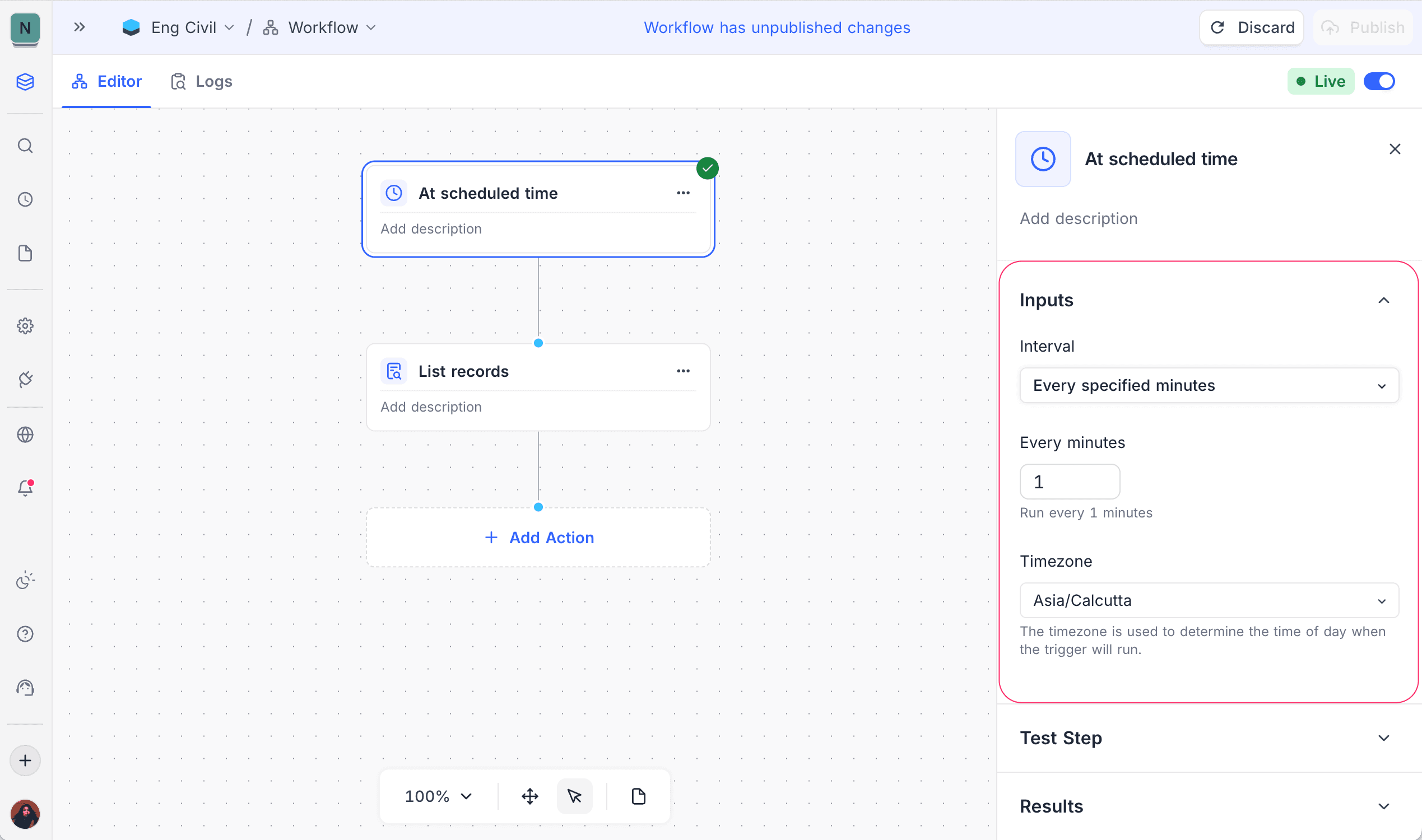
How it works
- The workflow runs at the scheduled time.
- It runs independently of record changes.
- It runs even if no data has changed.
- If a scheduled time is missed (for example, during maintenance), the workflow runs one time when it can. Then it continues on its schedule. NocoDB does not replay the missed times one by one.
- If NocoDB cannot read the schedule, it turns the workflow off and shows the reason. See Handling failures.
Use cases
- Daily or weekly reports
- Periodic cleanup tasks
- Scheduled reminders or checks
- Agents that do regular tasks
Availability
- Available on NocoDB cloud plus plan onwards and licensed on-premise deployments.
Last updated on
Latest product updates?See Changelog