Update Record
Use the Update Record action node in NocoDB workflows to change records in a selected table. Use this node when a workflow must change data based on conditions, inputs or the outputs of earlier steps.
Ask NocoAI
Copy a prompt, paste it into NocoAI in any base, and replace the words in [brackets] with your own.
- When [Status] changes to [Done], set [Completed On] to today
- When a record is added to [Tickets], set [Assignee] to [the on-call agent]
- Every [day], set [Status] to [Overdue] on records whose [Due Date] has passed
Configuration
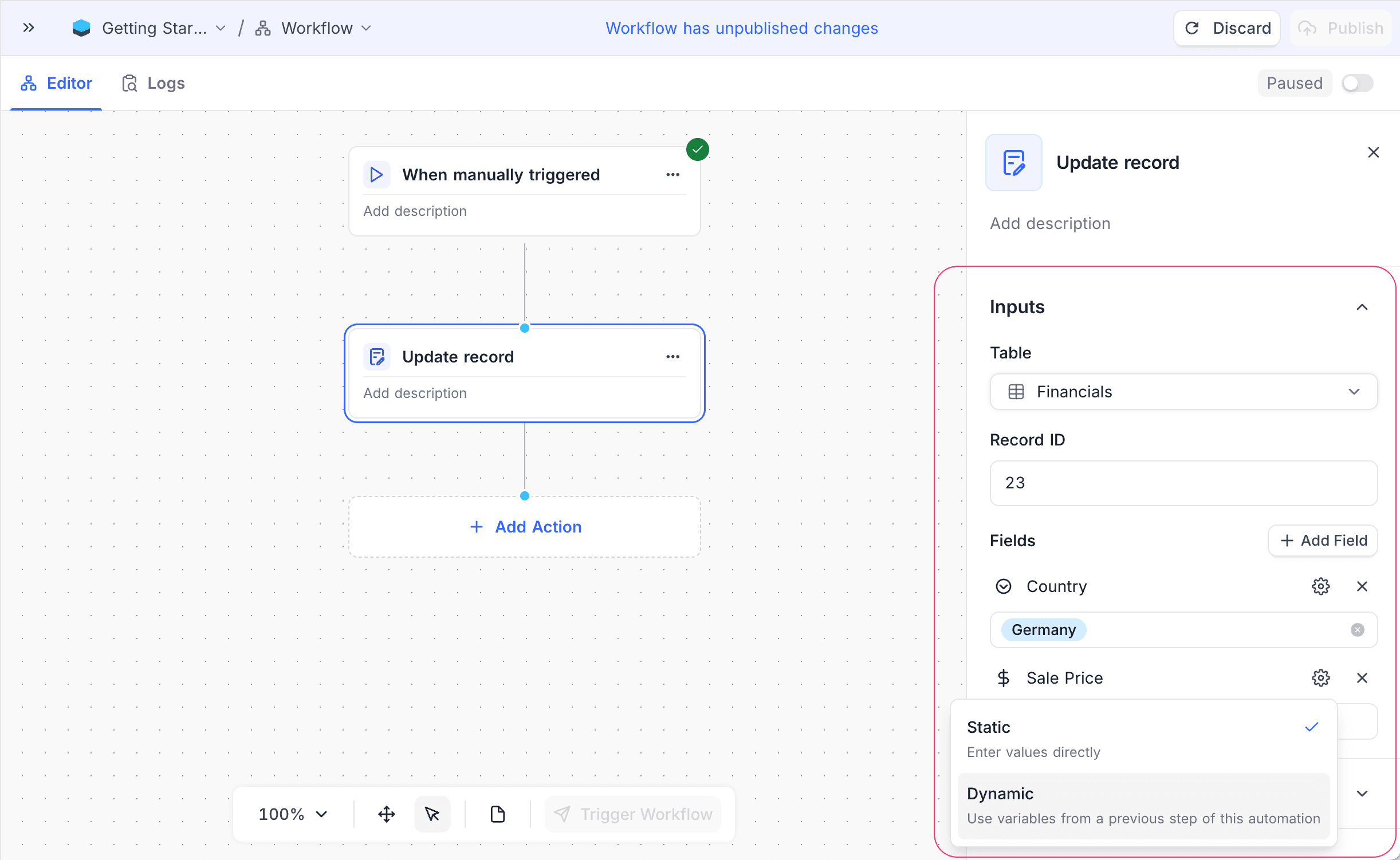
- Table: Select the table that contains the record to update.
- Record ID: Specify the ID of the record to update. You can use a record ID from a previous node, or map it from the workflow context.
- Fields: Click Add Field to define the fields and their new values. Values can be static, or you can map them from the outputs of earlier nodes.
How it works
- When the workflow gets to the Update Record node, the node finds the target record in the selected table.
- The node updates the specified fields with the values that you set.
- Sometimes the node cannot find a mapped field on the table any more. For example, the field was deleted after the workflow was published. Then the node skips that field and writes a warning with the field name in the execution logs. It updates the record with the other fields.
- Later workflow nodes can use the updated record data.
Use cases
- Update the record status based on workflow conditions or approvals.
- Change records with data from external systems or APIs.
- Keep records in sync across related tables in multi-step workflows.
Availability
- Available on NocoDB Cloud (all plans) and licensed on-premise deployments.
Last updated on
Latest product updates?See Changelog