Freeze Fields
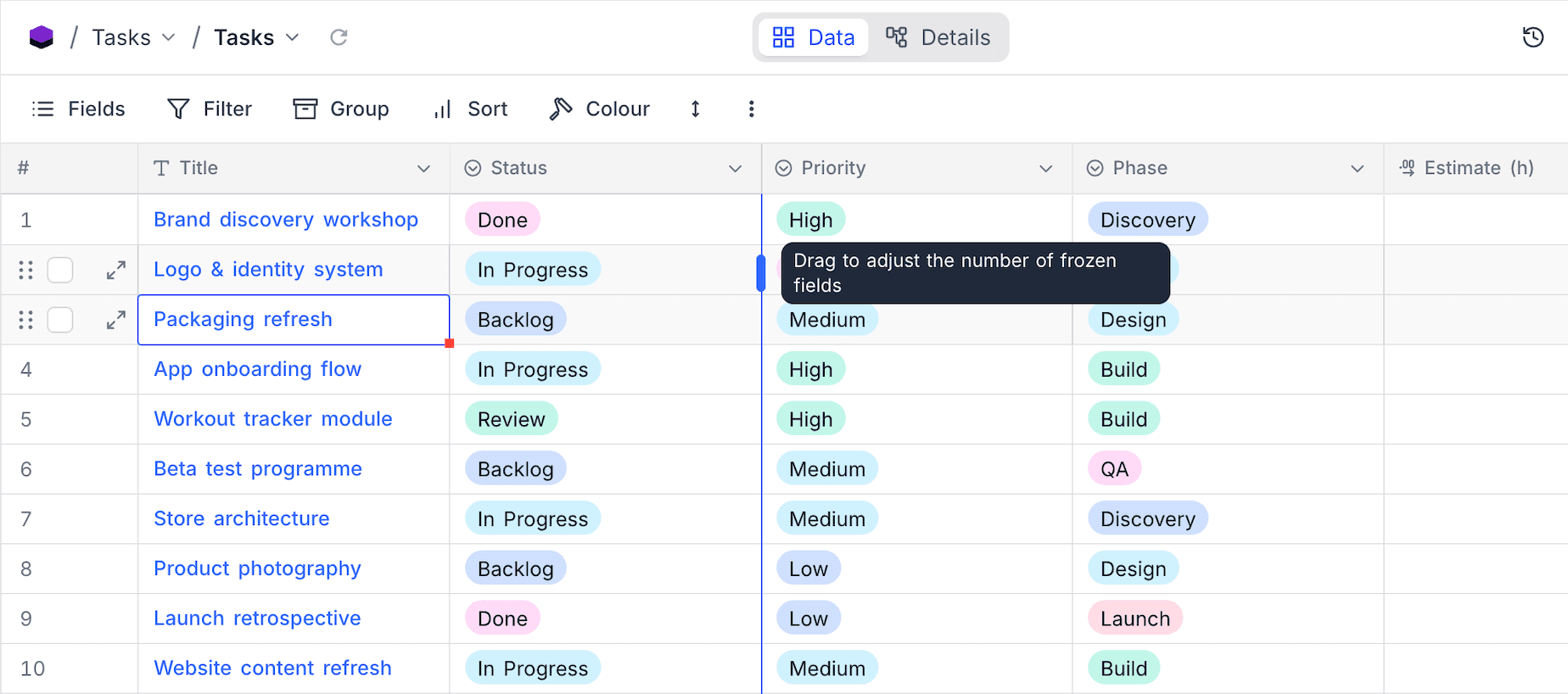
Freezing keeps the leftmost fields of a grid in place when you scroll horizontally. Identifying fields, for example a name or an ID, stay visible next to the data you look at. A grid can freeze up to three fields, including the display value. A boundary line marks the frozen region.
Adjust frozen fields
- Hover over the boundary line at the right edge of the frozen region. The handle shows Drag to adjust the number of frozen fields.
- Drag the divider left or right. The divider snaps to field edges. While you drag, it shows how many fields will be frozen.
- Release the divider to apply the change. NocoDB saves the setting for each view.
Notes
- The frozen region can use at most three quarters of the window width. If the window is too narrow to show all frozen fields, NocoDB freezes fewer fields for a time and tells you why. It also gives an option to reset to one frozen field. When you make the window larger or the fields narrower, NocoDB restores the saved setting.
- Interface pages that use the Grid visualization also support frozen fields.
Last updated on
Latest product updates?See Changelog