Integrations
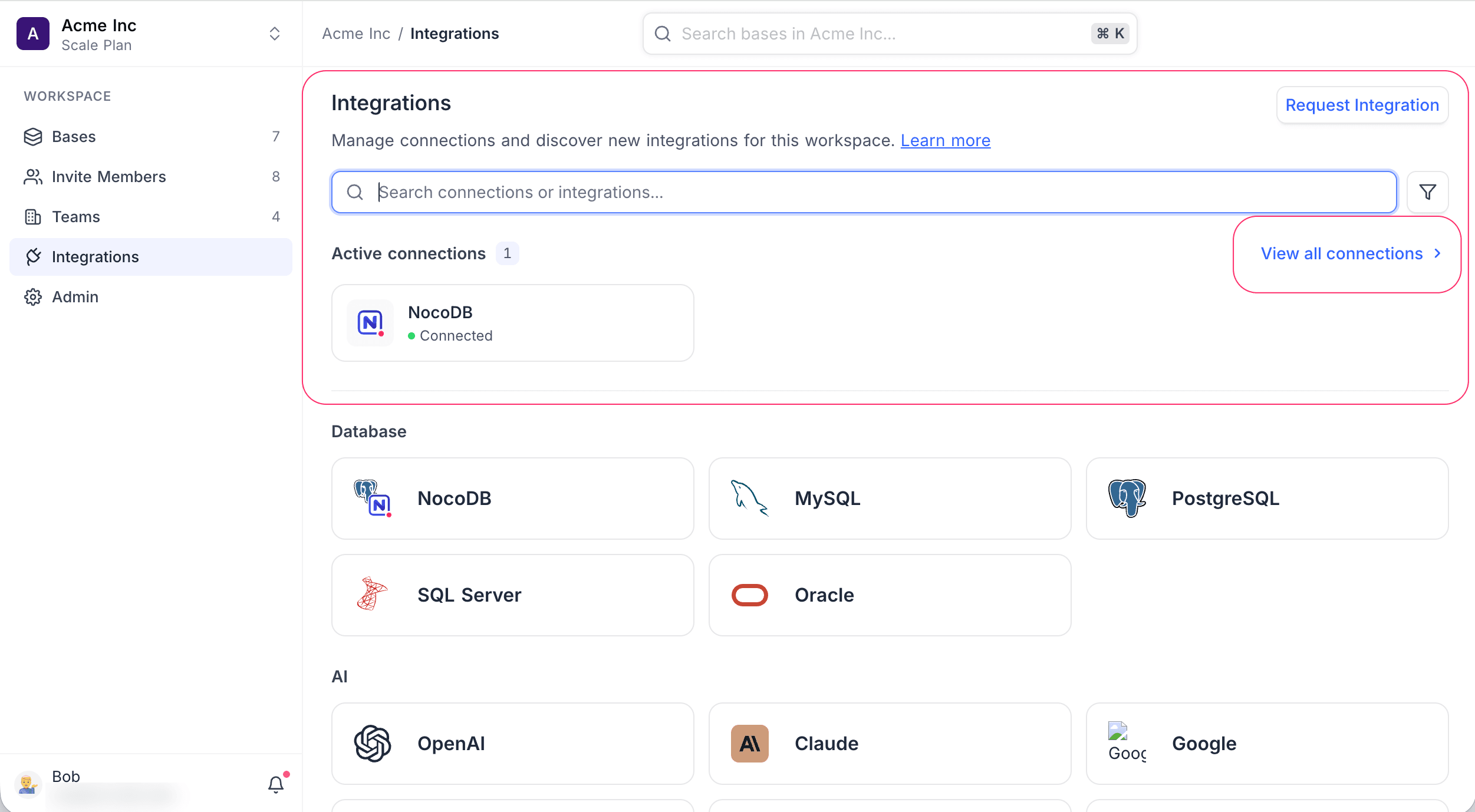
Integrations connect NocoDB to external platforms. Use them to put your data from many separate silos into one common platform.
You can add multiple instances of an integration in one workspace. Each instance is a Connection. After you create a connection, you can use data from the integrated platform in your NocoDB base. If applicable, NocoDB can also sync changes back to the external platforms.
NocoDB supports integrations in several categories. These include databases such as NocoDB, MySQL, PostgreSQL, SQL Server and Oracle, and AI providers such as OpenAI, Claude and Google. More integrations are planned for the future. To ask for an integration, use the "Request integration" card in the catalog on the Integrations page.
Manage integrations and their connections from the Integrations item in the workspace sidebar. The page shows Your connections at the top. Below it is the full catalog of available integrations. Use the category filters above the catalog to show only one category. To find an integration or an existing connection, use the search box. To open the full connections list, click Manage.
Learn more about working with integrations in these sections:
Availability
- In Cloud hosted solutions, Workspace Owners and Workspace Creators can use the Integrations menu.
- In Self-hosted solutions (Community Edition), Organization Admins and Organization Creators can use the Integrations menu.
Last updated on