Trash Settings ☁
Owners can control the Trash for each table. Turn the Trash off when deletes must be permanent. Or select a retention period that is different from the plan default.
Open trash settings
- Open the base and go to Base Settings → Admin → Trash Retention.
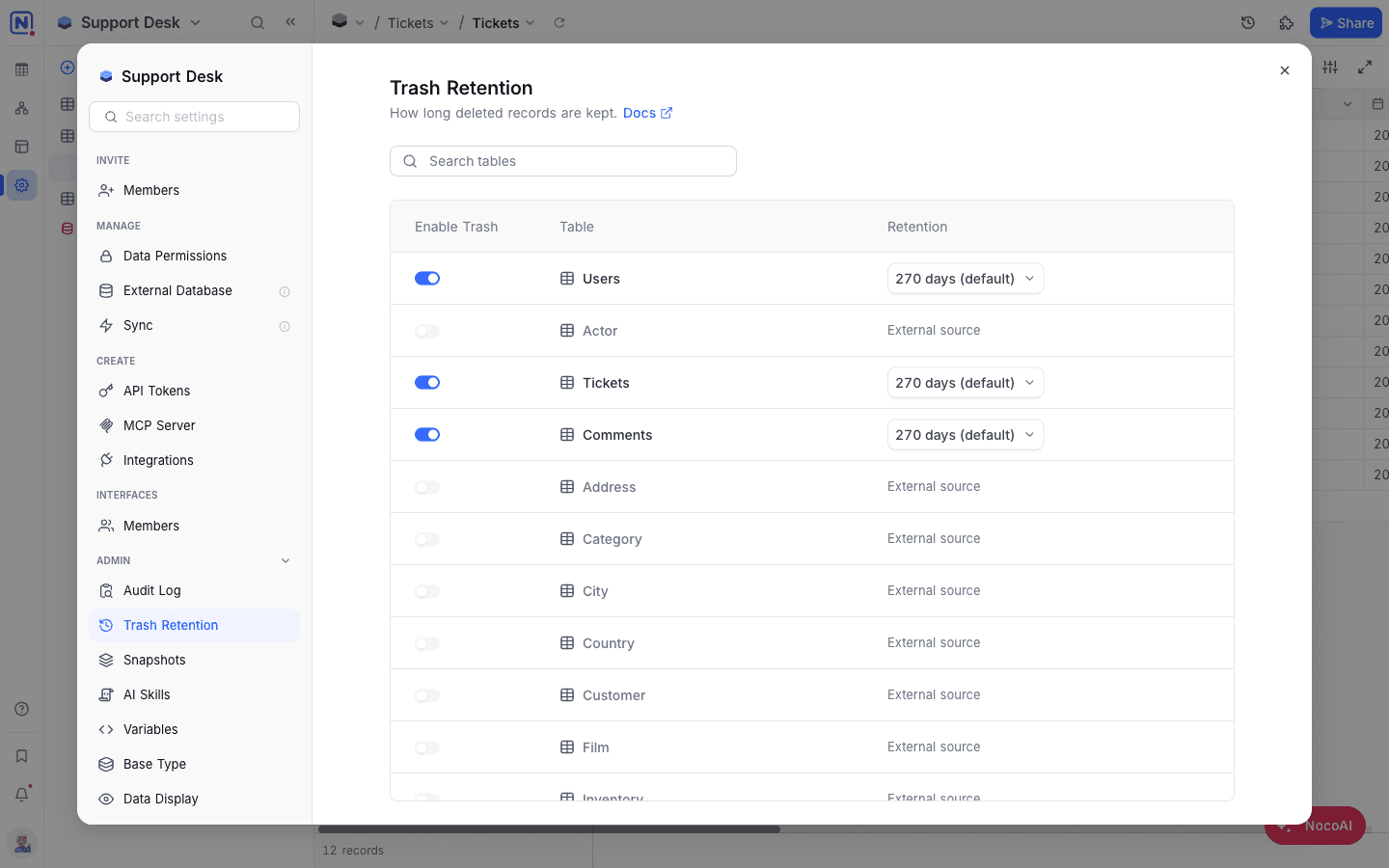
Per-table controls
Each table has two controls:
| Control | What it does |
|---|---|
| Enable Trash | When on, deleted records go to the Trash. When off, deletes are permanent and you cannot restore the records. For a table with Trash off, the retention column shows —. |
| Retention | The time that NocoDB keeps records in the Trash before it removes them automatically. Select 30 / 60 / 90 / 180 / 365 days. The default changes with the workspace plan. |
Disable trash
- For the table, turn off Enable Trash.
- In the dialog, confirm.
All existing trashed records for the table are permanently deleted when trash is turned off and cannot be recovered. Future deletes skip the Trash.
Change retention
- For the table, click the retention value (for example, 30 days).
- Select one of the preset durations. NocoDB saves the change immediately.
Role permissions
| Action | Owner | Creator | Editor | Commenter | Viewer |
|---|---|---|---|---|---|
| View trash settings | Yes | No | No | No | No |
| Modify trash settings | Yes | No | No | No | No |
Availability
- Trash settings are available on NocoDB Cloud (Scale plan and above) and licensed self-hosted deployments (Scale plan and above).
Related
Last updated on
Latest product updates?See Changelog