Private Base
A Private Base in NocoDB lets base owners fully control access to the base, separate from workspace roles. Use a private base for work that must stay confidential, or that only some members of a workspace can see and use.
How Private Base Works
When you set a base to private:
- Workspace role inheritance is disabled. Users with a workspace role such as Owner, Editor or Viewer do not get access automatically.
- By default, only the base creator (Owner) can access the base.
- To give access to other members, you must explicitly give them a base role (Owner, Creator, Editor, Commenter or Viewer).
Members without explicit access will not see the base listed in their workspace
Creating a Private Base
- On the workspace Bases page, click New Base → From Scratch.
- Type a name for the base.
- For Base Type, select Private.
- Click Create Base.
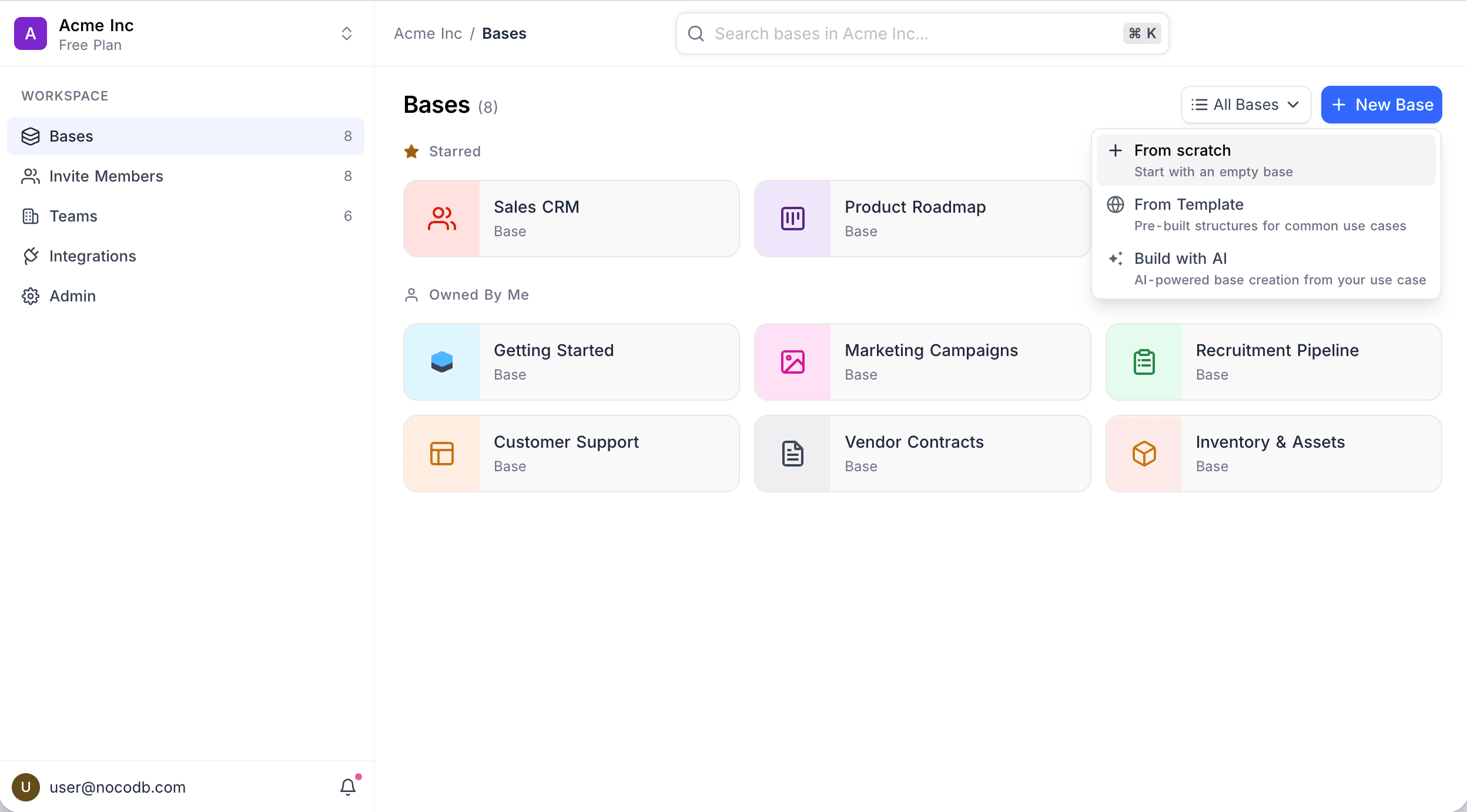
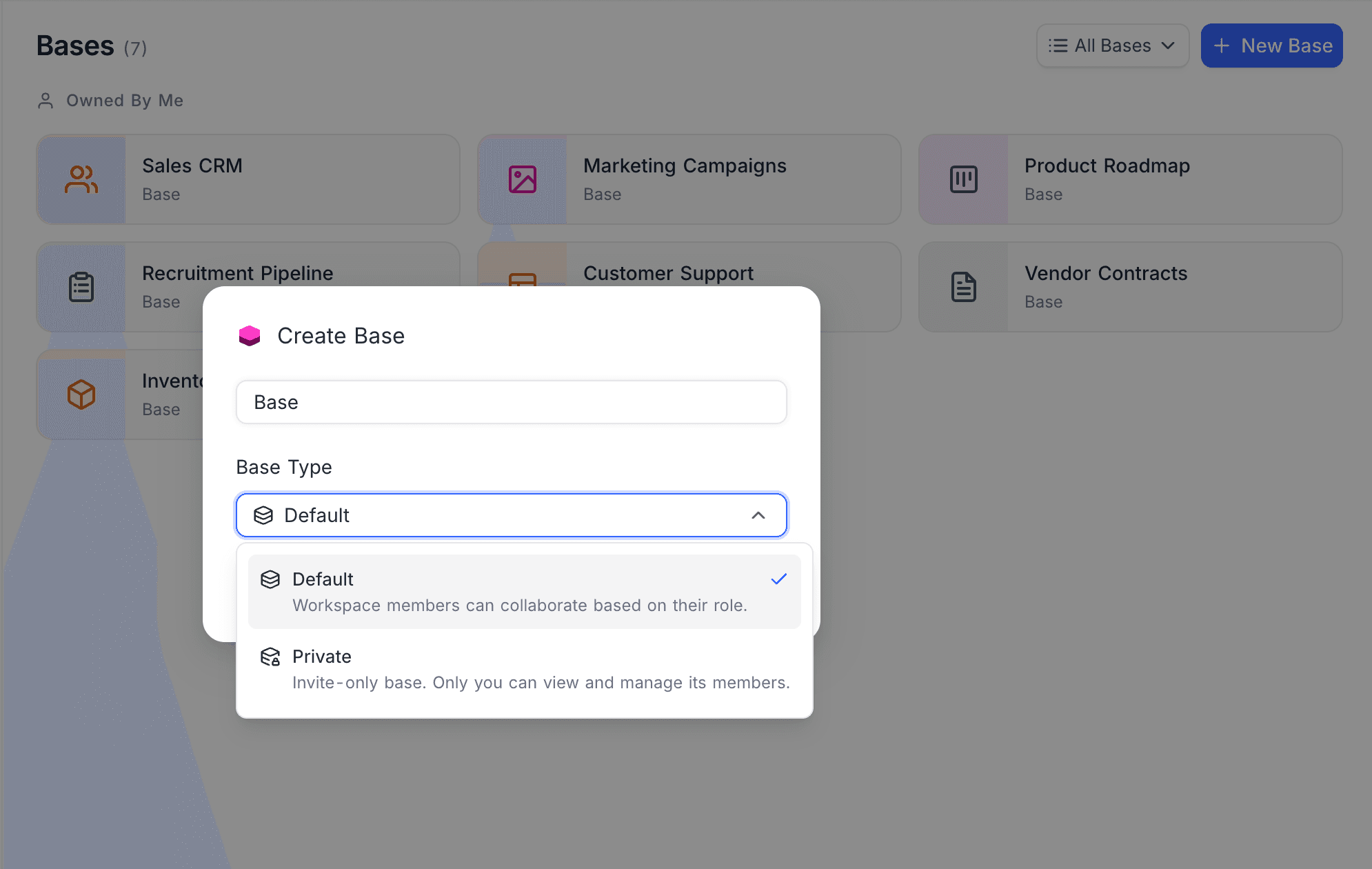
Only the base creator will have access by default. Other workspace members, including Workspace Owners, will not see the base unless explicitly added.
Private bases cannot be shared publicly. All view-sharing (except Form views) is restricted.
Converting an Existing Base to Private
- Open the base.
- Go to Base Settings → Admin → Base Type.
- Select Private.
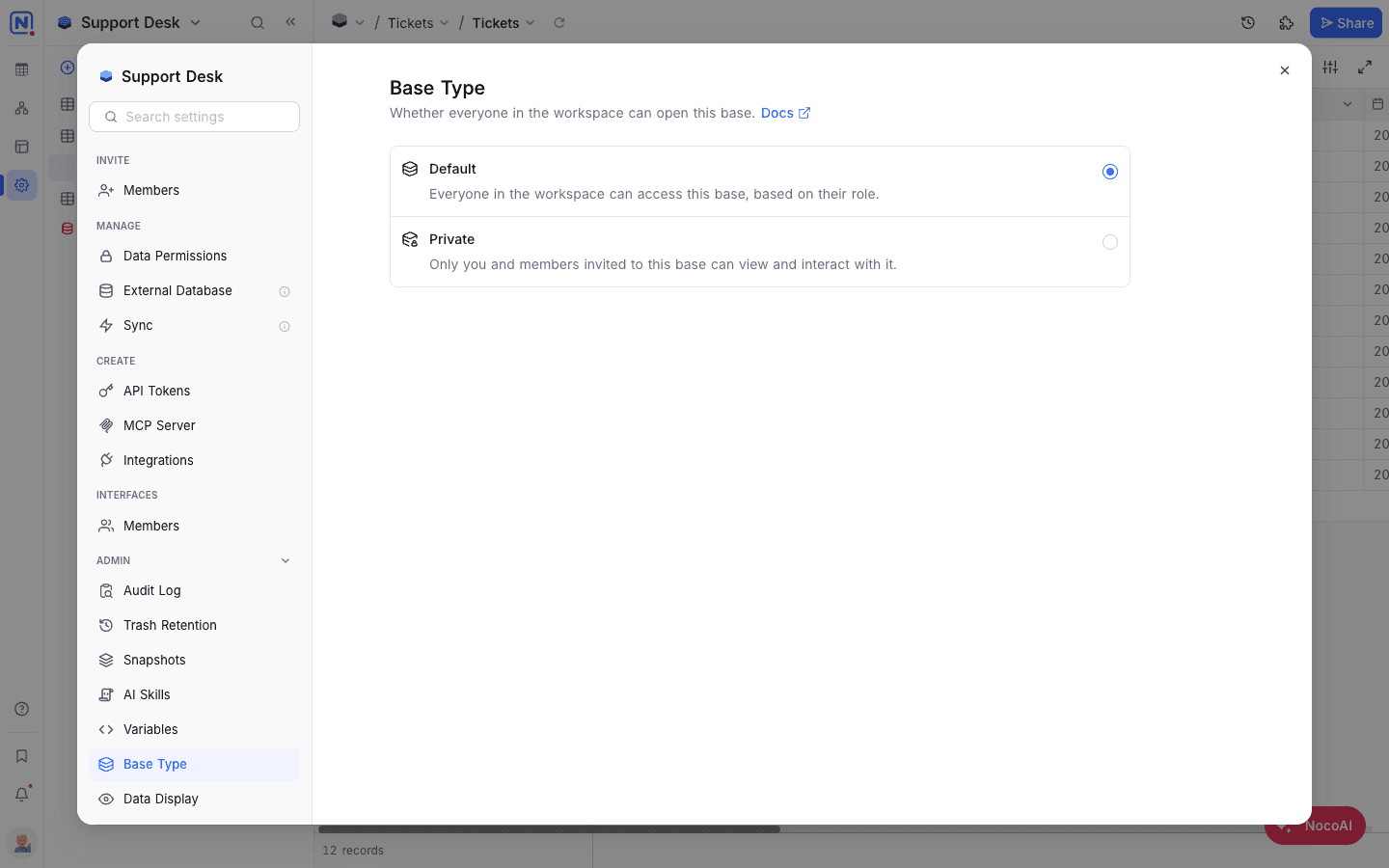
Explicitly configured base-level roles will be retained. Inherited workspace access for other users will be removed.
If the base or view is currently shared publicly, sharing will be disabled when switching to private.
Disabling Private Access
- Open the base.
- Go to Base Settings → Admin → Base Type.
- Select Default.
Workspace-level role inheritance will be re-enabled. Members with workspace roles will regain corresponding access. Explicit base roles remain unchanged.
Managing Access in a Private Base
You manage user access in a private base the same way as in other bases. Invite workspace members and give each of them a base role. Changes to workspace roles do not change access to a private base. This stays true until you set the base type back to Default.
For the steps, refer to the Base Collaboration Guide.
On a private base, only the base Owner can create an invite link. Links created by anyone else stop working while the base is private.
Availability
- The Private Base feature is available only on the Business plan and above
Last updated on
Latest product updates?See Changelog