Create Options Using AI
Overview
For Single Select and Multi Select fields, NocoAI can suggest relevant options. It uses your field name and table context. This reduces manual work and gives meaningful, consistent values.
Steps to Create Options Using AI
- In your table, click the + icon in the top-right corner of the field header.
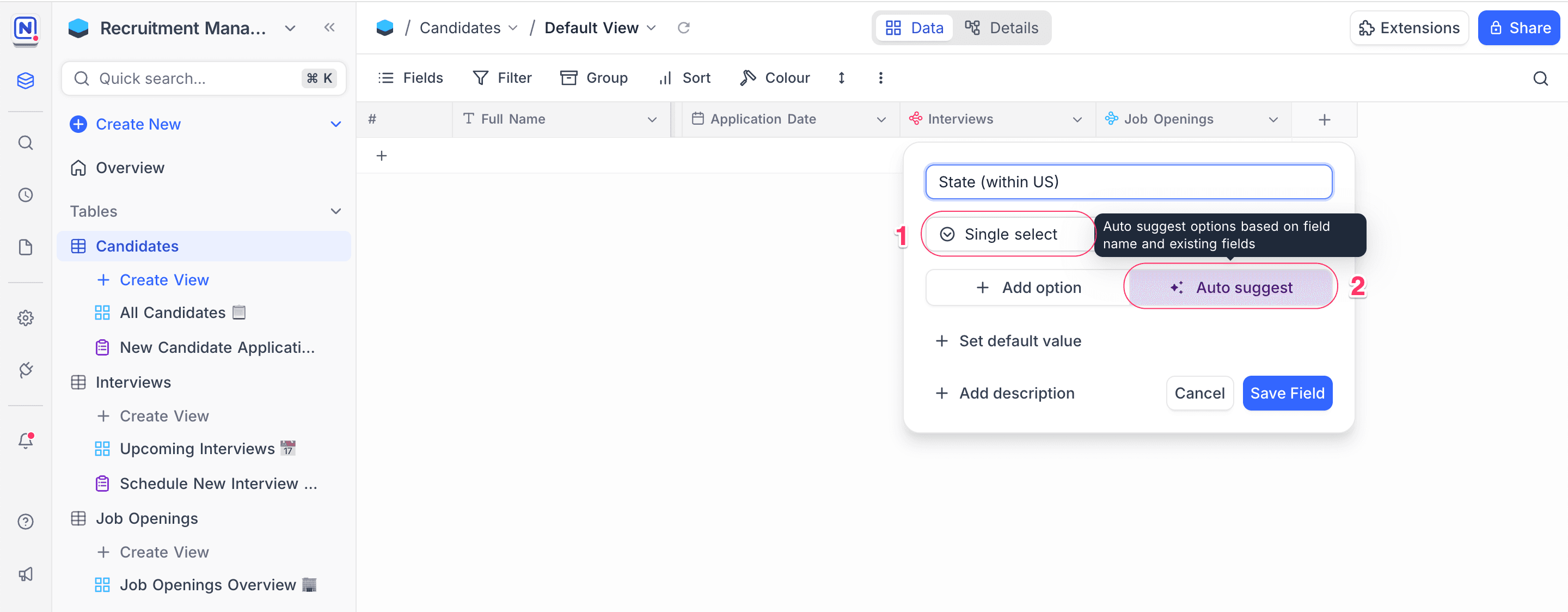
- Select 'Single Select' or 'Multi Select'.
- Type a clear field name that tells the type of options that you need.
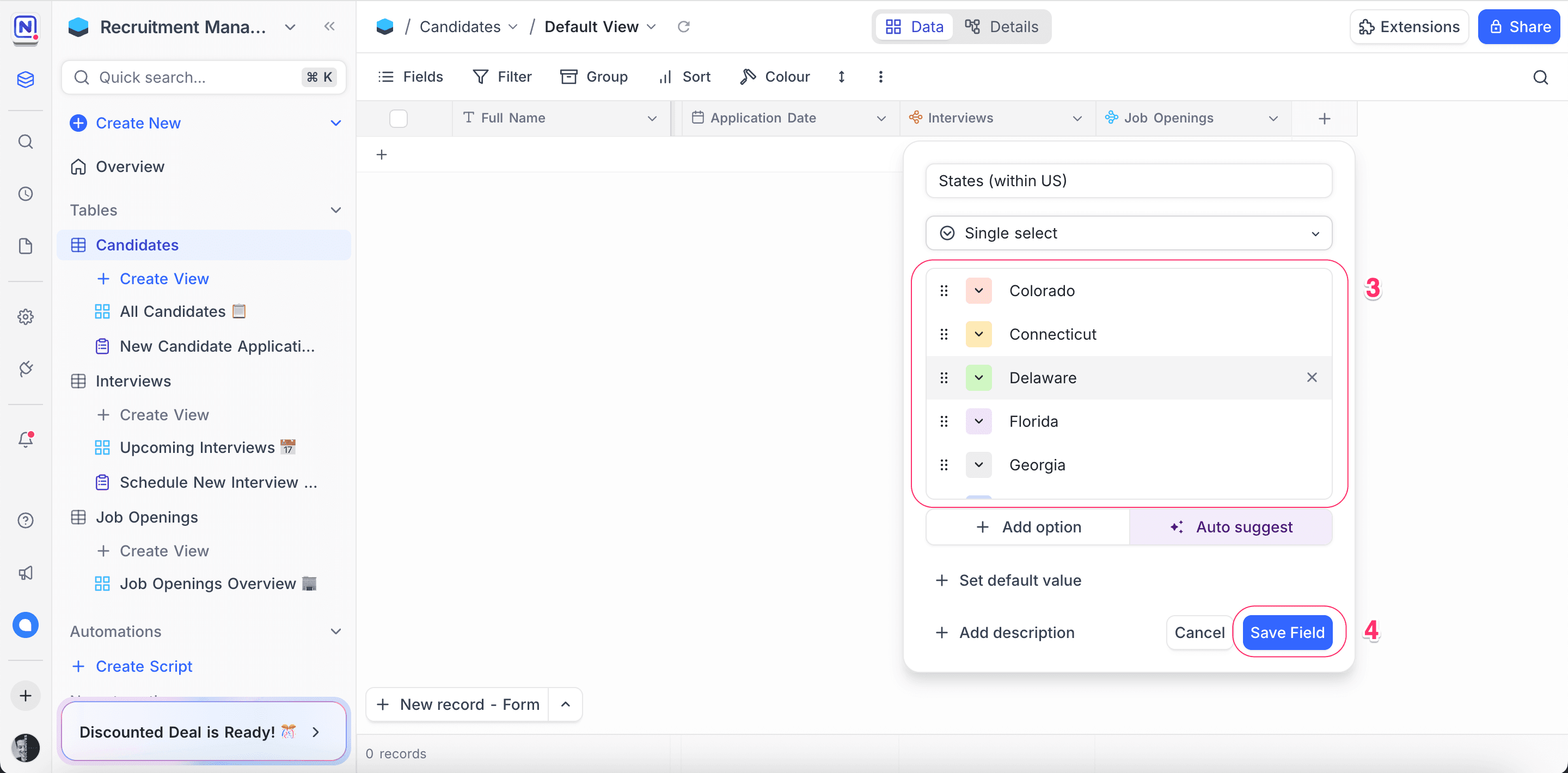
- In the field configuration modal, click ✨ Auto Suggest. NocoAI analyzes your field name and table context, and generates a list of relevant options.
- Review the suggested options. Add, remove or edit the values as necessary.
- Click Save Field. NocoDB adds the field and its options to your table.
Tips for Better AI Suggestions
-
Use a descriptive field name Example: Use "Application Status" or "Task Priority", not "Type".
-
Set table context When your table name and existing fields are more specific, the suggestions are better. Example: In a table with the name “Tasks”, a field with the name “Priority” will probably get these suggestions:
Low,Medium,High. -
Apply business terms Use the terms of your industry in your field name. They guide the AI. Example: For a field with the name “Candidate Stage”, suggestions can include:
Applied,Screened,Interviewed,Hired.
Example Use Cases
| Table | Field Name | Suggested Options |
|---|---|---|
Tasks | Priority | Low, Medium, High, Critical |
Candidates | Application Status | Applied, Shortlisted, Interviewed, Hired, Rejected |
Projects | Phase | Initiation, Planning, Execution, Closure |
Feedback | Sentiment | Positive, Neutral, Negative |
What’s Next
After your select fields have meaningful options, you can:
- Create Views using AI to show data based on these options
- Use Formulas using AI to get insights from the selected values
Let NocoAI do the work, and focus on smarter workflows.
Availability
- AI features are available on NocoDB Cloud (Plus plan and above). On Cloud, they use credits.
- On self-hosted deployments (Business plan and above), you must configure your own AI integration to use AI.
Last updated on