Create Fields Using AI
Overview
Describe the data that you want to manage, and NocoAI generates a set of fields for your table. Use it for a simple list or a complex workflow. NocoAI gives you the right fields in seconds.
Steps to Create Fields Using AI
Open the table where you want to add fields.
-
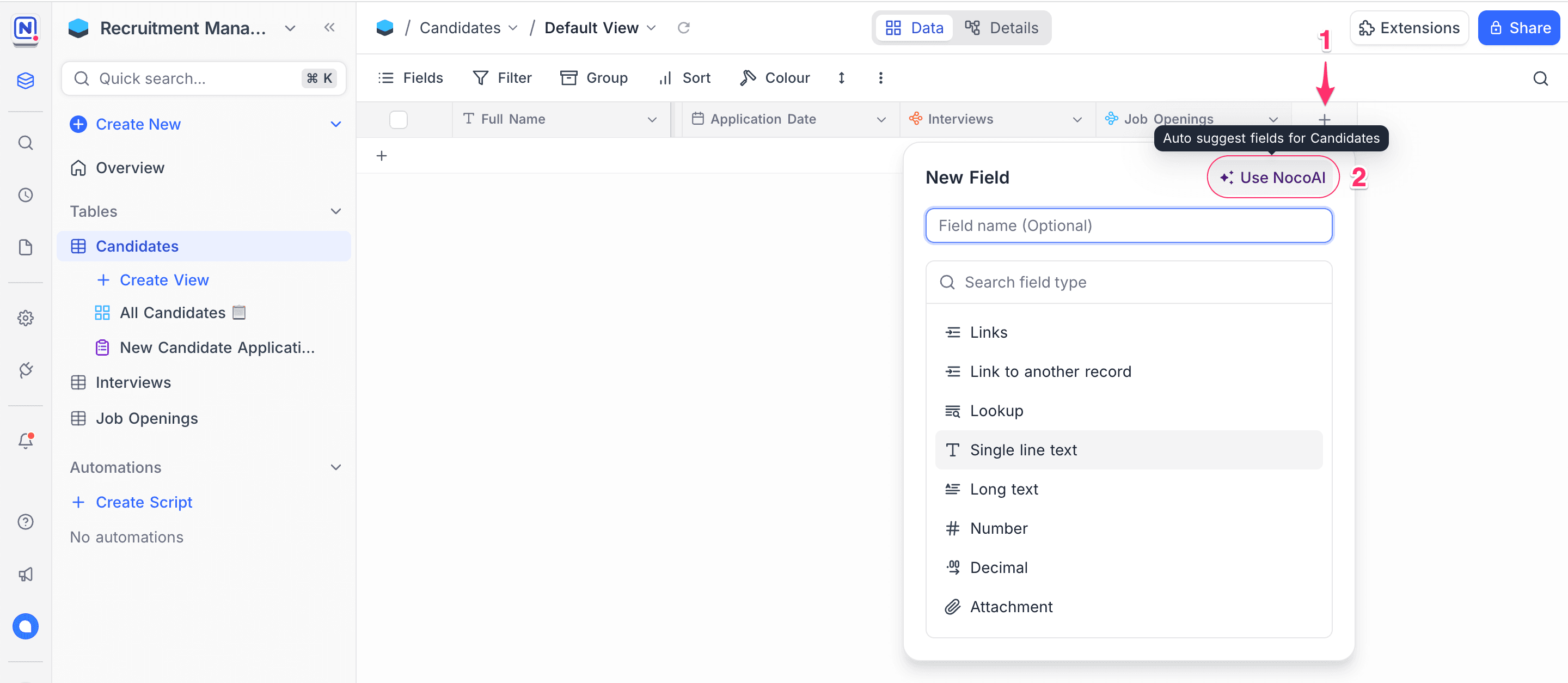
In the table header, click the + button to the right of the field list. The + Add Field modal opens.
-
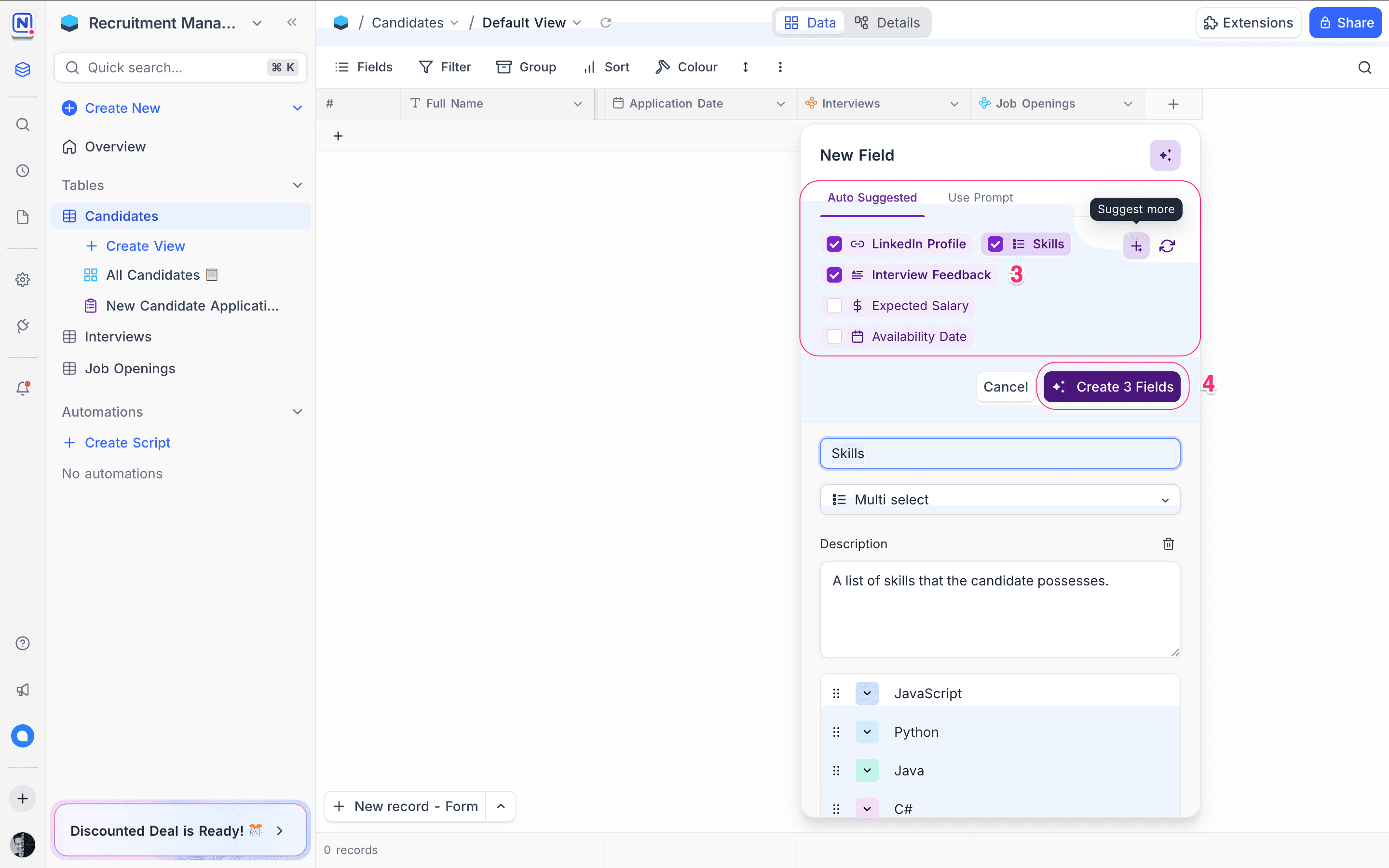
In the field creation dialog, select ✨ Use NocoAI. NocoAI shows suggested fields.
NocoAI analyzes your table name, existing fields and related context to recommend fields.
-
Edit the field names, types and options as necessary.
-
Select the fields that you need.
-
Click Create [X] Fields. NocoAI adds the fields to your table.
Tips for Better AI Suggestions
-
Name your table clearly For example, use "Job Applications", not "Table 1". A clear name helps NocoAI recommend better fields.
-
Think in terms of attributes Think about the information that each record must store. Example: A “Candidate” table may need Full Name, Email, Phone, Resume, Status, and Applied Date.
-
Use existing fields NocoAI looks at your current fields. It does not suggest duplicates, and it suggests only the fields that are missing.
-
Use it iteratively You can get field suggestions again at any time when your table changes.
Example Scenarios
These are examples of fields that NocoAI can suggest for a table name:
| Table Name | Suggested Fields |
|---|---|
Leads | Name, Email, Source, Status, Last Contacted |
Tasks | Title, Due Date, Priority, Assigned To, Status |
Job Applications | Candidate Name, Resume, Email, Phone, Application Date |
What's Next
After your fields are ready, you can:
- Use NocoAI View Suggestions to show your data more clearly
- Create Formulas using AI to automate calculations and logic
Let NocoAI make the structure, and focus on your workflow.
Availability
- NocoAI field suggestions are available on NocoDB Cloud (Plus plan and above). On Cloud, they use credits.
- On self-hosted deployments (Business plan and above), you must configure your own AI integration to use AI.
Last updated on