Create Base Using AI
Overview
Describe your needs in plain language, and NocoAI generates a complete base. The base includes tables, views, fields and relationships. Use this for fast prototypes and workflow automation. You do not need technical skills.
Steps to Create a Base Using AI
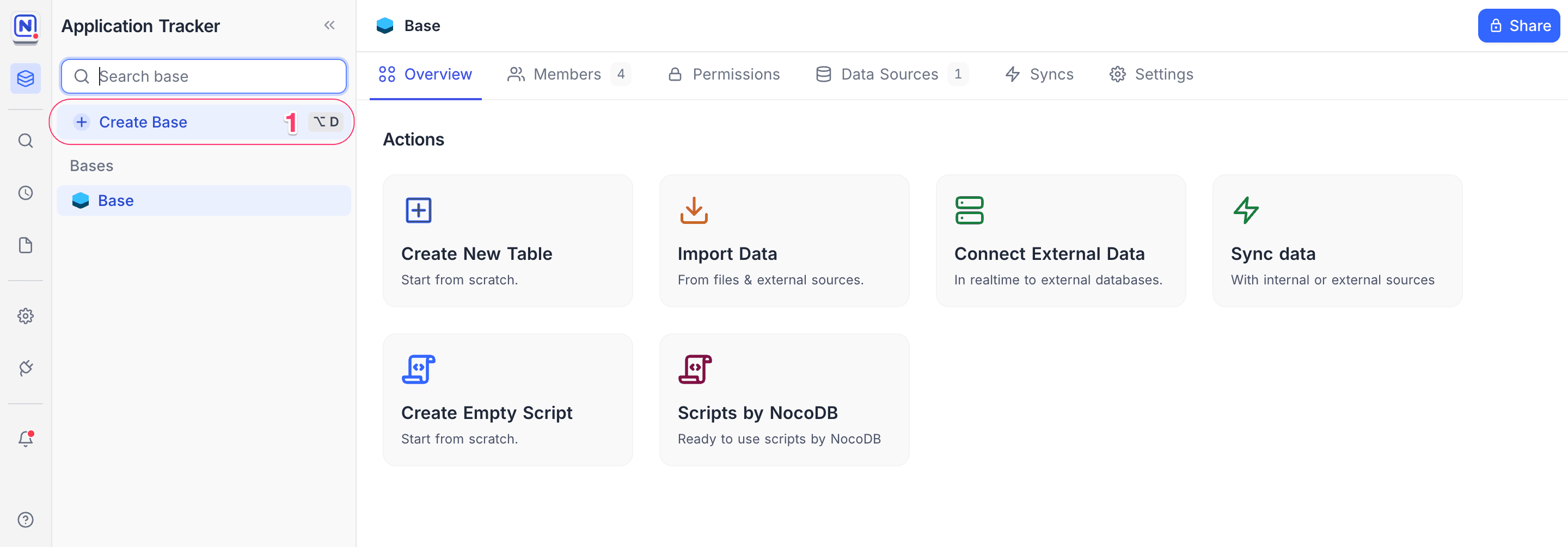
- In the left sidebar, click + Create Base.
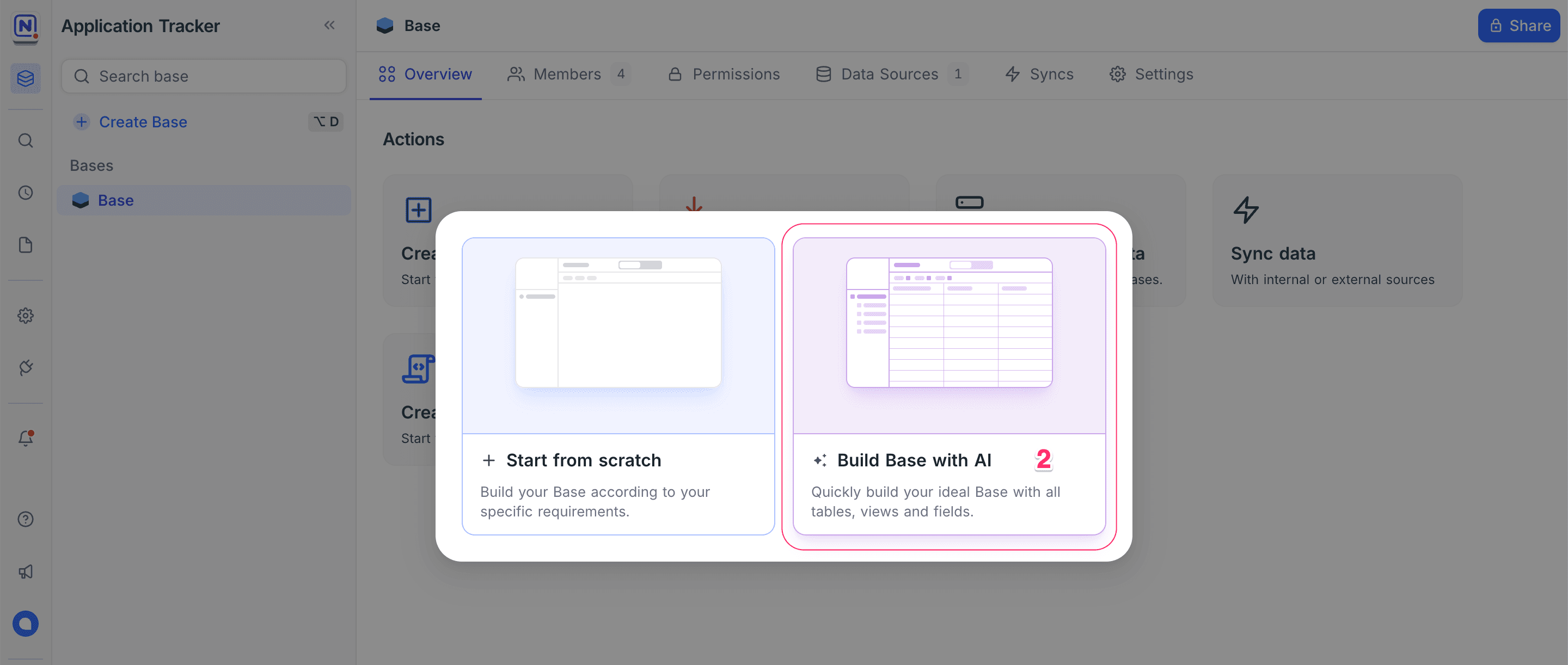
- In the dialog, select ✨ Build Base with AI.
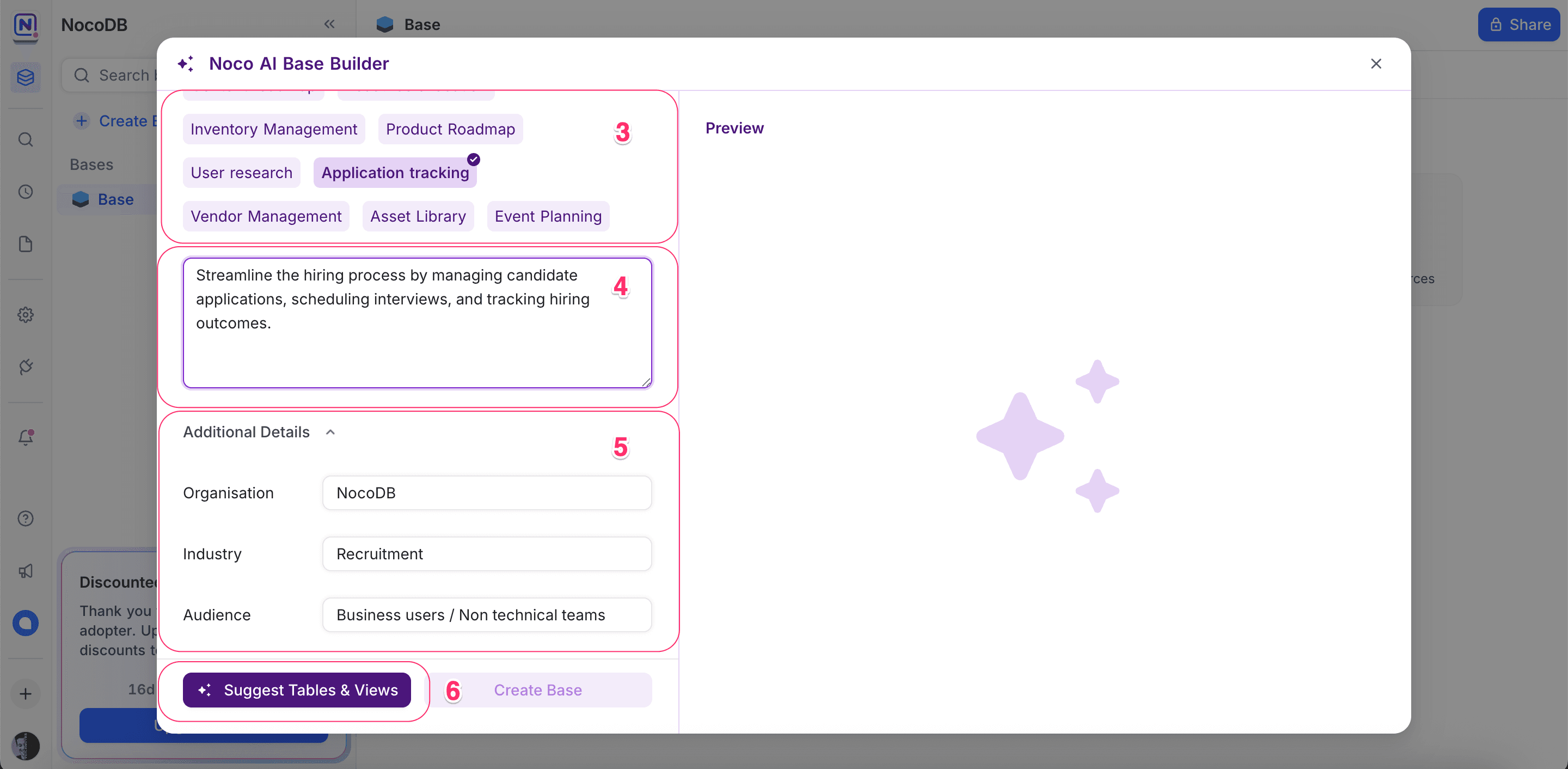
- (Optional) Select a Use Case. NocoAI fills in a sample prompt for it.
- Edit the suggested prompt, or type your own prompt. For example:
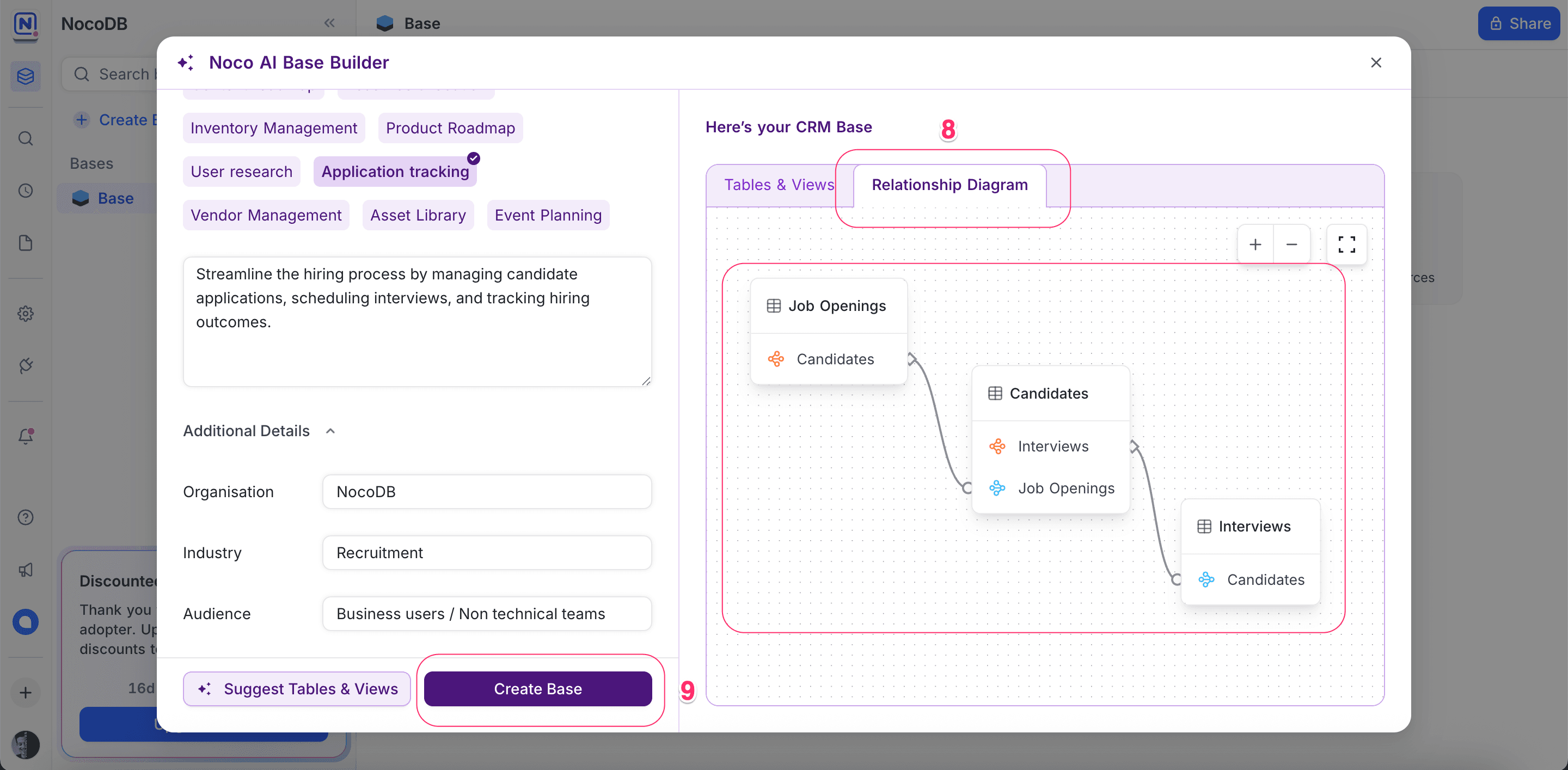
Streamline the hiring process by managing candidate applications, scheduling interviews, and tracking hiring outcomes.
- (Optional) Add Additional Context, for example the organization name, industry and audience. This helps NocoAI fit the results to your needs.
- Click Suggest Tables & Views. NocoAI analyzes your prompt and generates the recommended schema.
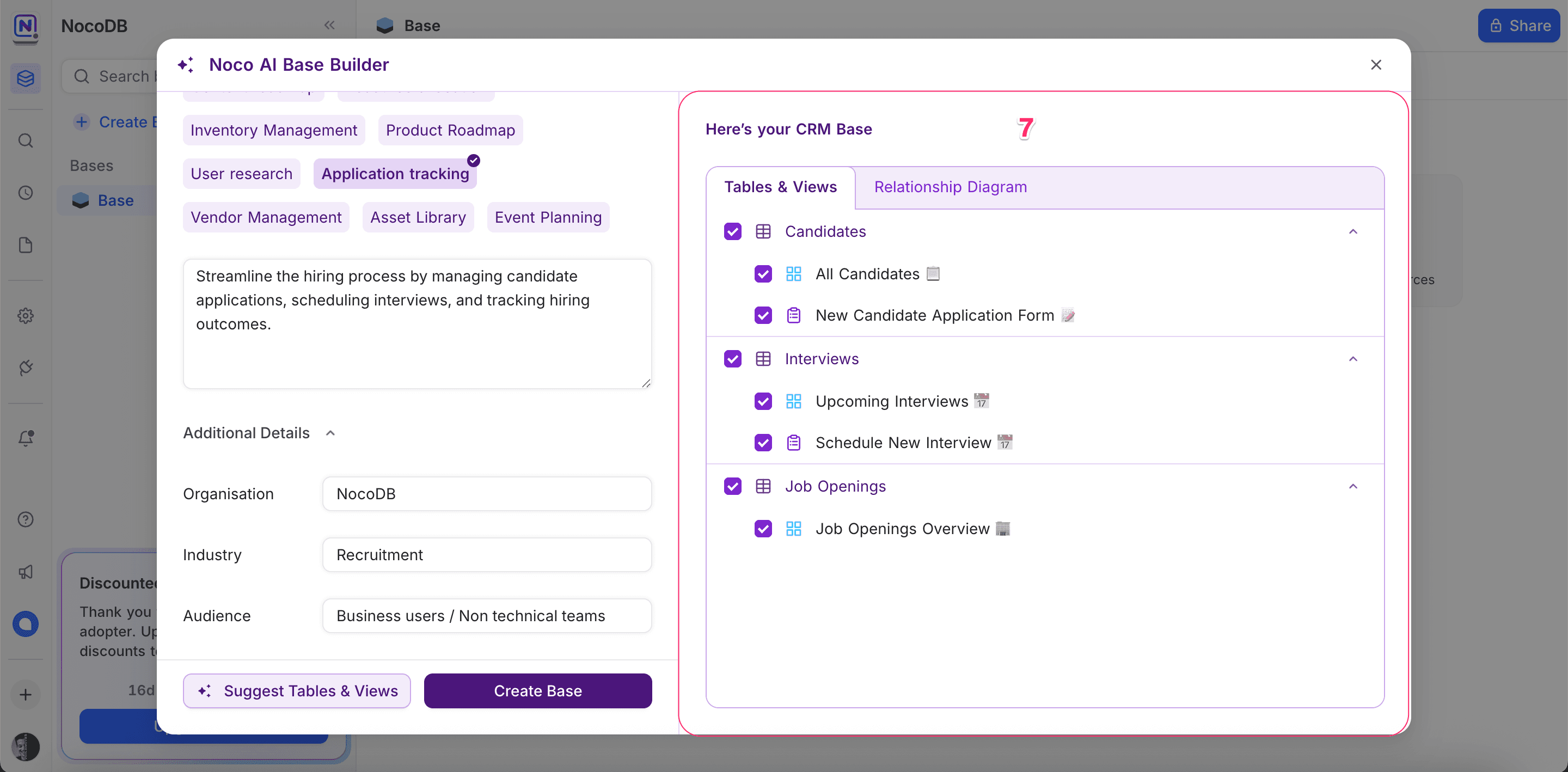
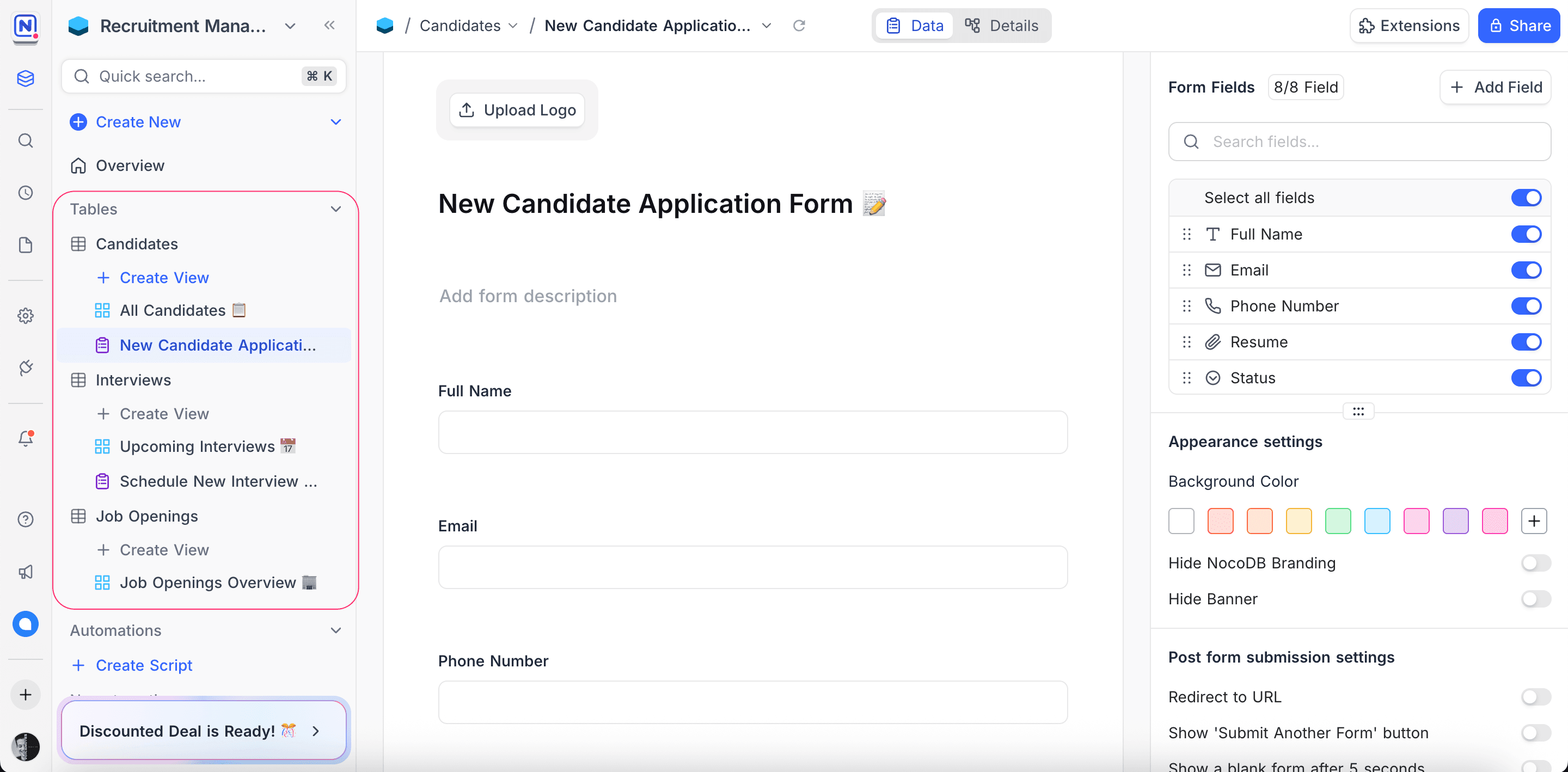
- Review the suggested tables and their views.
- To review the relationships, open the Relationship Diagram tab. This tab shows an auto-generated ERD (Entity Relationship Diagram).
- When the structure is correct, click Create Base. NocoAI creates the base, and you can start to use it.
Tips for Better AI Suggestions
-
Be clear and specific
Do not use vague descriptions such as “make a project tracker.” Write a clear description, for example:Track multiple projects with assigned team members, tasks, deadlines, and project status updates.
-
Mention key entities and relationships
Write what you want to manage and how the items relate.Each candidate can apply to multiple job openings and be scheduled for multiple interviews.
-
Add extra context
Fill in fields such as Industry or Audience. They help guide the AI. -
Start simple, refine later
If necessary, edit the prompt and generate the suggestions again.
Next Steps
After you create your base, try more NocoAI capabilities:
- AI-assisted View Suggestions
- AI-assisted Field Suggestions
- Prompt-based Formula Generation
- Smart Select Option predictions
Let AI do the work, and focus on what matters to you.
Availability
- You can create a base with AI on NocoDB Cloud (Plus plan and above). On Cloud, this uses credits.
- On self-hosted deployments (Business plan and above), you must configure your own AI integration.
Last updated on