Generate Formulas Using AI
Overview
Formulas can be complex and slow to write. With NocoAI, you describe the logic that you need in plain English. NocoAI then generates the formula for you.
Use it if you are a non-technical user, or a power user who wants to write formulas faster. It also helps you prevent syntax errors.
Steps to Generate Formulas Using AI
-
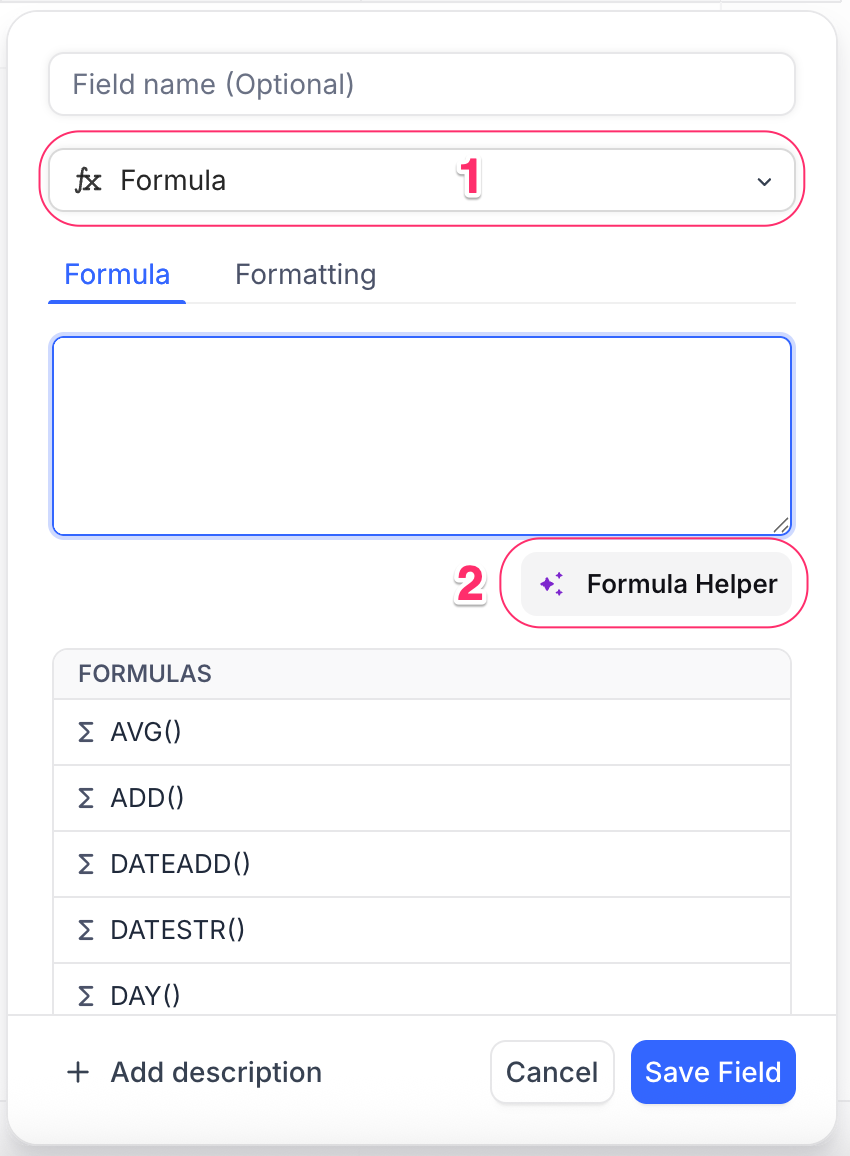
In your table, add a field and select Formula as the type.
-
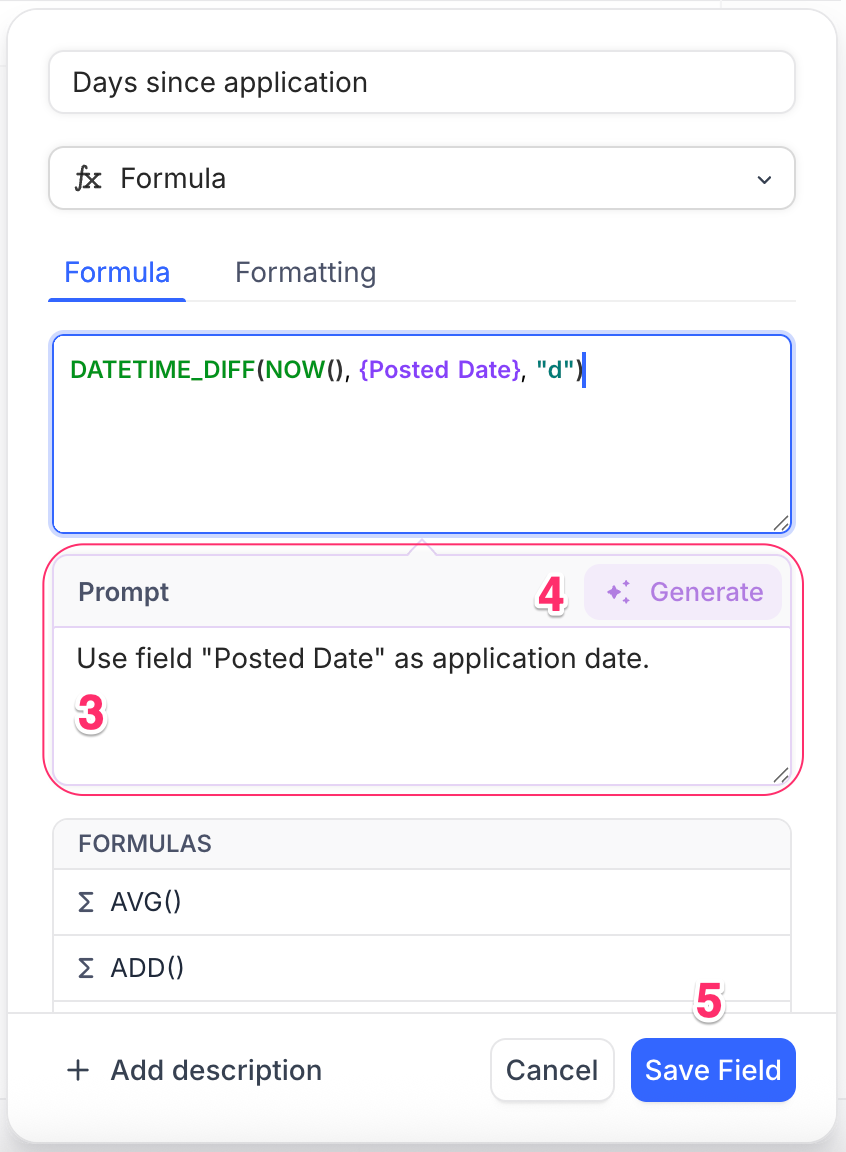
In the formula editor, click ✨ Formula Helper. The prompt-based generation interface opens.
-
Write a short prompt that tells what the formula must do.
Example:
Show "✅ Done" if Status is "Completed", else show "⏳ In Progress".
-
Click Generate. NocoAI generates the formula from your prompt in the formula editor.
-
Review the formula, and change it if necessary.
-
When the result is correct, click Save. NocoAI saves the field.
Tips for Better Formula Suggestions
-
Be precise in your prompt
Use the exact field names and values when possible. Example:
Calculate number of days between Start Date and End Date.
-
Use conditional phrases
These help the AI understand your intent. Example:
If Priority is "High" and Status is not "Completed", show "⚠️ Urgent".
-
Refer to data types clearly
Say if you work with dates, numbers, checkboxes, or text. Example:
Add 7 days to the Created Date.
Example Prompts and Outcomes
| Prompt | Resulting Formula (Example) |
|---|---|
| If Status is "Done", show "✅", else show "⏳" | IF({Status} = "Done", "✅", "⏳") |
| Show the number of days between Start and End Date | DATETIME_DIFF({End Date}, {Start Date}, "days") |
| If Due Date is past today, mark as "Overdue" | IF({Due Date} < TODAY(), "Overdue", "") |
| Combine First Name and Last Name into one field | CONCAT({First Name}, " ", {Last Name}) |
What’s Next
After your formula field is ready, you can:
- Use NocoAI View Suggestions to show data based on these formulas
- Create Fields using AI to automatically generate relevant fields for your table
NocoAI makes complex logic simple, so you can focus on your workflows.
Availability
- AI formula generation is available on NocoDB Cloud (Plus plan and above). On Cloud, it uses credits.
- On self-hosted deployments (Business plan and above), you must configure your own AI integration.
Last updated on