Slack
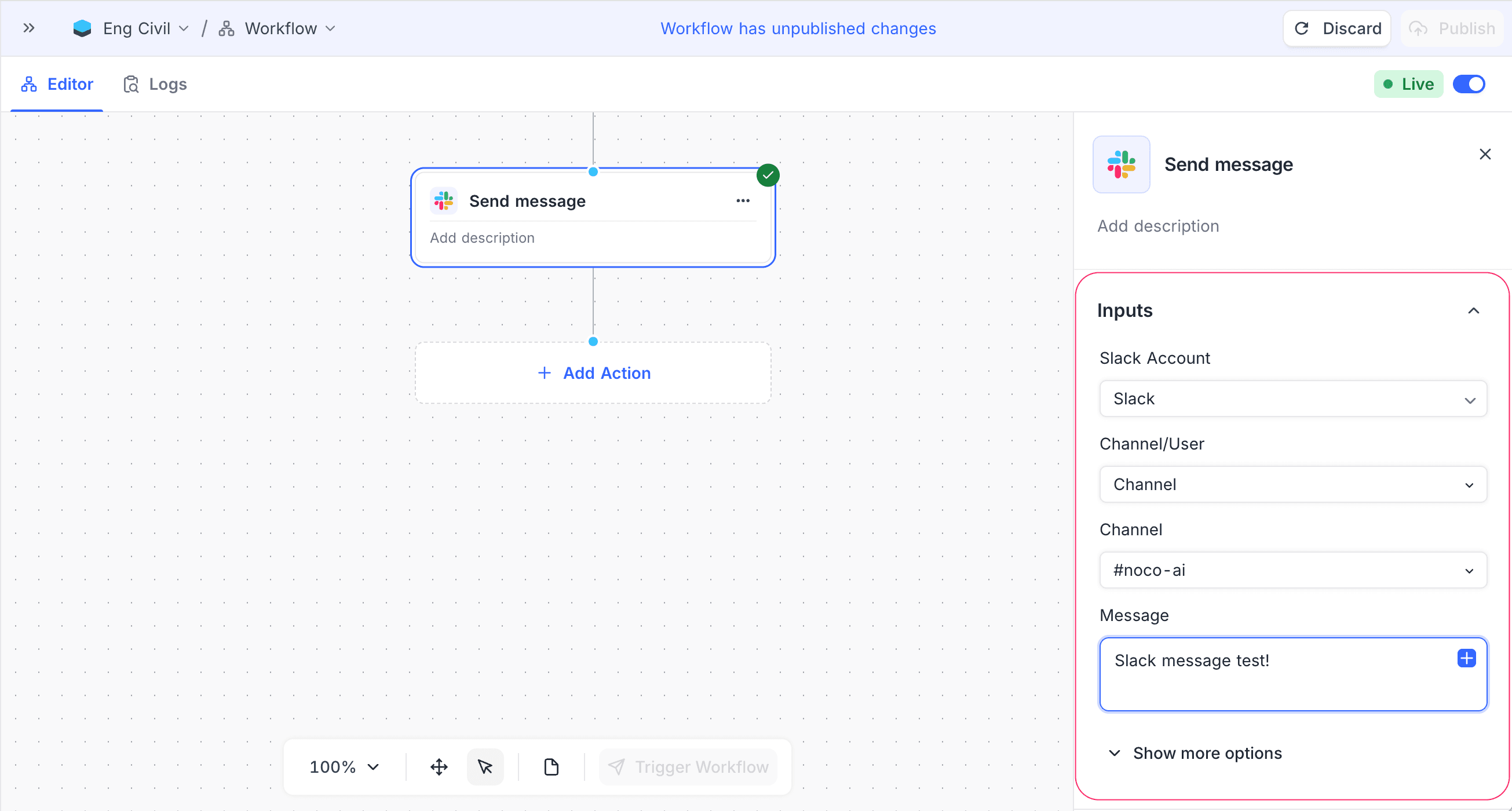
The Slack integration node in NocoDB workflows sends messages to Slack channels or users. Use this node to notify teams, post updates or share alerts when a workflow event occurs.
Ask NocoAI
Copy a prompt, paste it into NocoAI in any base, and replace the words in [brackets] with your own.
- When a record is added to [Tickets], post it to [#support] in Slack
- When a [deal] moves to [Won], post a message to [#sales] in Slack
- Every [morning], post a list of [today's tasks] to [#team] in Slack
Configuration
| Setting | Description |
|---|---|
| Slack Account | The connected Slack workspace that sends the messages. You must add at least one Slack integration to use this feature. For setup instructions, refer to Integrations. |
| Channel / User | Send the message to a Slack channel or to one user. |
| Channel | The target Slack channel (for example, #noco-ai). |
| Message | The message content. You can use static text and dynamic values from previous workflow nodes. |
You can also set the bot name and the bot icon. These change how the message sender looks in Slack.
How it works
- The workflow reaches the Slack node.
- NocoDB resolves the dynamic data from earlier nodes.
- The node posts the configured message to the selected channel or user.
- The workflow continues after the message is sent.
Use cases
- Notify teams when records are created, updated or deleted.
- Post alerts for failures, approvals or threshold breaches.
- Share AI-generated summaries or workflow results in Slack.
Availability
- Available on NocoDB cloud plus plan onwards and licensed on-premise deployments.
Last updated on
Latest product updates?See Changelog