Gmail
Use the Gmail integration node in NocoDB workflows to send emails through a connected Gmail account. Use this node for personalized messages, confirmations and automated follow-ups with workflow data.
Ask NocoAI
Copy a prompt, paste it into NocoAI in any base, and replace the words in [brackets] with your own.
- When a record is added to [Leads], send them a welcome email from Gmail
- When [Status] changes to [Approved], email [the requester] from Gmail
- Every [Friday], send [my manager] a summary of [this week's tasks] from Gmail
Configuration
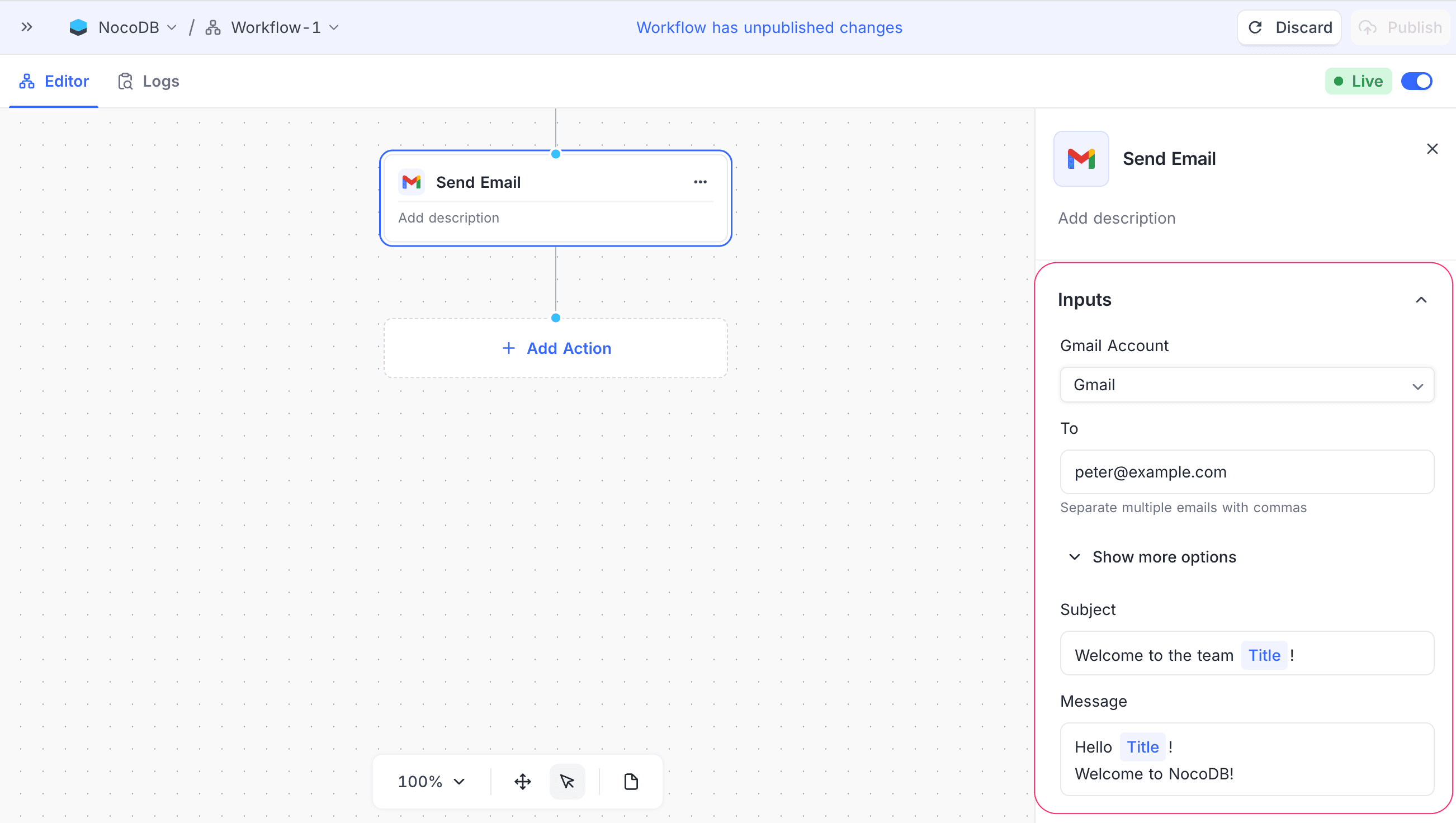
- Gmail Account: Select the connected Gmail account that sends the emails. For setup instructions, refer to Integrations. You must add at least one Gmail integration to use this feature.
- To: Specify one or more recipient email addresses. Use commas to separate the addresses.
- Subject: Type the email subject. You can use static text and dynamic values from the workflow context.
- Message: Write the email body in the rich text editor. The editor supports headings, lists, colors, alignment, and links with custom anchor text. You can add dynamic fields from previous nodes. NocoDB sends a formatted message as HTML with a plain-text copy.
How it works
- When the workflow gets to the Gmail node, the node makes the email from the configured subject and message.
- NocoDB resolves the dynamic values before it sends the email.
- The selected Gmail account sends the email.
- After the email is sent, the workflow continues.
Use cases
- Send welcome or onboarding emails.
- Notify users about events or updates from the workflow.
- Send personalized messages based on record data or AI-generated content.
Availability
- Available on the NocoDB Cloud Plus plan and higher, and on licensed on-premise deployments.
Last updated on
Latest product updates?See Changelog