AI
Use the AI Integration node in NocoDB workflows to generate content or structured outputs with AI models. Use this node to add data to records, change inputs, summarize data, or make values for fields. The node uses context from previous workflow steps.
To find the AI Integration nodes, go to Integrations → Generate with AI. They support free-form text generation and structured data generation.
Copy a prompt, paste it into NocoAI in any base, and replace the words in [brackets] with your own.
- When a [ticket] is created, use AI to set its [Category] from the [Description]
- When a [review] is added, use AI to fill [Sentiment] with positive, neutral or negative
- When a [lead] is added, use AI to write a short [Summary] from their [Notes]
Generate text
The Generate text option makes unstructured text output. It uses a prompt and inputs from earlier nodes.
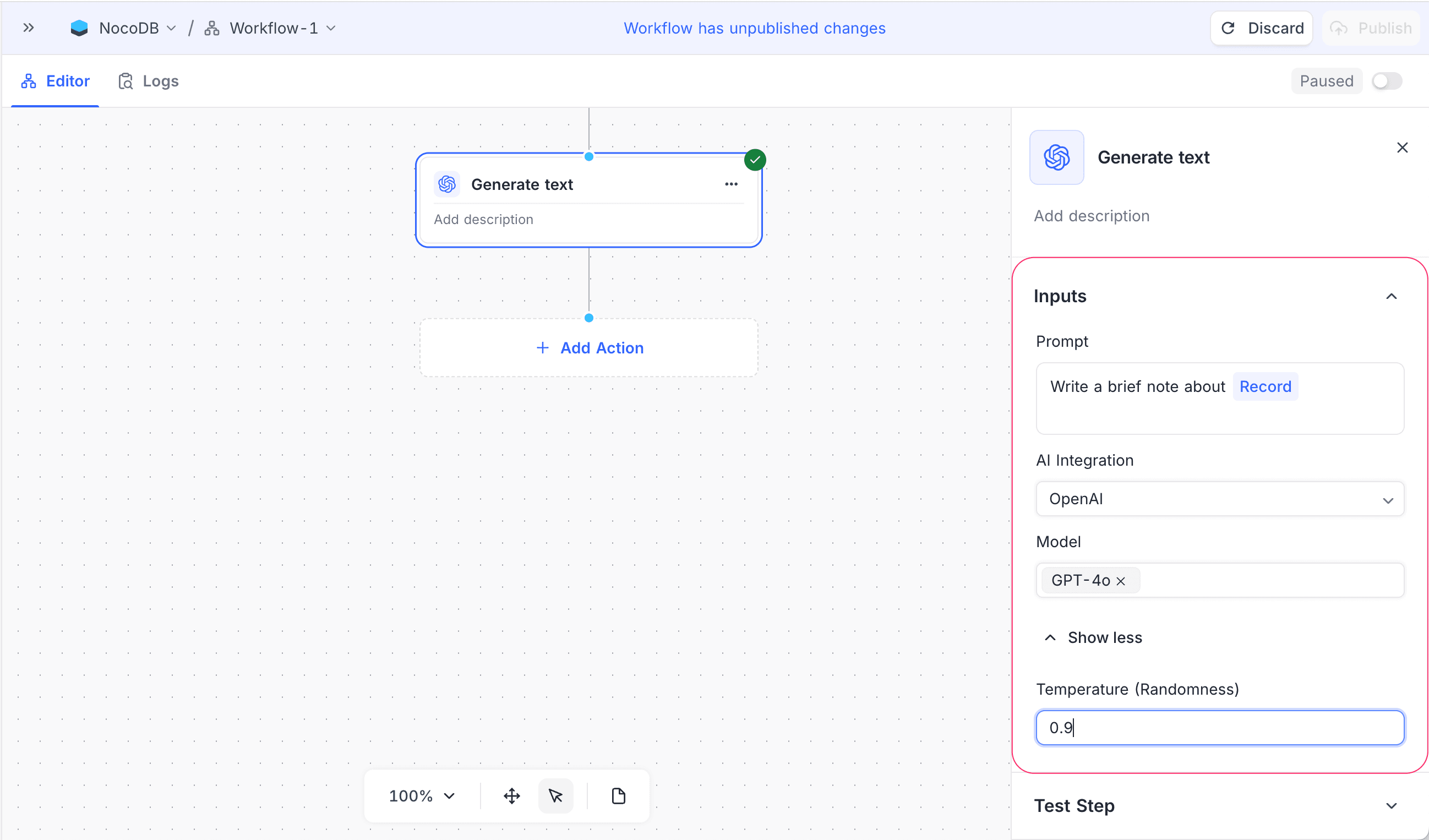
Configuration
- Prompt: Write the instruction for the AI. You can use dynamic values, such as record fields or outputs from previous nodes.
- AI Integration: Select the AI provider for generation. For setup instructions, refer to Integrations. You must add at least one AI integration to use this feature.
- Model: Select the model that generates the response. The list of models depends on the AI provider that you selected when you set up the integration.
- Temperature (Randomness): Optional. Controls the creativity of the output. Lower values give more predictable responses. Higher values give more varied results.
How it works
- When the workflow gets to this node, NocoDB makes the prompt from the configured text and the dynamic inputs.
- The AI model generates a text response from the prompt.
- You can map the generated text to later nodes, store it in fields, or use it in notifications.
Use cases
- Generate summaries, descriptions, or notes for records.
- Create personalized messages or explanations.
- Change raw input into readable text.
Generate structured data
The Generate structured data option generates AI output in a structured format. You can map this output directly to table fields or process it further in workflows.
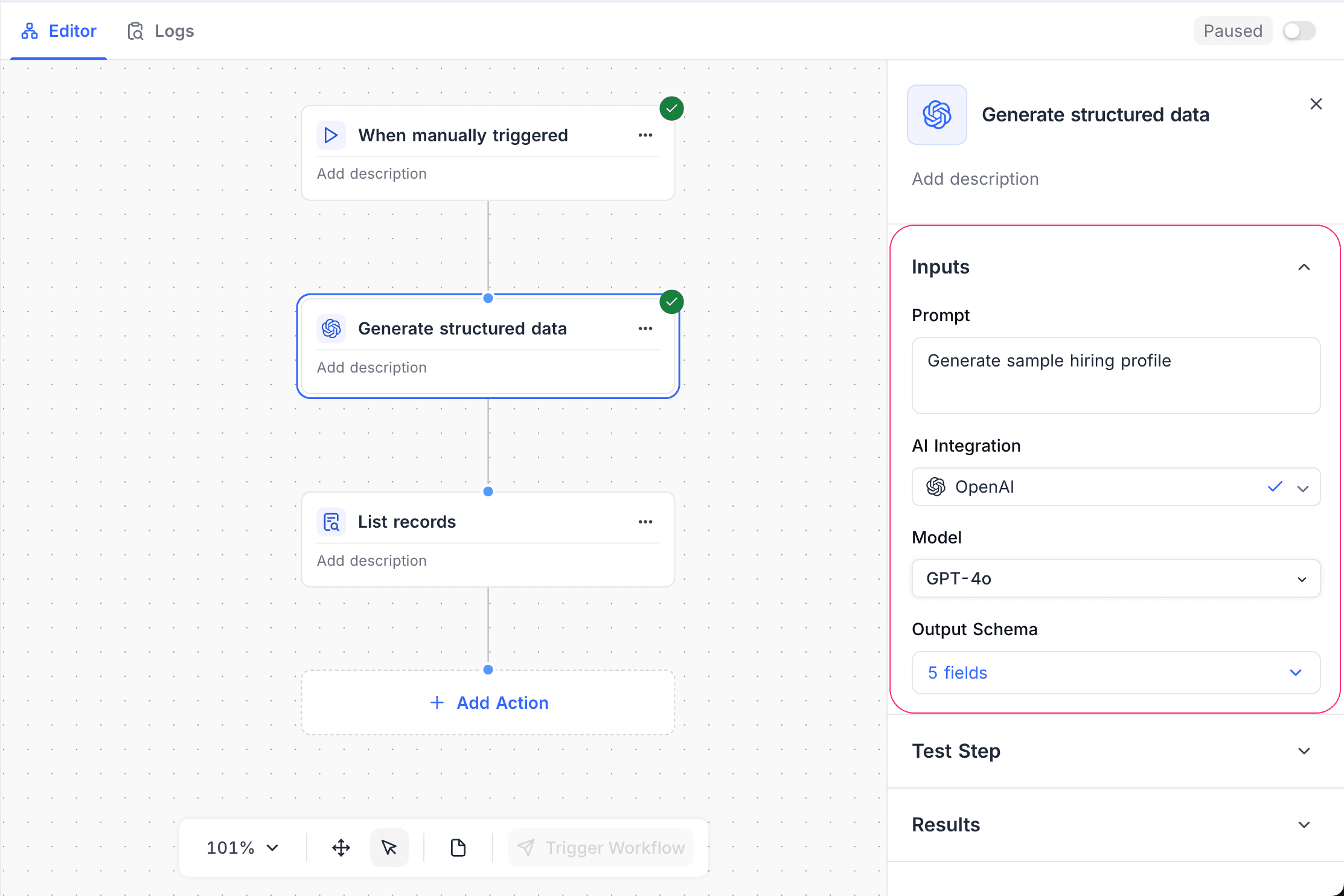
Configuration
- Prompt: Write instructions that describe the necessary output structure.
- Output schema: Define the expected fields and data types for the AI output. Supported types include string, number, boolean, array, object and enumeration.
- AI Integration: Select the AI provider for generation. For setup instructions, refer to Integrations. You must add at least one AI integration to use this feature.
- Model: Select the model that generates the structured response.
- Temperature (Randomness): Optional. Controls how consistent or how varied the generated data is.
How it works
- The workflow gives the AI the context, the instructions and the defined output schema.
- The AI generates data that matches the specified structure.
- Later workflow nodes can use each generated field.
Use cases
- Get structured information from unstructured text.
- Automatically fill many fields from one input.
- Classify, categorize, or normalize incoming data.
Availability
- Available on the NocoDB Cloud Plus plan and higher, and on licensed on-premise deployments.
Last updated on