Webhook v2 vs v3
Webhook v3 in NocoDB has a simpler structure, richer payloads and more configuration options than webhook v2. The changes come from feedback on real-world use. They make integration easier and give you more control over what triggers a webhook.
The sections below compare the key changes between webhook v2 and v3.
Unified Event Model for Record Operations
Webhook v2 has separate events for single operations and bulk operations:
- record.create, records.bulkCreate,
- record.update, records.bulkUpdate, and
- record.delete, records.bulkDelete.
Consumers had to handle many event types for similar actions. Webhook v3 replaces them with three events: after insert, after update and after delete. Each event applies to both single and bulk record operations.
Versioning in Webhook Payloads
From v3, the webhook payload includes a version identifier. Client systems use it to parse and process webhook data reliably against the expected schema. The identifier also keeps integrations working as NocoDB changes its webhook capabilities.
Enhanced Payload for Bulk Insert Operation
In webhook v2, the payload for a bulk insert contains only the count of inserted records. With only the count, you cannot audit or react to specific insertions.
In v3, the "After insert" payload is the same for single and bulk insertions. It includes the inserted records as an array. Integrators can see exactly which records were inserted and act on them. For example, they can sync the insertions with external systems or log them for compliance.
New "Send Everything" Trigger Option
Webhook v3 adds a "Send everything" trigger in the UI. Use it to configure a webhook that triggers on any change to records in a table. You do not have to specify individual event types. This option is useful when an external system must stay in sync with all changes: inserts, updates and deletes.
Field-Level Change Monitoring
Webhook v3 also lets you configure field-specific triggers. The webhook then fires only when specified fields change. For example, set a webhook to trigger only when the Status or Priority field is updated. This reduces noise and makes automation logic simpler.
Summary
| Feature | Webhook v2 | Webhook v3 |
|---|---|---|
| Event Model | Separate events for bulk & single | Unified after insert/update/delete |
| Payload Version | Not available | Included in every webhook payload |
| Bulk Insert Payload | Only count of records | Full array of inserted records |
| Send Everything Trigger | Not available | Supported |
| Field Change Monitoring | Not supported | Supported |
Upgrade to webhook v3
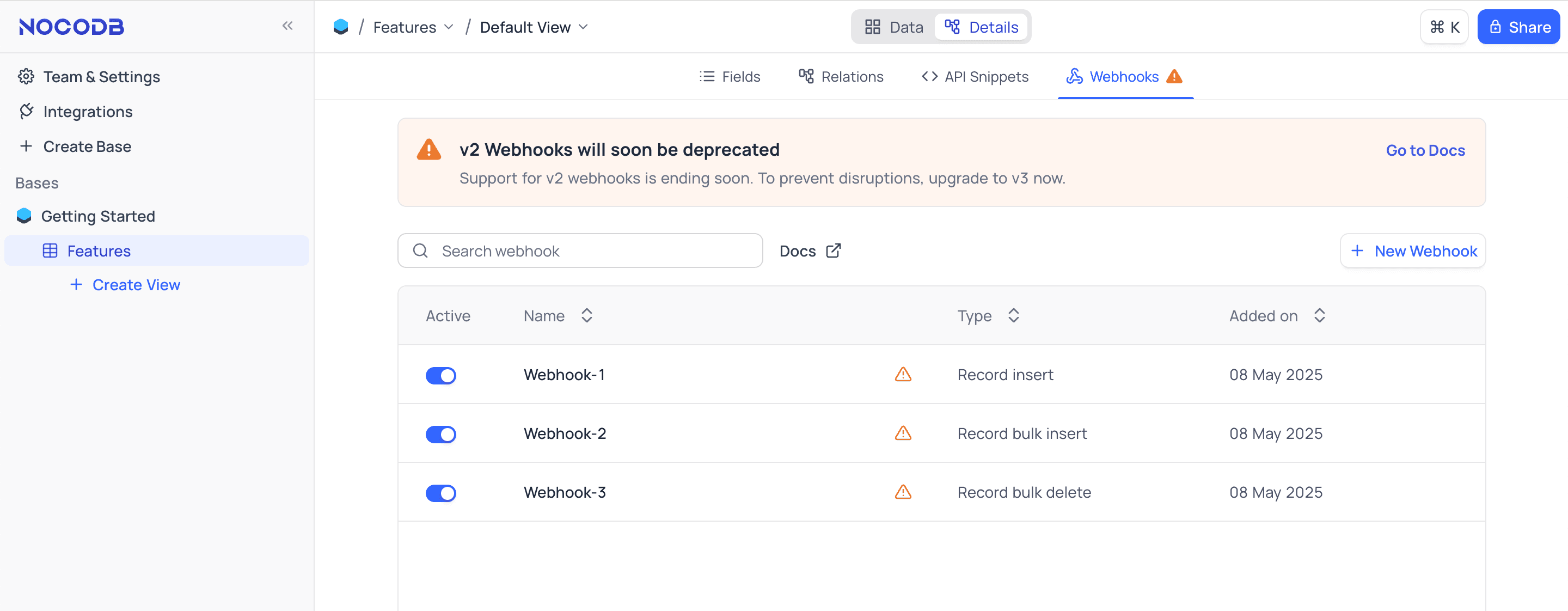
If your NocoDB instance has webhook v2 webhooks, the webhook list view shows a notification.
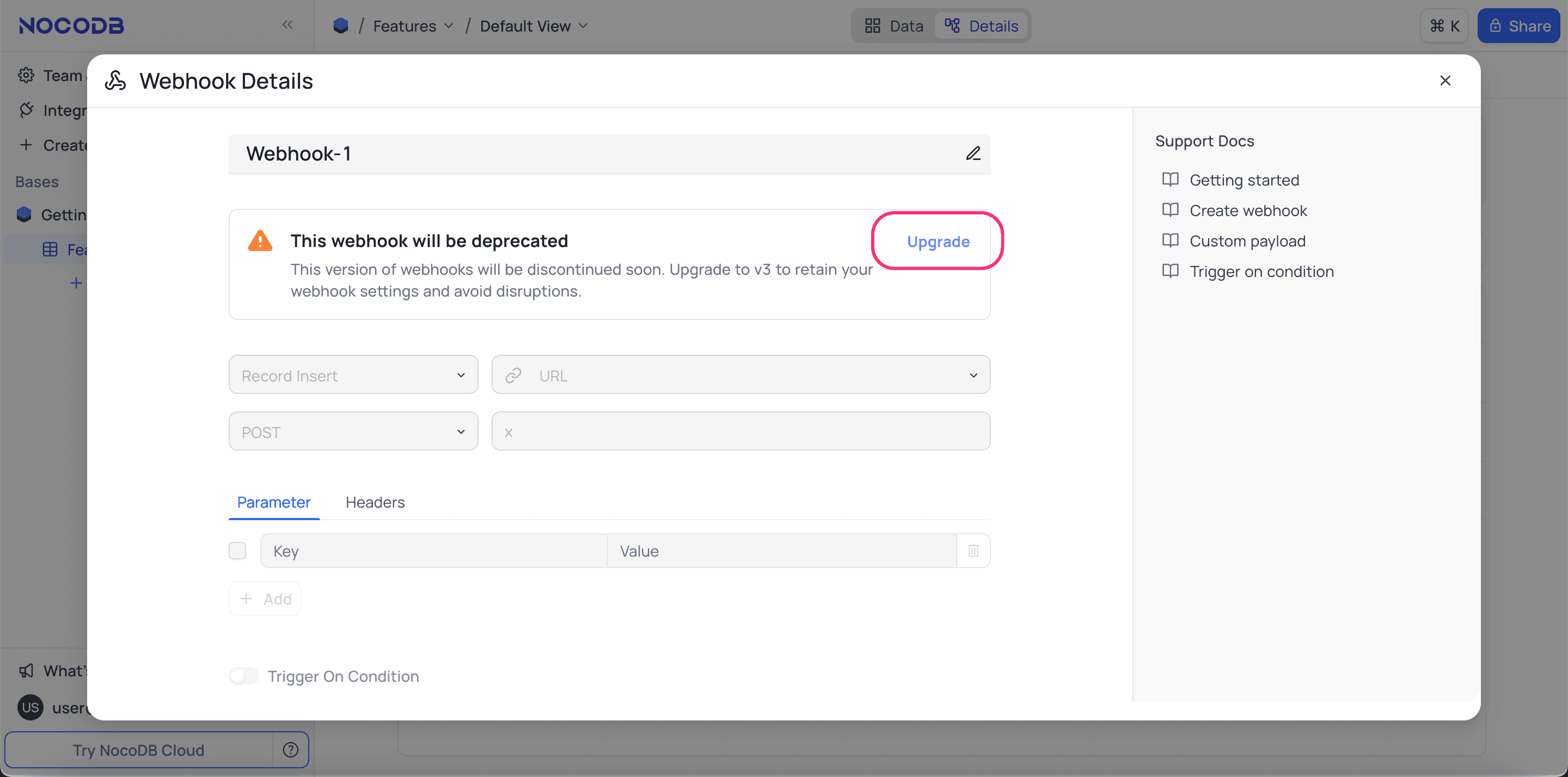
- Select the webhook to upgrade to v3.
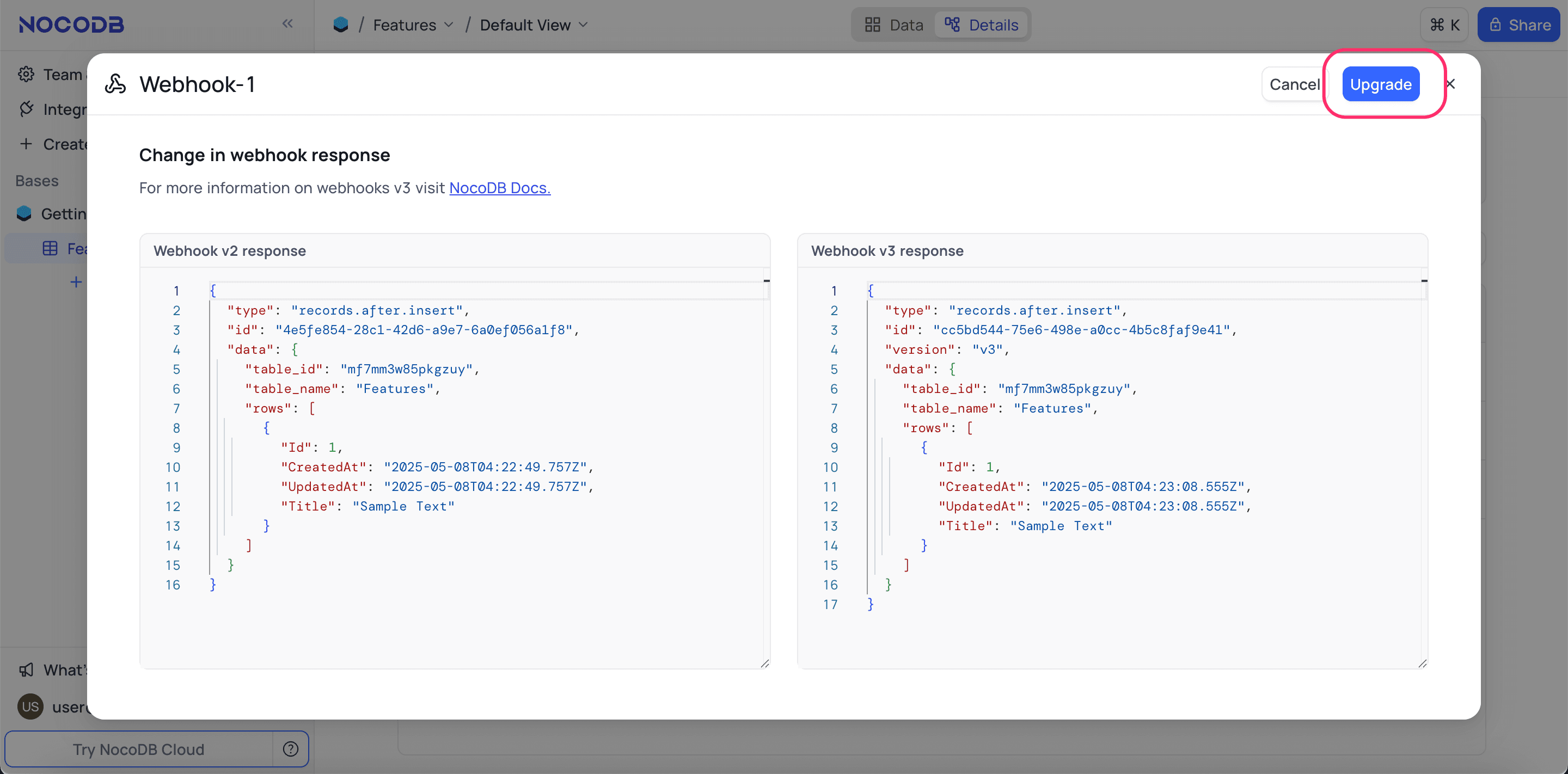
- Click Upgrade. The upgrade page opens and shows the differences between the v2 and v3 webhook response.
- Click Upgrade. NocoDB upgrades the webhook to v3.
Last updated on