Dedupe
Overview
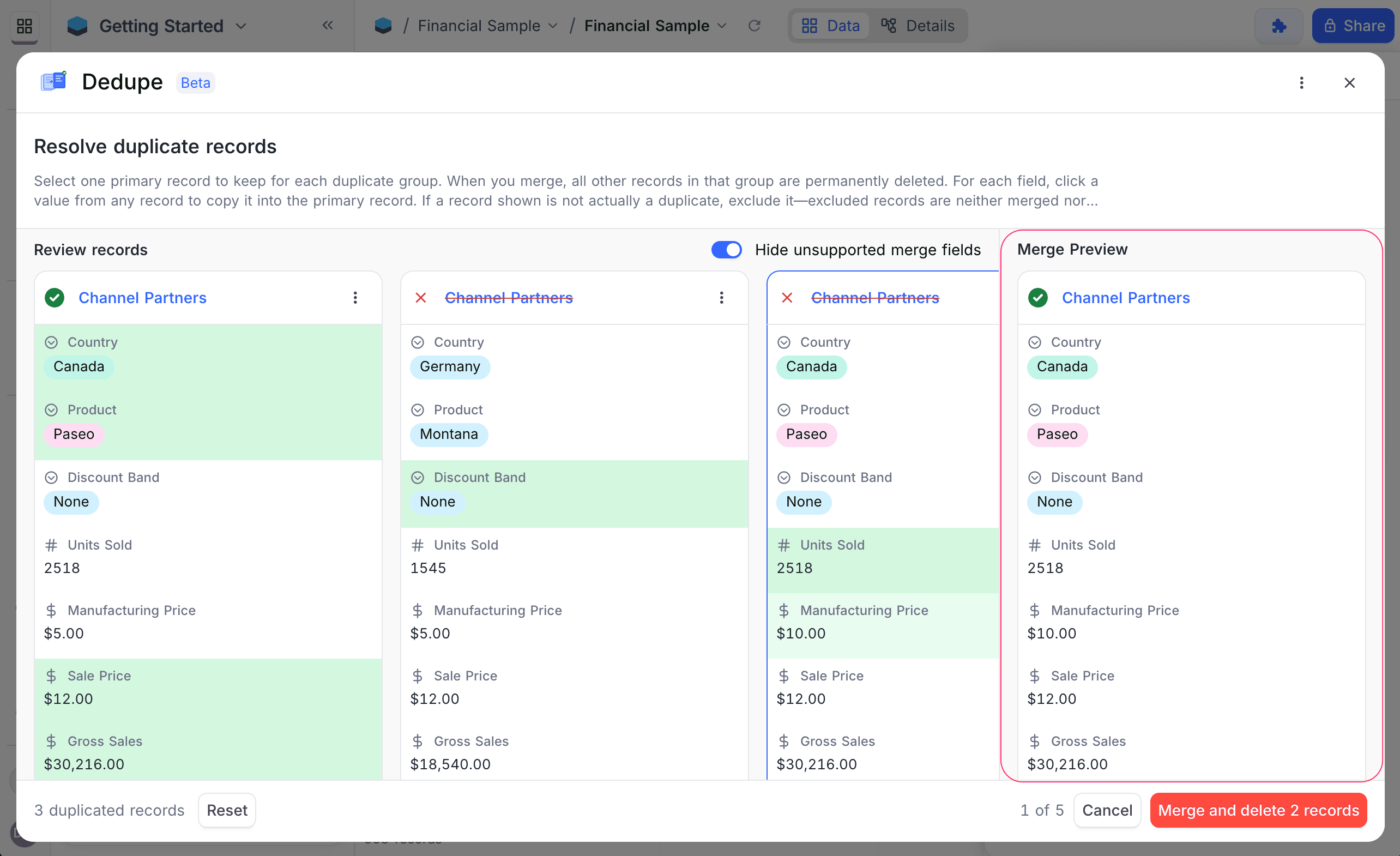
The Dedupe extension finds and merges duplicate records in a table. It groups records by one or more fields. You do not have to compare records manually. Dedupe finds groups of records with the same values in the selected fields. A guided interface then helps you review, select and merge them into one primary record.
Use this extension to keep datasets clean where duplicate entries are frequent, for example contacts, leads or inventories.
Finding Duplicate Records
To find duplicate records:
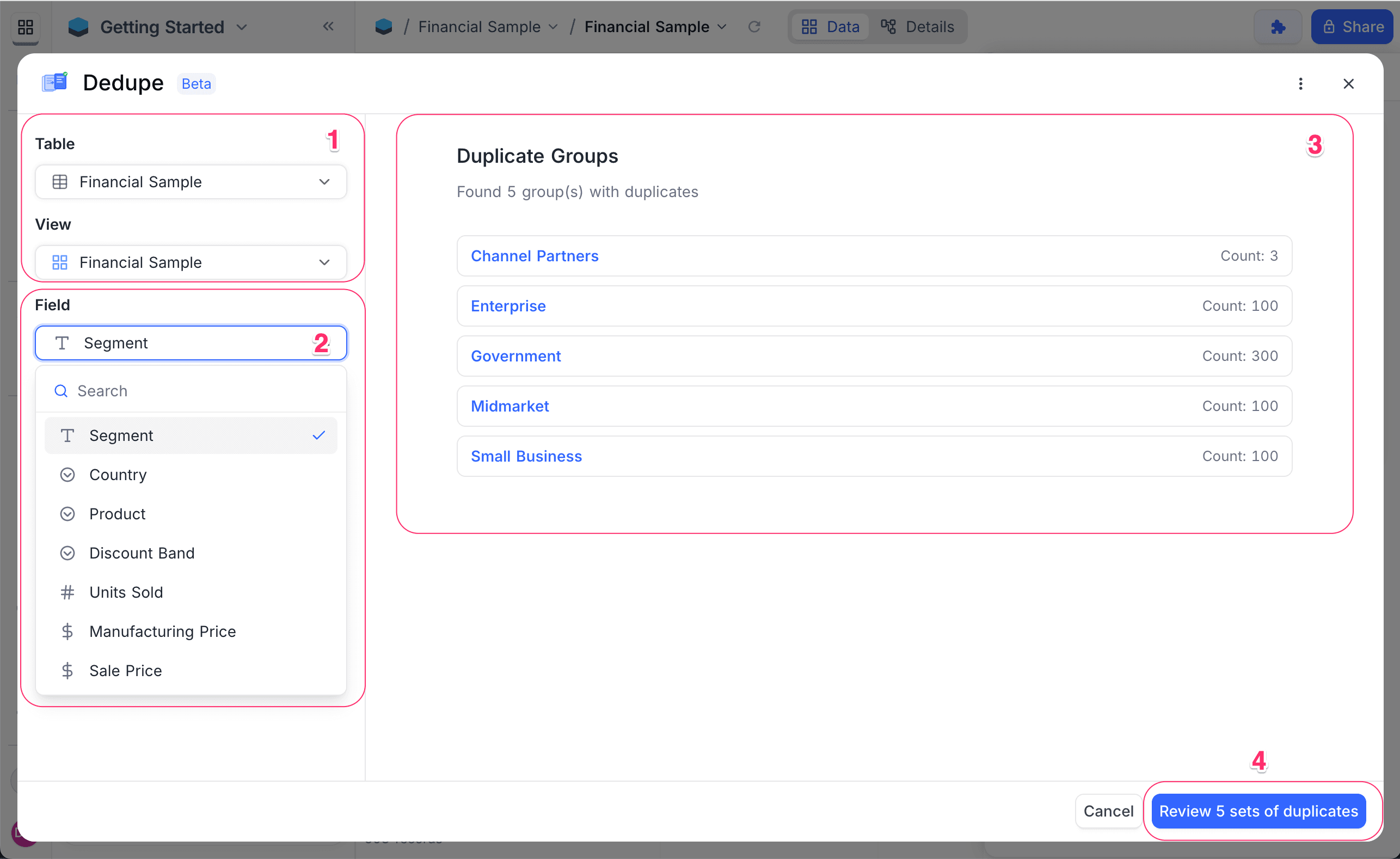
- Select the Table that you want to scan for duplicates.
- Optional: select a View in that table. This limits the scan to the records in that view.
- Select one or more Field(s) to group records by. To make the criteria more detailed, select more fields from the dropdown.
Dedupe finds groups where two or more records have the same values in all the selected fields. It shows the groups for review one at a time.
Resolving Duplicate Records
For each duplicate group, review and merge the records:
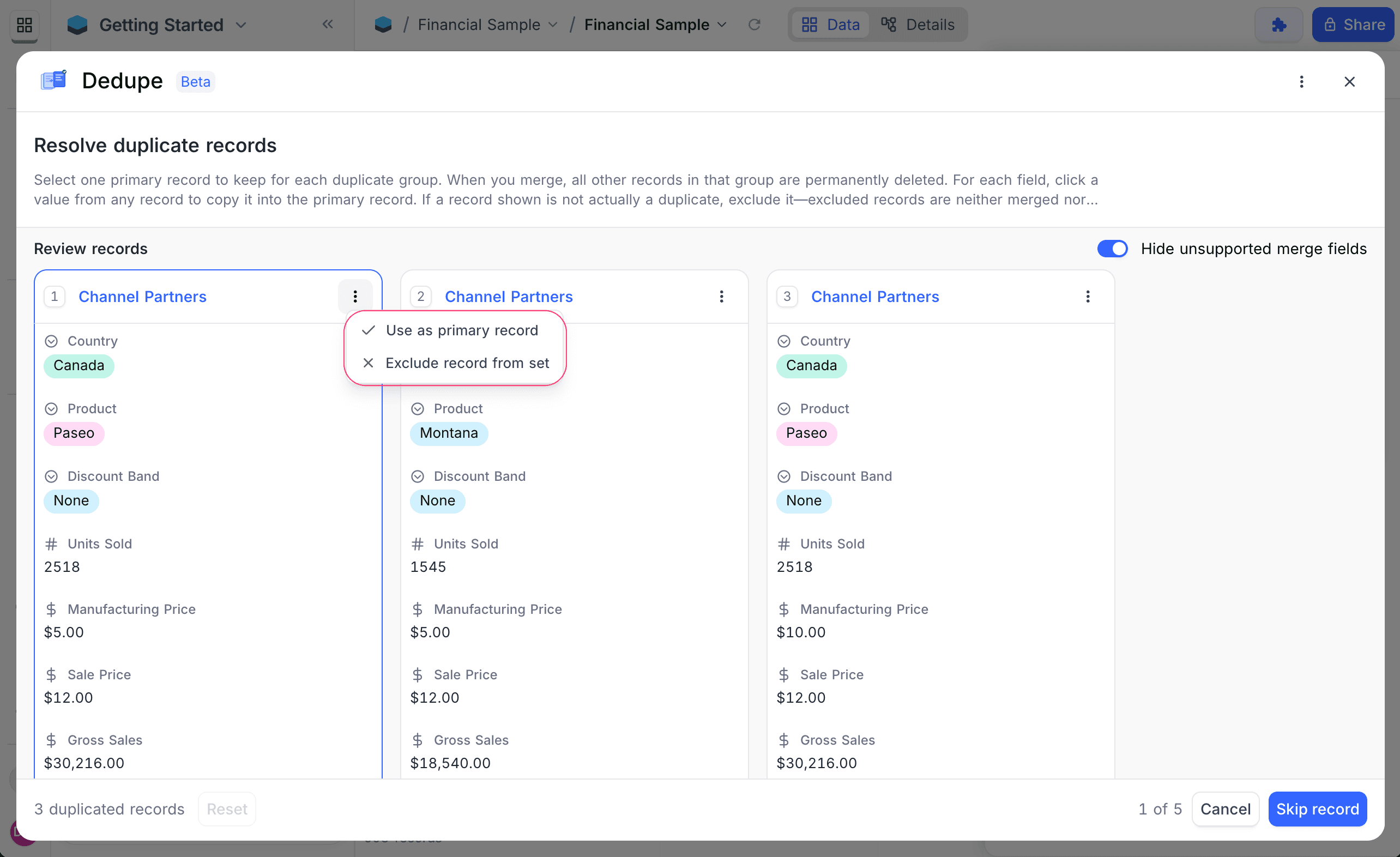
- Select one primary record to keep.
- If a record in the group is not a duplicate, exclude it. Dedupe does not merge or delete excluded records.
- Optional: for each field, click a value in a record. Dedupe copies that value into the primary record.
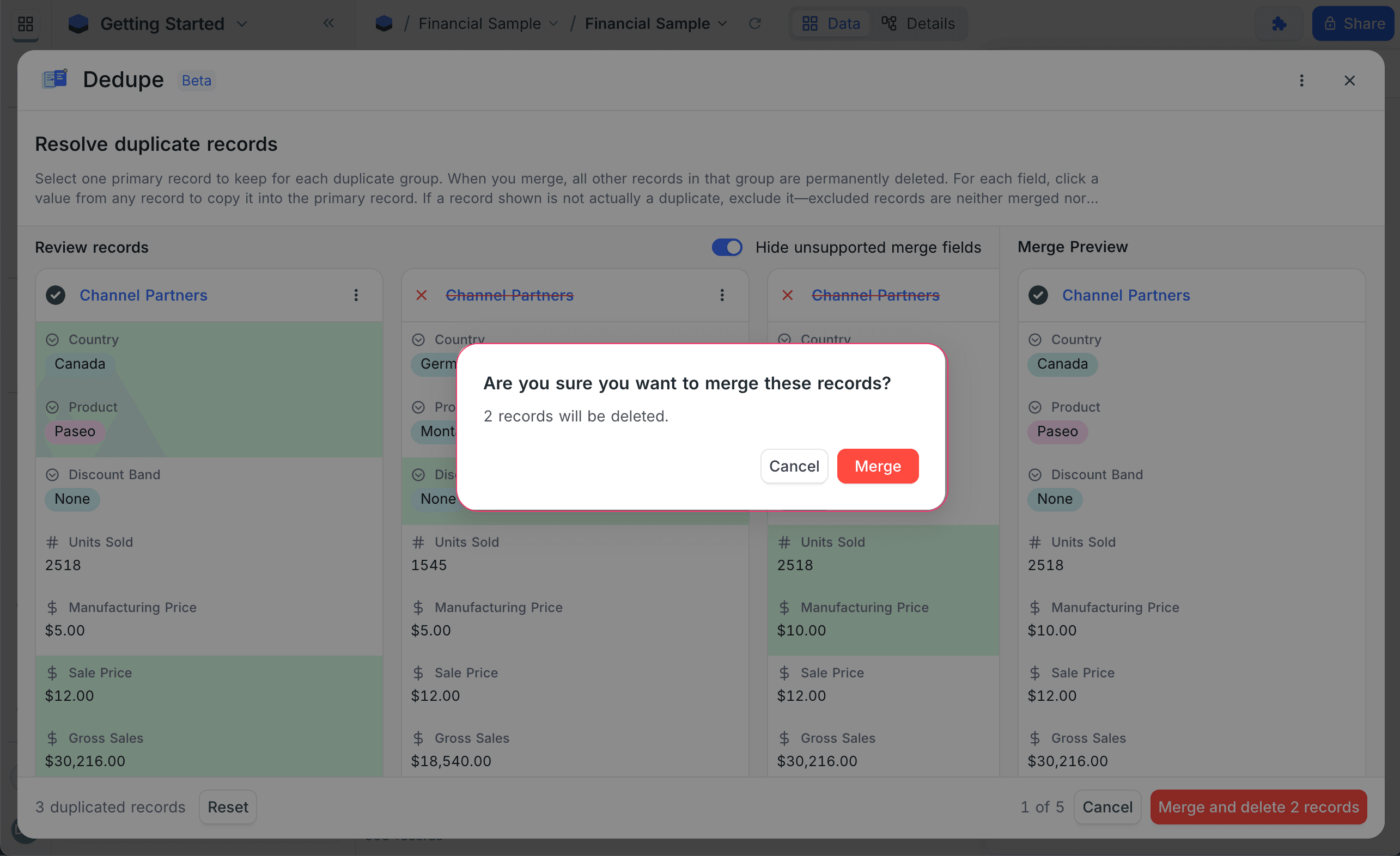
- When you are satisfied, merge the group.
When the merge is complete:
- The primary record stays, with its original primary key.
- The primary record contains the selected field values.
- Dedupe permanently deletes all duplicate records in the group that you did not exclude.
Field Behavior During Merge
Dedupe shows all editable fields, but not the grouping field(s) and system fields (for example id, created_at, updated_at). It shows virtual fields (Formula, Lookup, Rollup) only for reference, because you cannot edit them directly. The primary record always keeps its Record ID. Modified timestamps update automatically.
During a merge, Dedupe uses these rules for field values:
| If you | Then |
|---|---|
| Select a value from a record for a field | Dedupe copies that value into the primary record. |
| Select no value for a field | The existing value of the primary record does not change. |
Group Review Actions
When you review duplicate groups, you can use these actions:
| Action | What it does |
|---|---|
| Skip group | Go to the next duplicate group. Makes no changes. |
| Reset | Clear all selections for the current group (primary record, field selections, exclusions) and start again. |
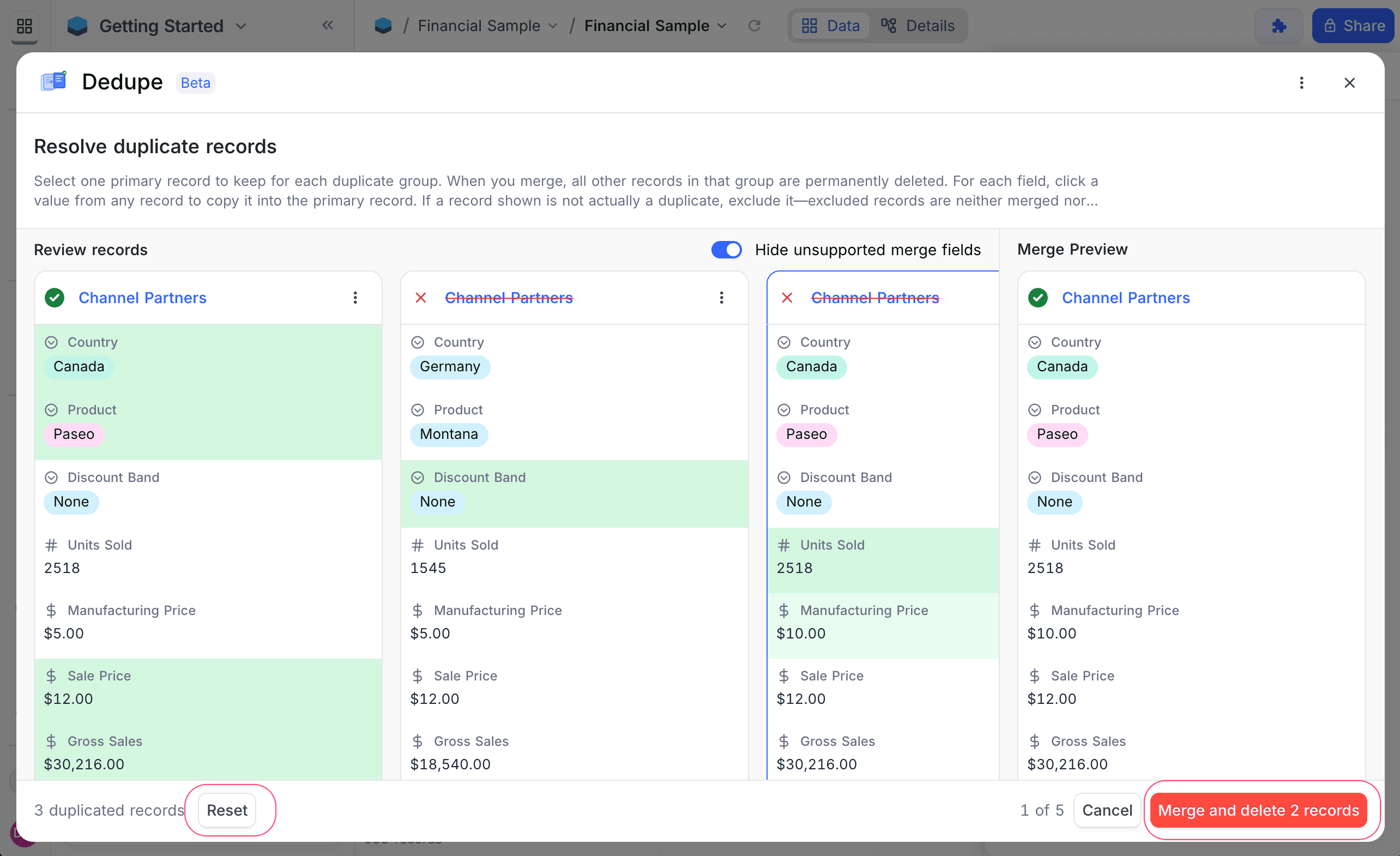
You can skip a group before you select a primary record. You can reset also after you make selections.
Supported Field Types
Supported for duplicate detection
- Text, LongText, SingleLineText
- Number, Decimal, Currency, Percent, Duration, Rating
- Date, DateTime, Time, Year
- Phone, Email, URL
- SingleSelect, MultiSelect
- Checkbox
- Attachment
- JSON, Geometry
- User
- Links & LinkToAnotherRecord (LTAR): many-to-many, belongs-to-one
Not supported
- Links & LinkToAnotherRecord (LTAR): has-many, one-to-one
Key Notes
- Duplicate detection supports single-field or multi-field grouping.
- If you select more than one field, records must match on all selected fields to be in a duplicate group.
- Each group must have at least two matching records.
- Undo / Redo is not supported.
- You cannot restore deleted records.
Dedupe gives you a controlled and efficient way to remove duplicate data. You see and control all records that it merges and removes.
Last updated on