Bar Chart
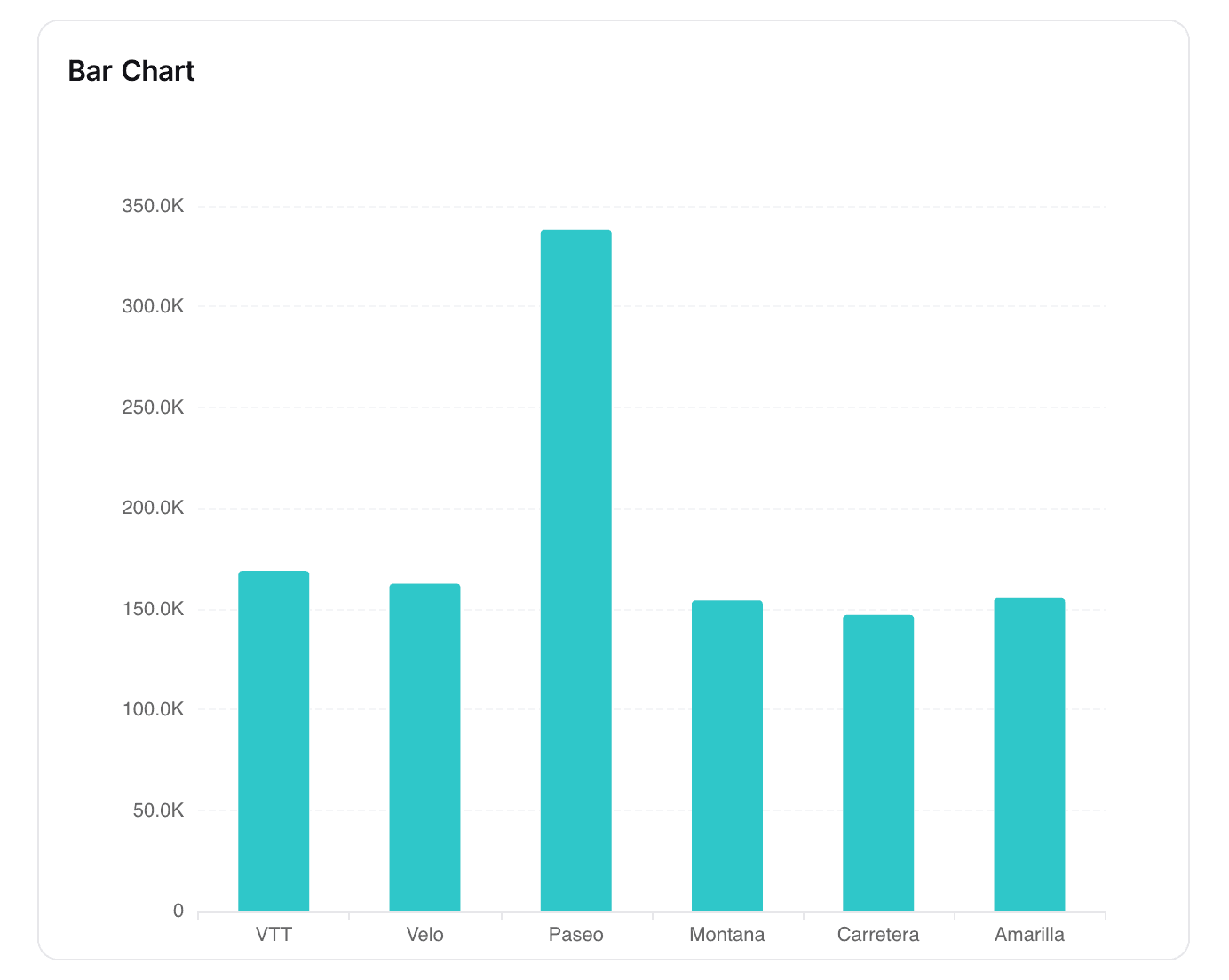
Use the Bar Chart widget in NocoDB dashboards to compare values across categories. It is good for showing trends, distributions, or comparisons between groups.
Ask NocoAI
Copy a prompt, paste it into NocoAI in any base, and replace the words in [brackets] with your own.
- Add a bar chart of [Amount] by [Region] to this dashboard
- Add a bar chart of the number of [tasks] per [Owner]
- Change the [widget name] chart to show only [this year]
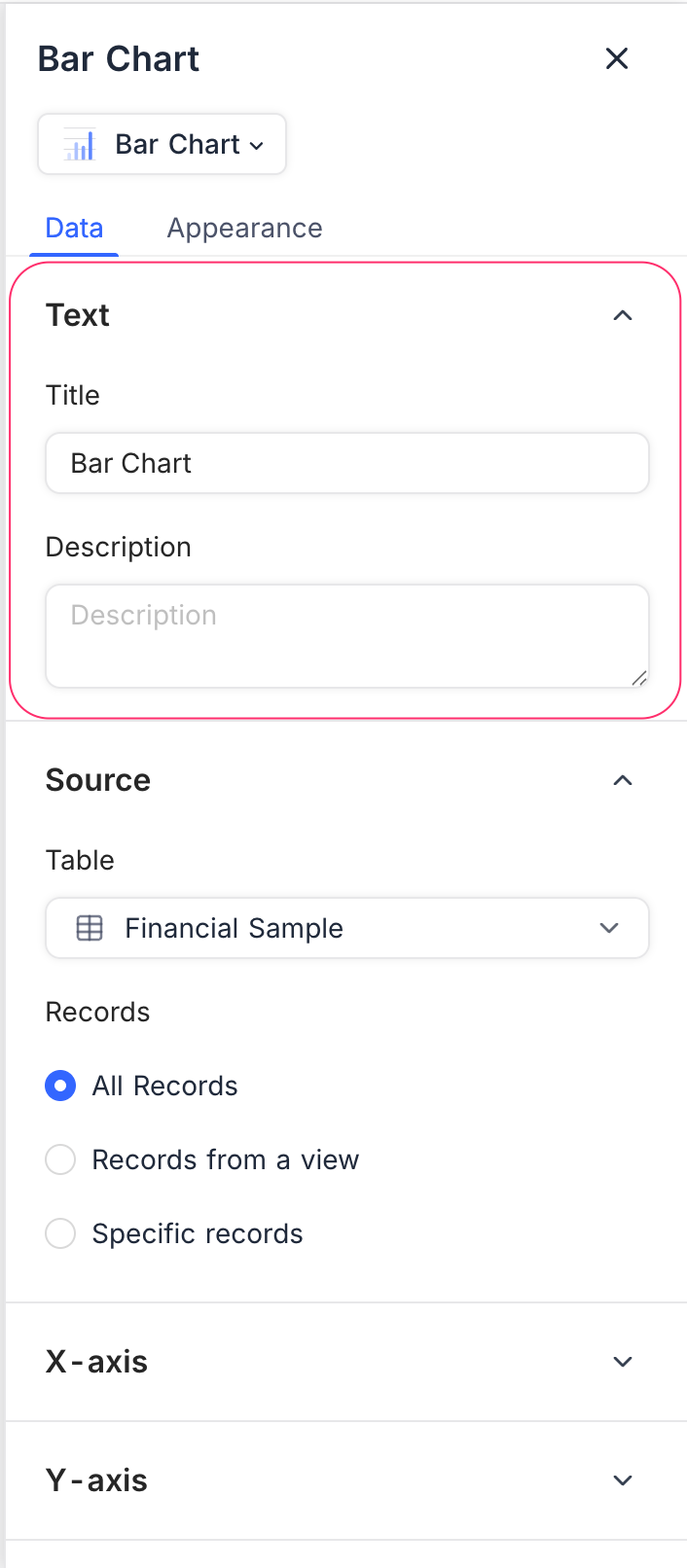
Title & Description
- Title: Enter a title for the bar chart widget. The title shows at the top of the widget.
- Description: Optional. Add a description that gives context or details about the data. The description shows below the title.
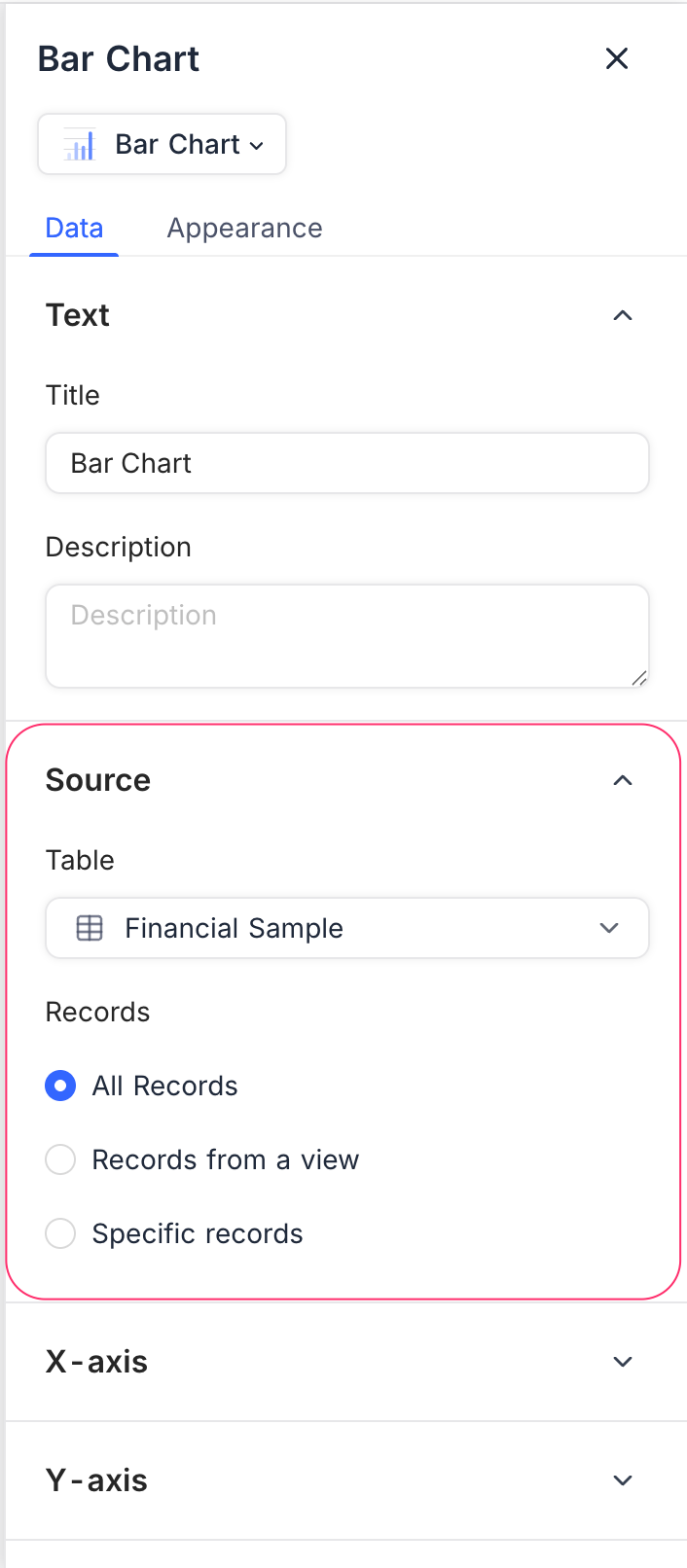
Data Source
- Table: Select the table that supplies the data for the bar chart.
- Records: Select the records to include:
- All Records: Shows all records from the selected table.
- Records from a view: Uses the records of a specific view. The existing filters and sorts of the view apply.
- Specific Records: Uses custom filters to select only some records.
Display
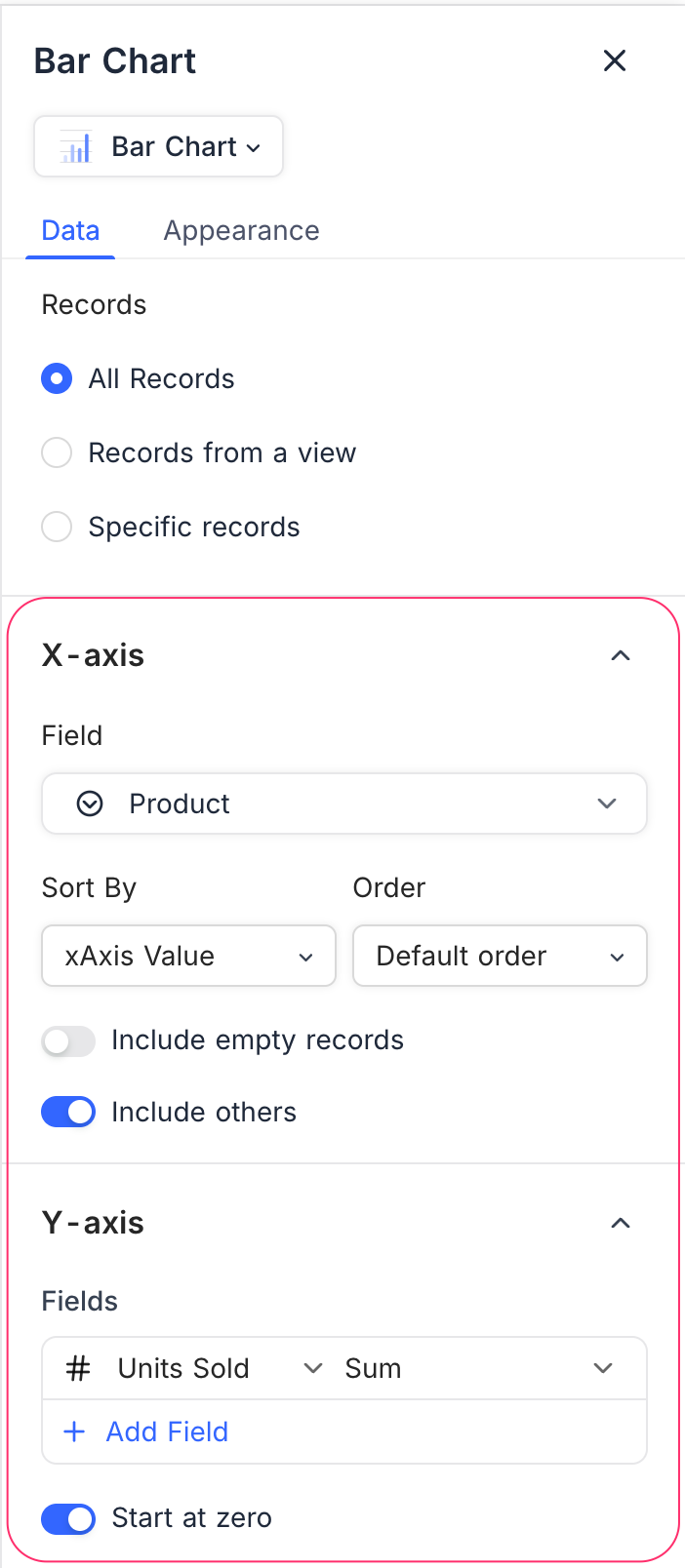
X-axis
- Field: Select the field whose values show as categories along the X-axis (for example, Product, Region, Status).
- Sort By: Select how to sort the categories:
- xAxis Value: Sorts by the label values.
- yAxis Value: Sorts by the numeric values in the chart.
- Order: Select Default, Ascending, or Descending order.
- Include empty records: Optional. Includes categories that have no values.
- Include others: Puts small or extra categories into one “Others” group. This makes the chart easier to read.
Y-axis
- Fields: Select one or more fields that set the bar lengths. To compare fields, add more than one field.
- Field Summary: Shows the Sum, Average, Min, or Max of a numeric field.
- Start at zero: Makes the Y-axis always start at zero. Then you can compare bar heights more accurately.
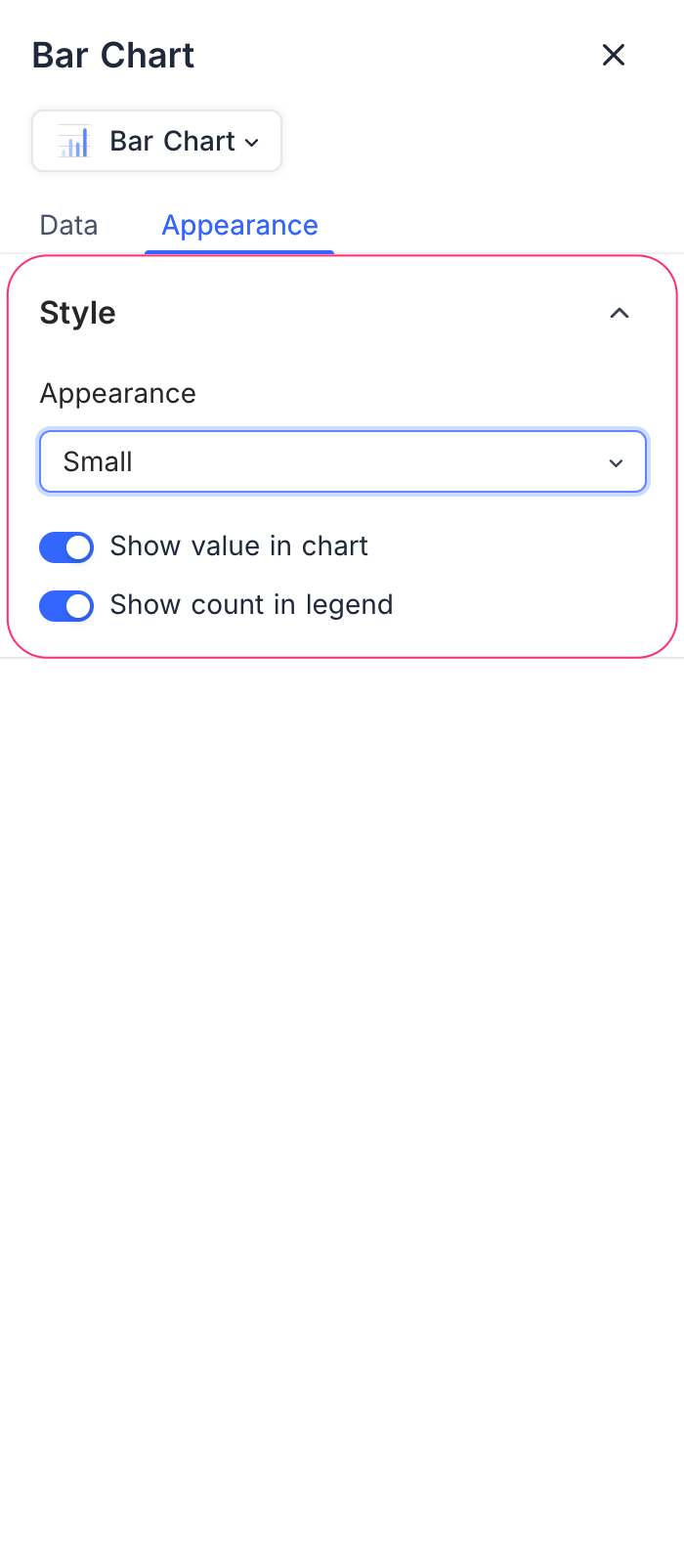
Appearance
Change the look of the chart to make it easier to read and to match your dashboard:
- Size: Select the chart size (Small, Medium).
- Show value in chart: Shows the numeric values on the bars.
- Show count in legend: Shows the record count next to each category name in the legend.
Last updated on
Latest product updates?See Changelog