OSS to Enterprise Migration
This guide gives the steps to migrate from the OSS version of NocoDB to the Enterprise Edition. You can migrate to both on-prem and cloud deployments.
Prerequisites
Before you start, make sure that:
- You can access the OSS version of NocoDB (
Instance-1). - You have access to the Enterprise Edition of NocoDB (
Instance-2). It can be self-hosted (on-prem) or provisioned through a cloud subscription on NocoDB.- A self-hosted (on-prem) Enterprise Edition must run version v0.262.2 or higher.
- You have administrative access to both instances.
Steps
The migration has two parts:
Part 1: Generate Migration URL
On the Enterprise Edition (Instance-2):
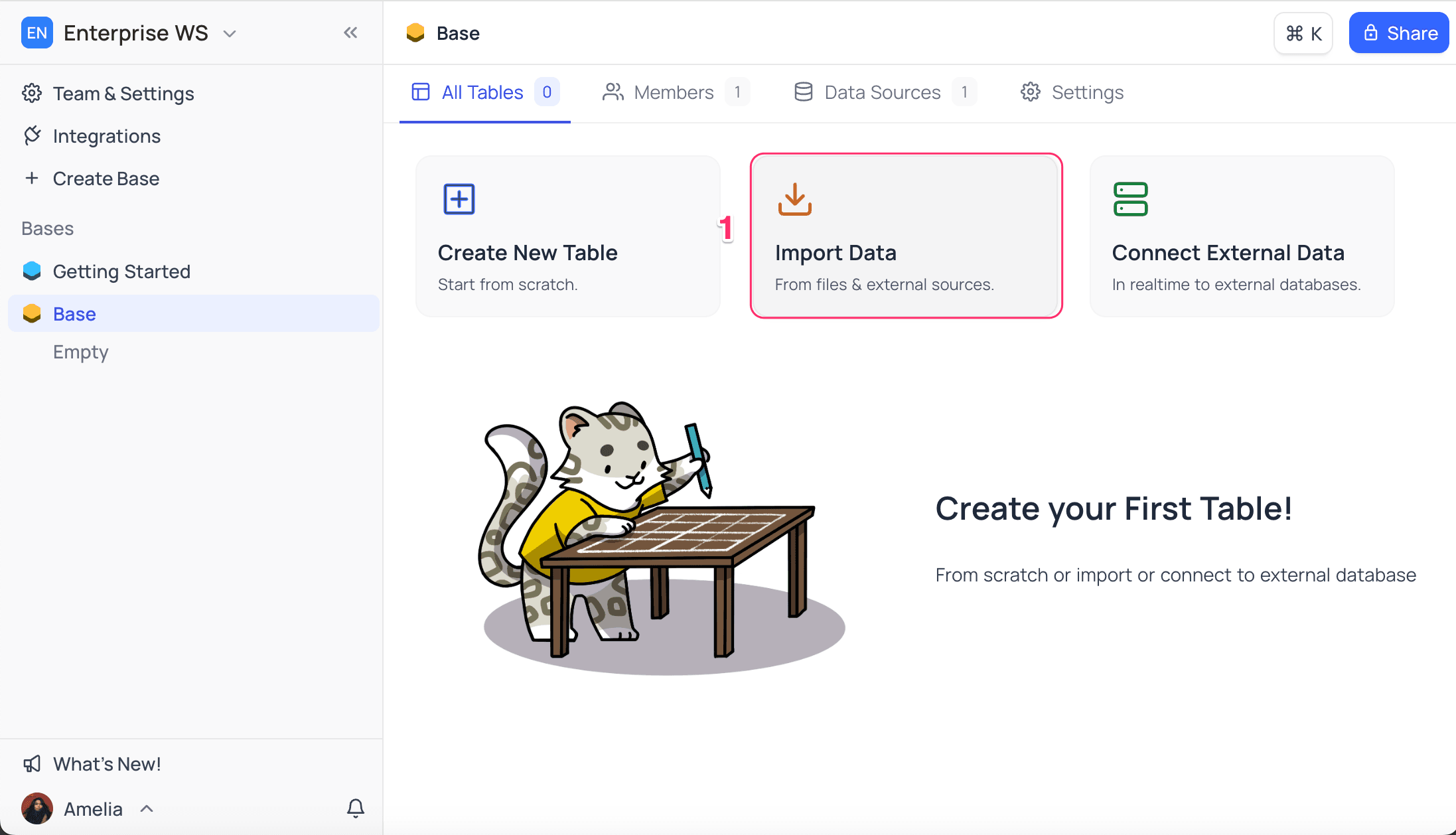
- On the base homepage, click Import Data.
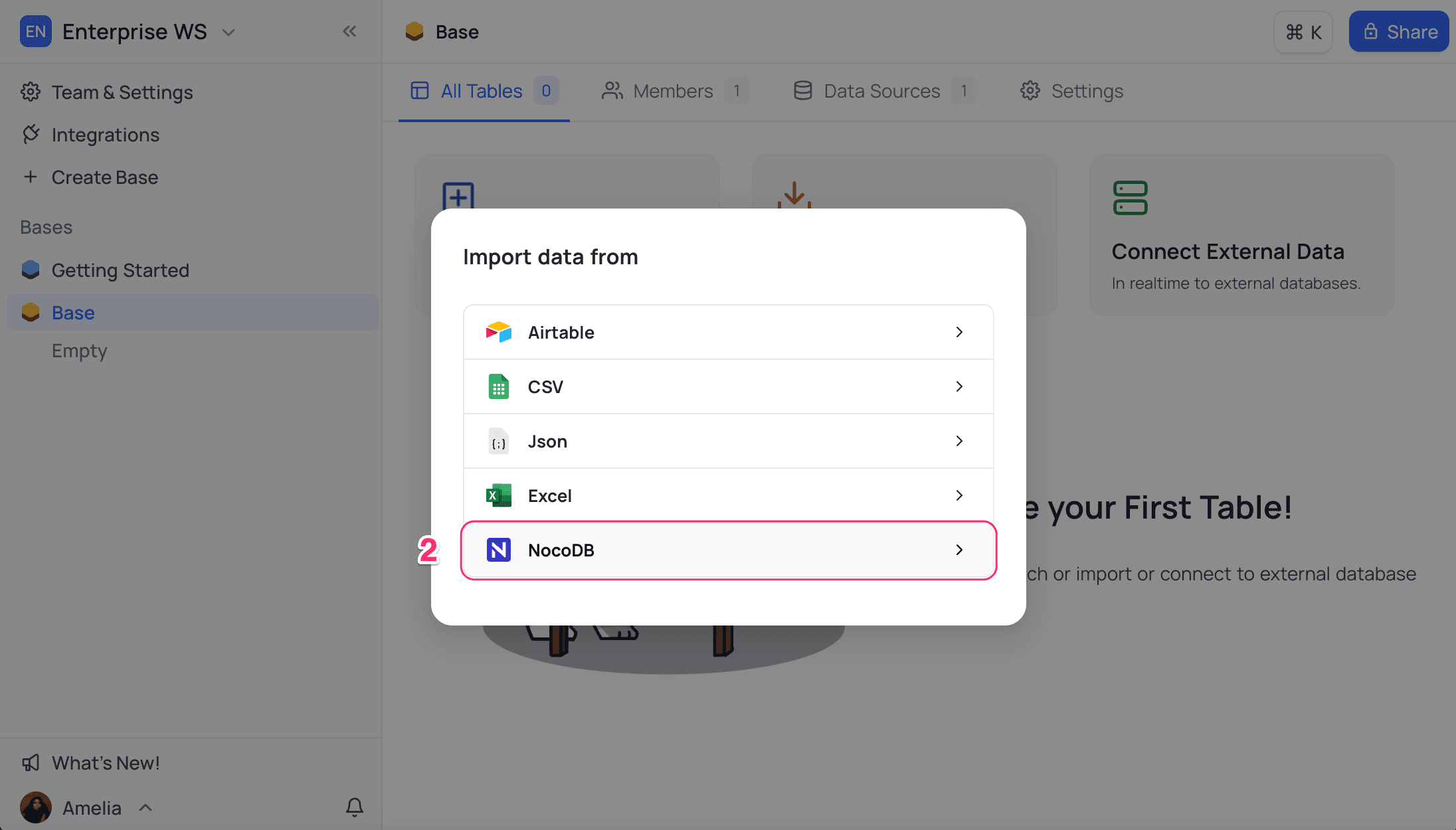
- For the data source, select NocoDB.
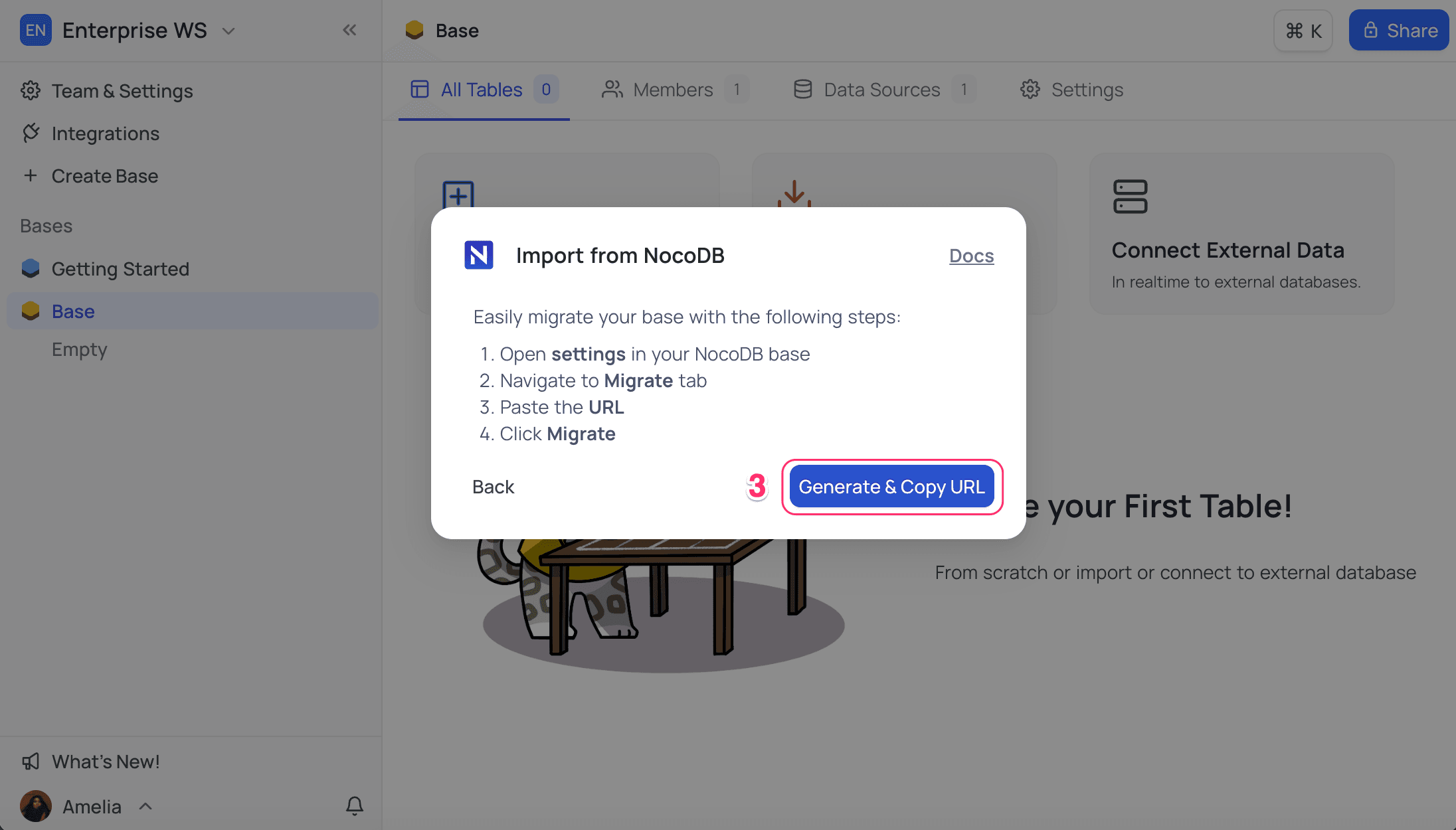
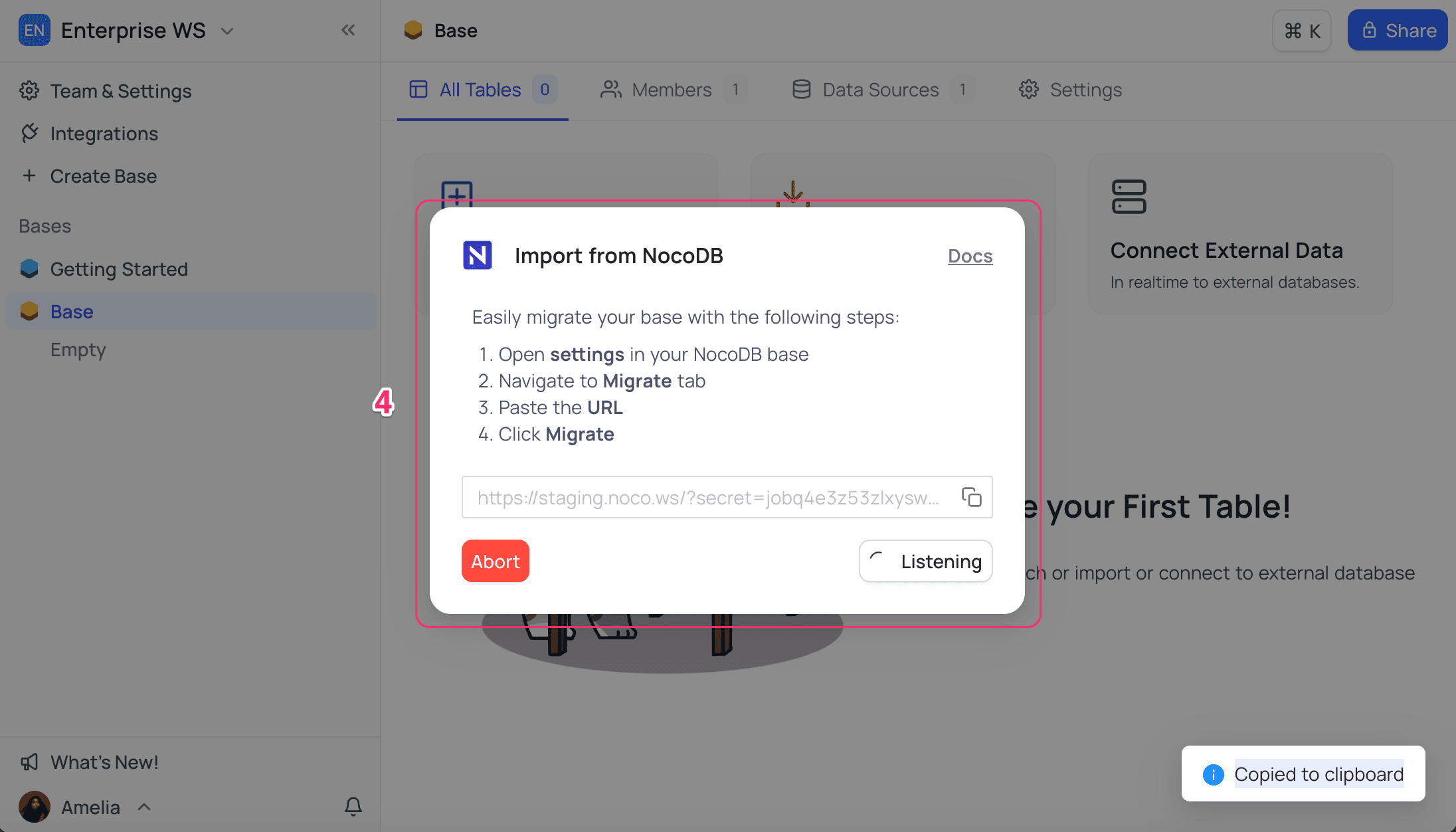
- Click Generate & Copy URL. NocoDB copies the URL to your clipboard.
- The dialog goes into listening mode. It waits for a migration request from the OSS instance.
Part 2: Migrate Base from Self hosted instance
On the OSS instance (Instance-1):
- Open the base context menu and select Settings.
- Go to the Migrate tab.
- Paste the migration URL that you copied from Instance-2.
- Click Migrate.
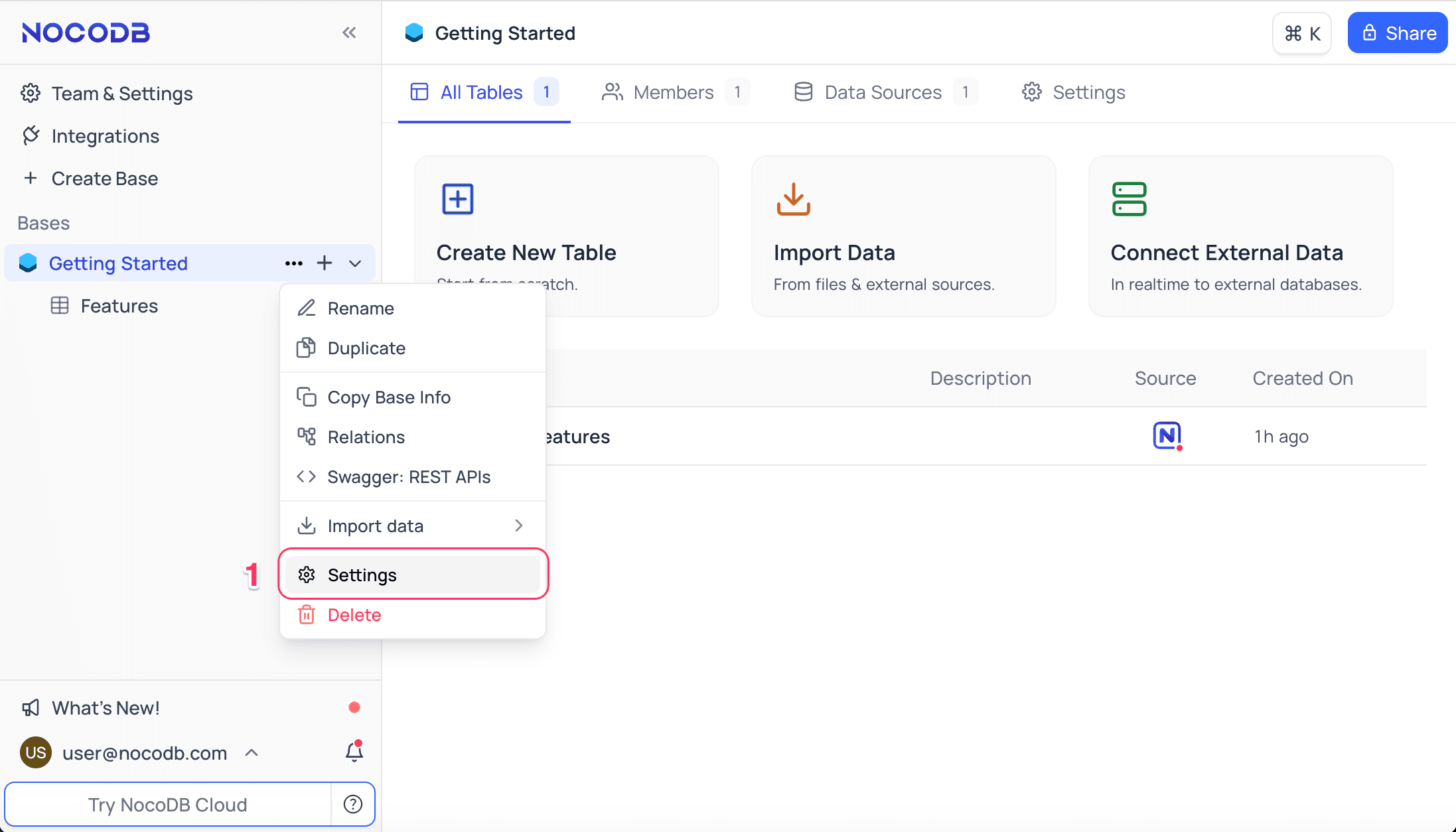
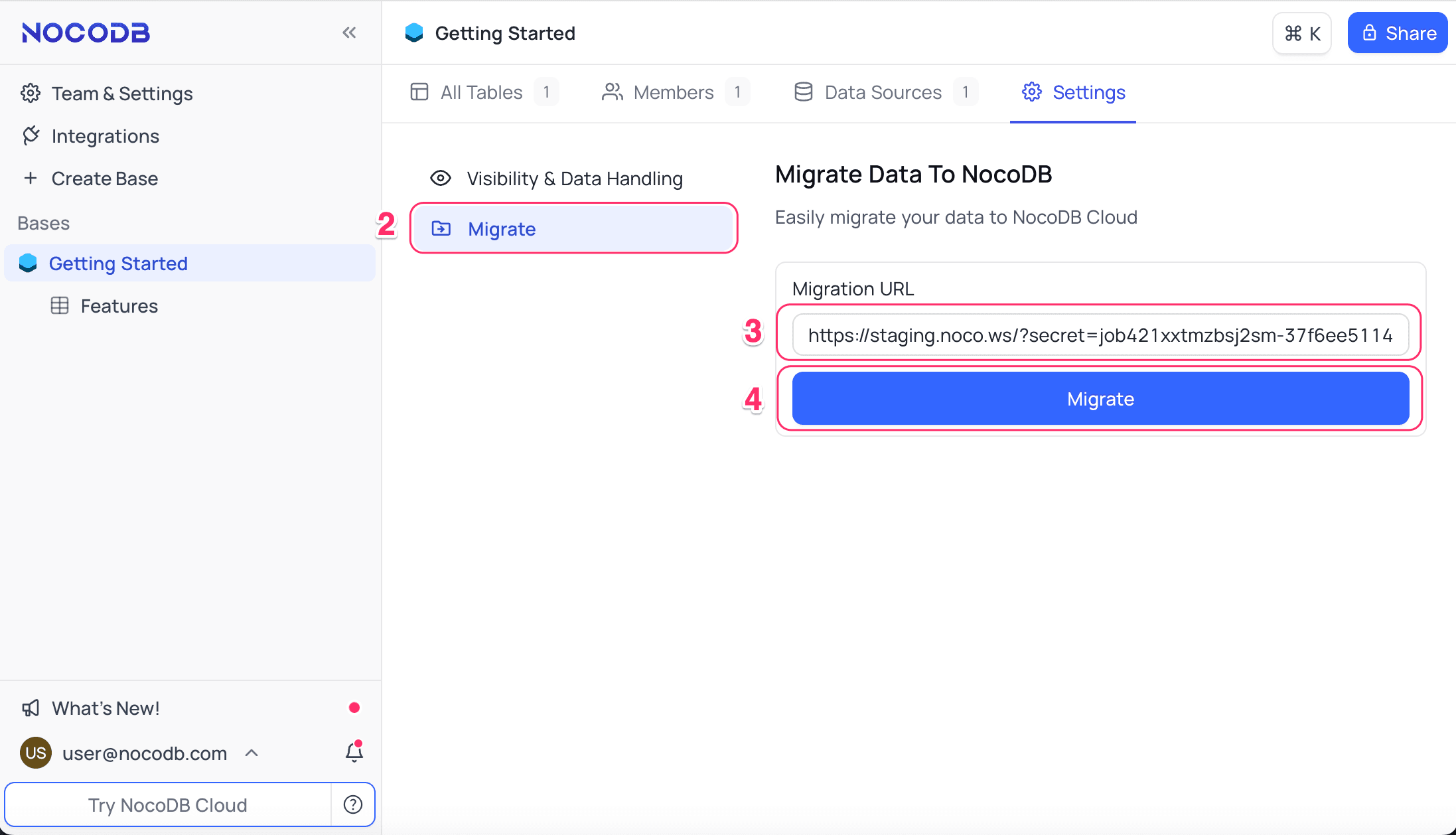
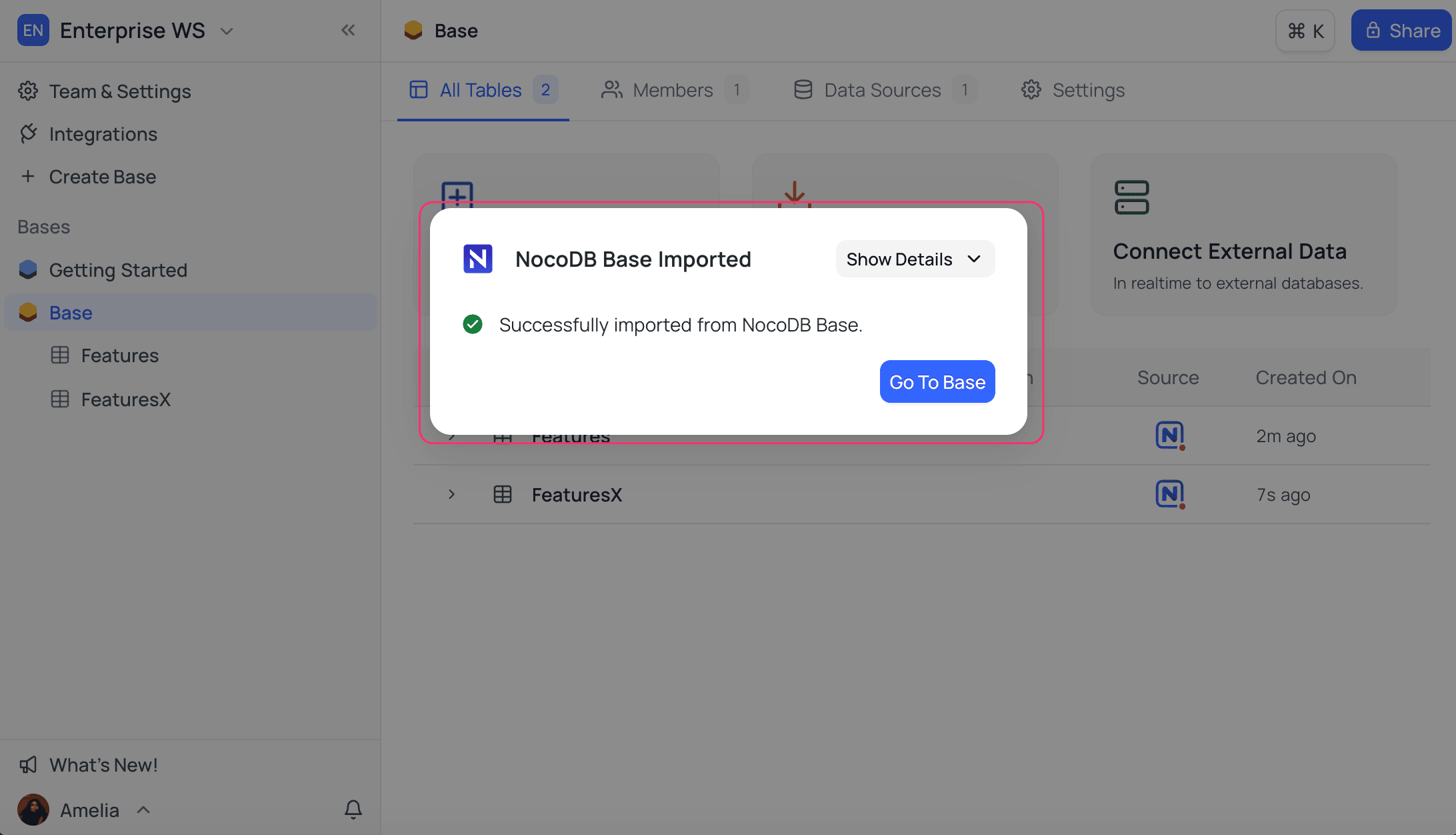
When the migration starts, a status popup shows on the OSS instance (Instance-1). When the migration completes, a confirmation message shows on the Enterprise Edition (Instance-2).
To open the migrated base, click Go to Base.
Last updated on
Latest product updates?See Changelog