Display Value
The Display Value is the main visual identifier of a record in a table. It helps users to recognize records quickly in views and in linked tables. We recommend a field with unique values (like a primary key) as the display value. But the database does not enforce uniqueness.
Copy a prompt, paste it into NocoAI in any base, and replace the words in [brackets] with your own.
- Use [Name] as the display value of this table
- Which field is the display value of this table, and should it be a different one?
- Add a formula field that combines [First Name] and [Last Name] and make it the display value
Use of Display Value
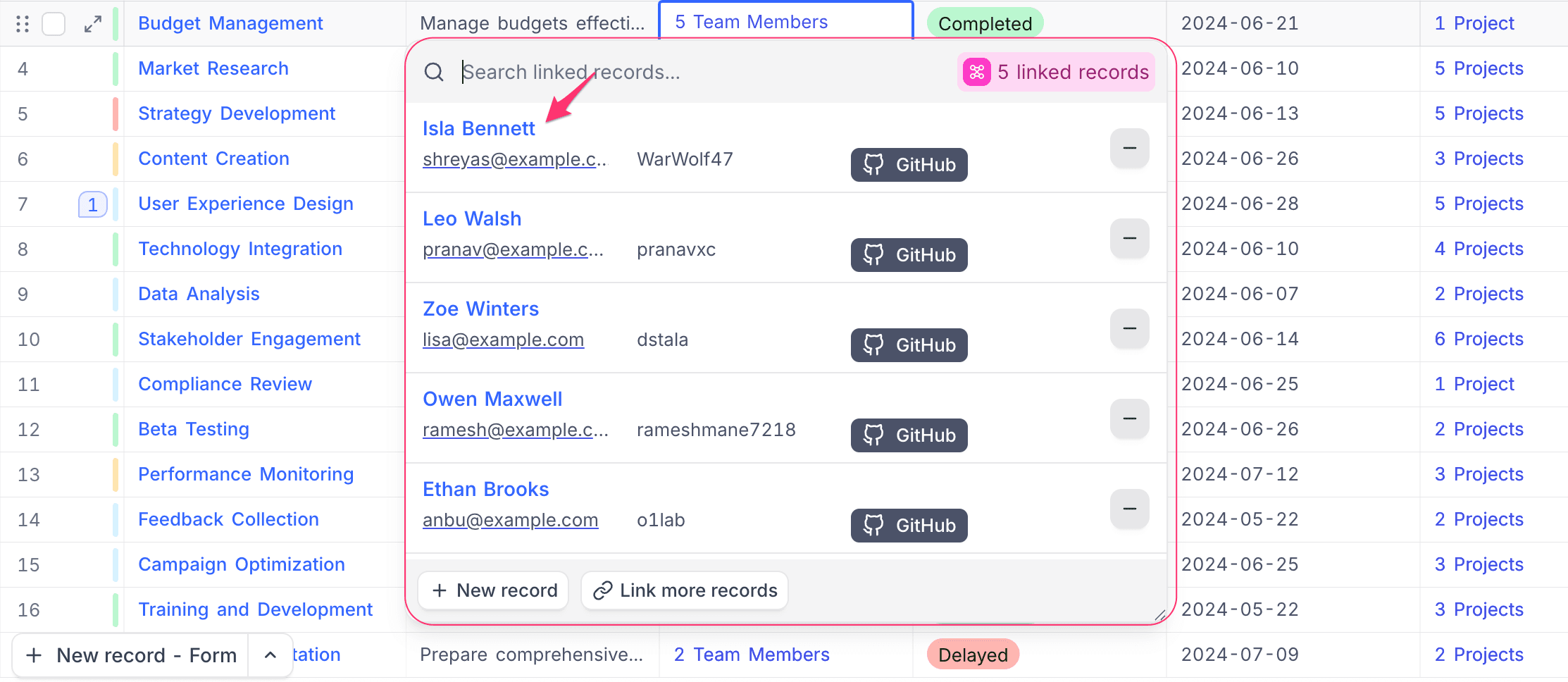
- In the spreadsheet view, the display value is highlighted. This helps you to identify the record that you work on.
- When you create Links between tables, the Linked Records modal shows the display value. This makes links between tables easier to read.
Example: Display Value highlighted in the Actor table
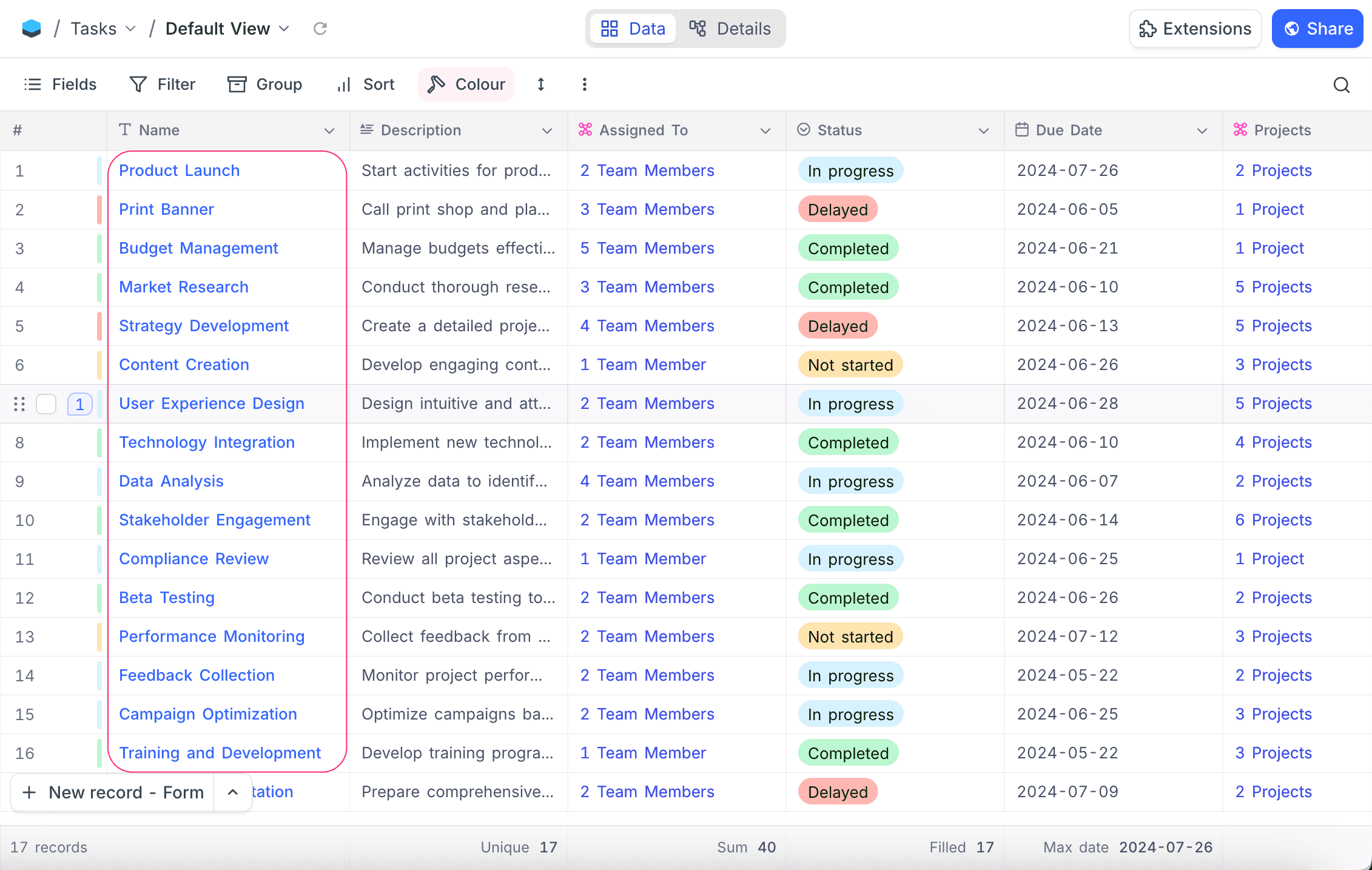
Example: Display Value shown in a Links field.
The value in the Link Records modal comes from the display value of the related table.
Set Display Value
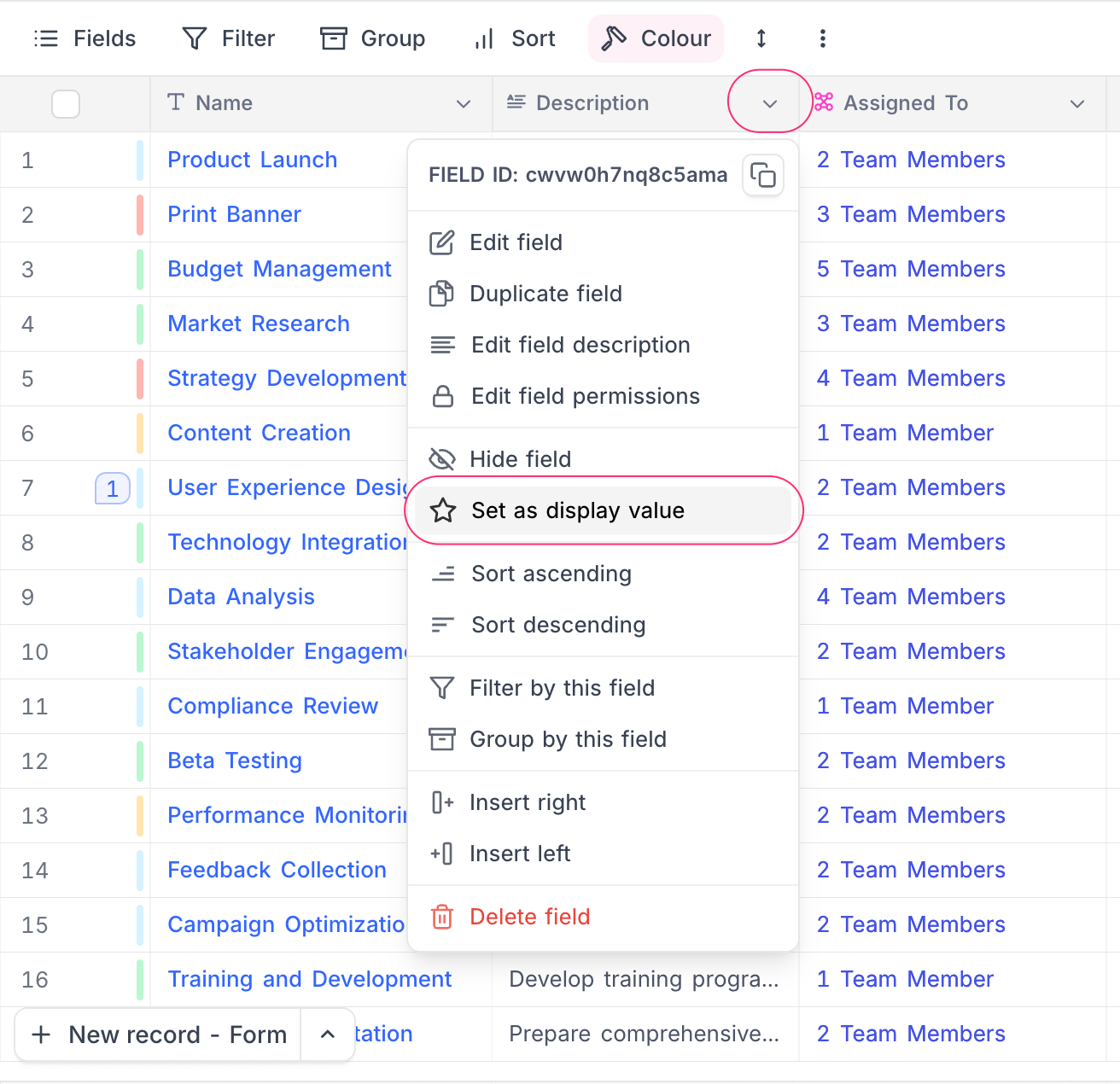
To set a field as the display value:
- Click the dropdown icon (🔽) next to the field.
- In the menu, select Set as display value.
Supported field types
Only field types that show as a single, compact value can be the display value. Content with many lines and computed collections are not supported.
Supported
- Single Line Text
- Number, Decimal, Currency, Percent, Duration, Auto Number
- Date, DateTime, Time, Year
- Phone Number, Email, URL
- Formula
Not supported
- Long Text (including Rich Text and AI-generated text)
- Single Select, Multi Select, Checkbox, Rating
- Attachment, User, Barcode, QR Code, JSON, Geometry, Button
- Links, Lookup, Rollup
Long Text is blocked only as a new display value selection — a field already set as the display value continues to work. If you need long or computed content (such as a Lookup or Rollup value) as the label, wrap it in a Formula field and set that as the display value.
FAQ
How is the Display Value determined for existing database tables? For tables from connected external databases, NocoDB selects the display value automatically from the table structure. By default, it selects the first non-numeric field after the primary key. If there is no non-numeric field, it selects the next field after the primary key.
Can I change the Display Value later? Yes. You can change the display value at any time. Use the context menu of the new field. Learn more →
Last updated on