Create View
Ask NocoAI
Copy a prompt, paste it into NocoAI in any base, and replace the words in [brackets] with your own.
- Create a view called [My Open Tasks] that shows only my records where [Status] is not [Done]
- Create a [gallery] view of this table
- Create a view of this table sorted by [Created] with the newest first
- Suggest useful views for this table
Create new view
-
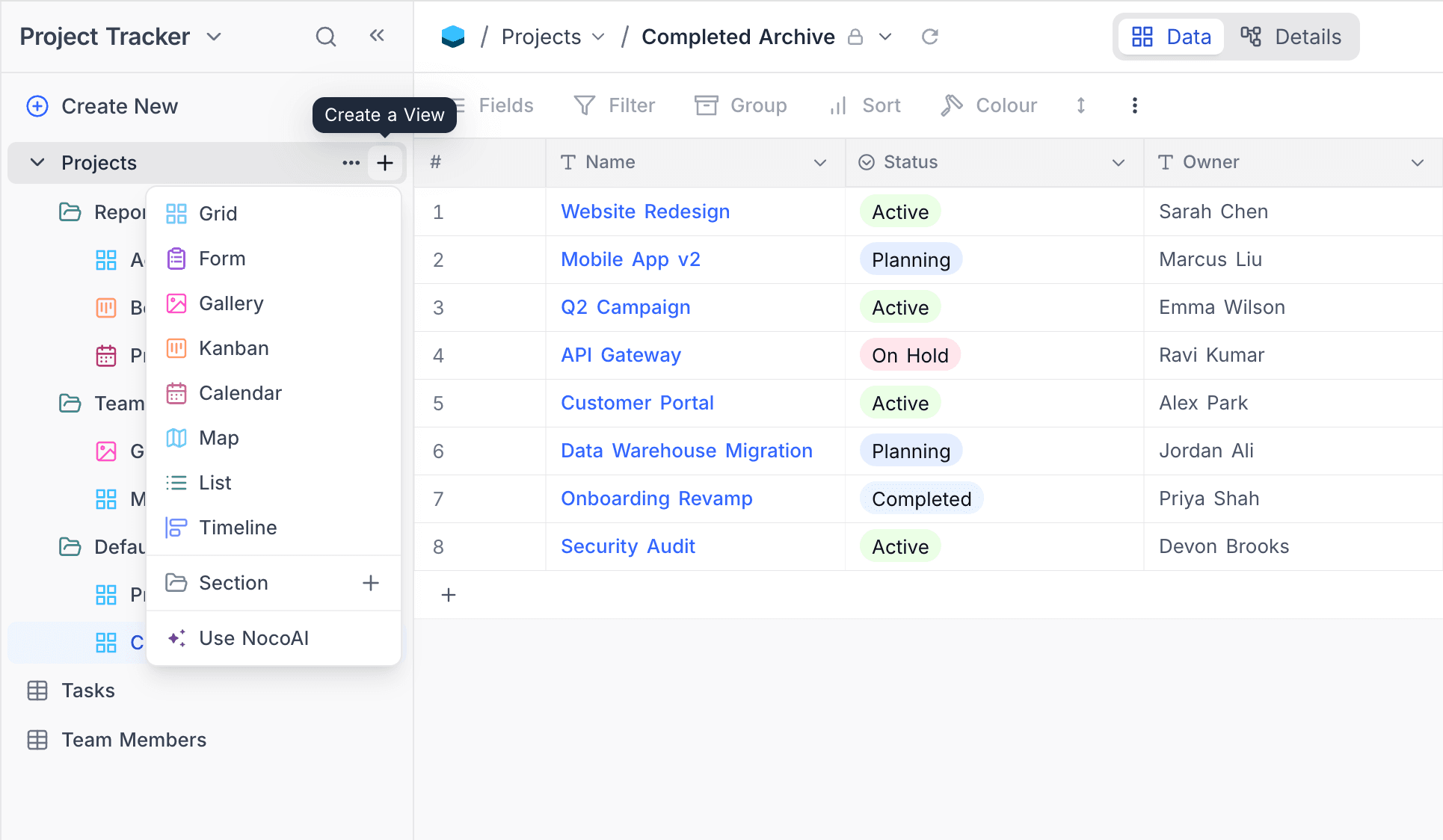
Below the
table name, click+ New View. -
In the dropdown modal, select the view type.
-
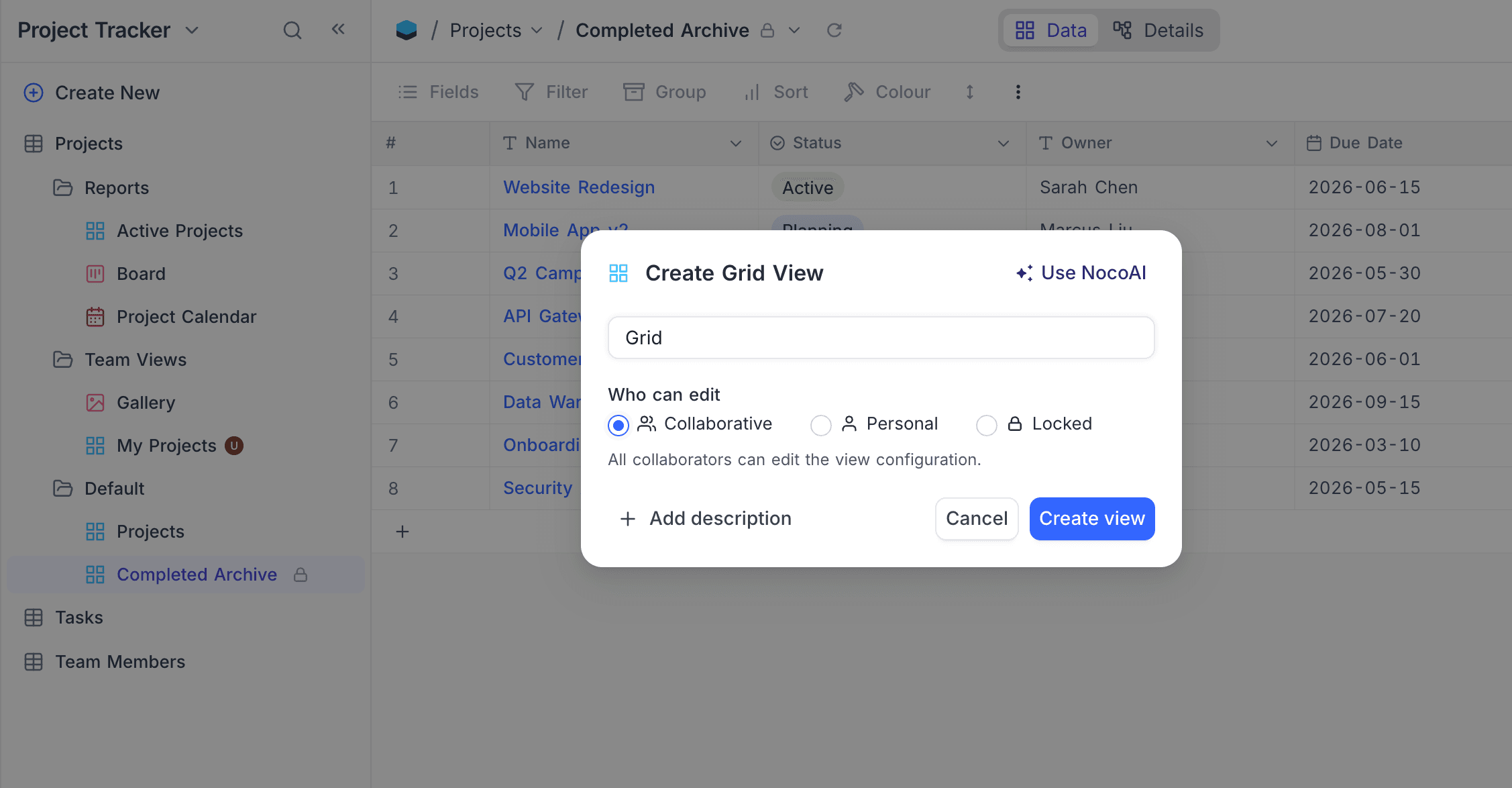
In the pop-up modal, type the view name. Some view types need more settings:
View type Setting Kanban Select the Single selectfield to use as the Kanban field.Calendar Select the DateORDateTimefield to use as the Calendar field.Map Select the GeoDatafield to use as the Mapped By field.Timeline Select the Date,DateTime,CreatedTime, orLastModifiedTimefield to use as the start date. You can also add an end date field.Gantt After you create the view, the Configure Gantt Schedule dialog opens automatically. In it, select the Start Date, End Date and optional Successor Link fields. -
Below Who can edit, select the permission type of the view (refer to Who can edit below).
-
Click
Create View.
Who can edit
Use the Who can edit selector in the Create View dialog to set the permission type of the view when you create it. You do not have to create a collaborative view and change the mode later.
| Option | Description |
|---|---|
| Collaborative | All collaborators can edit the view configuration. (Default) |
| Personal ☁ | Only you can edit the view configuration. You become the view owner. |
| Locked | No one can edit the view configuration until it is unlocked. |
Editors see only Collaborative and Personal options. The Locked option is available to Creators and Owners only. A view's permission type can always be changed later from the View Toolbar Menu.
For the behavior of each permission type, refer to View Permission Types.
Last updated on
Latest product updates?See Changelog