Organization Teams
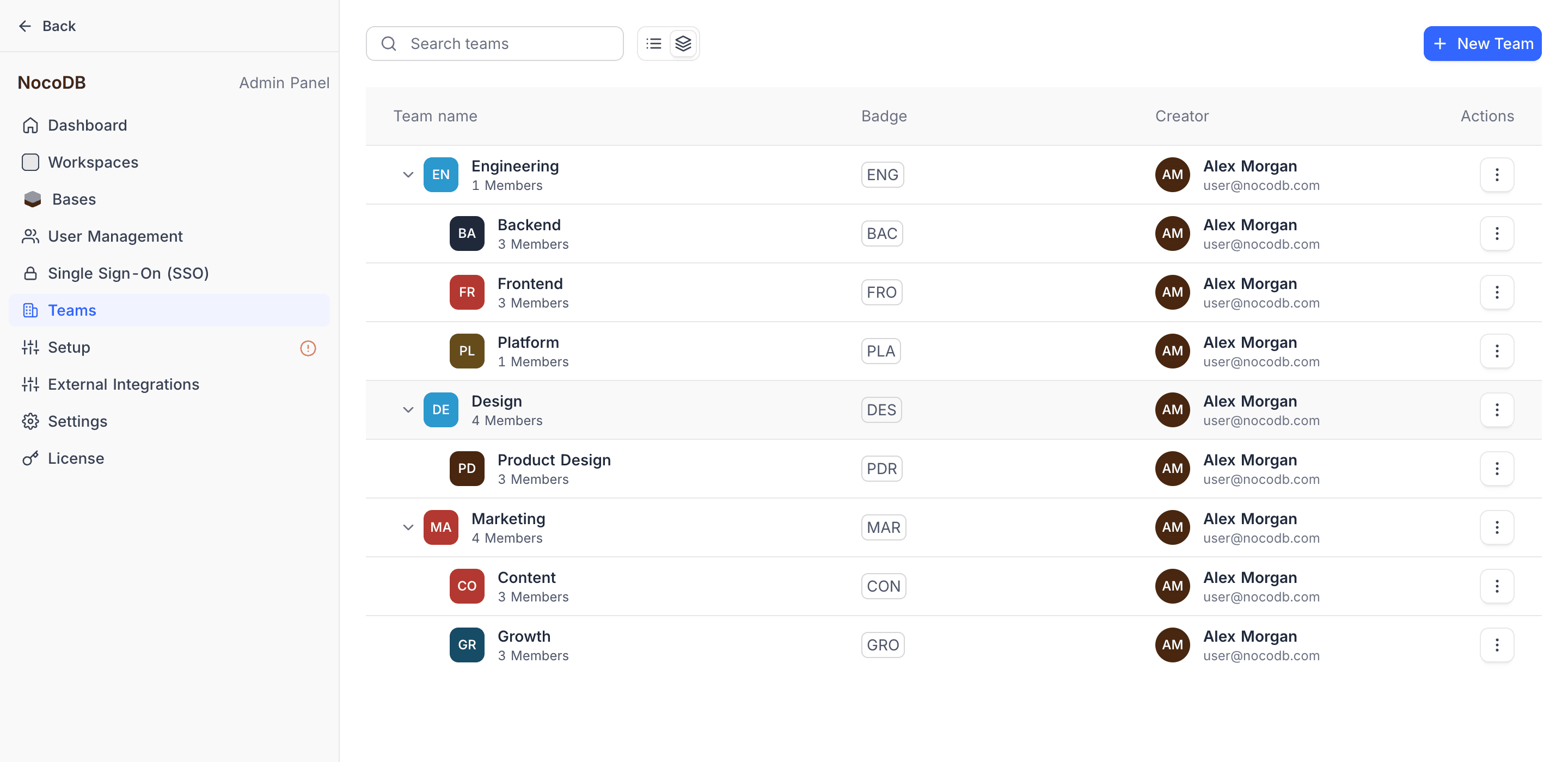
Organization teams have the entire organization as their scope. You can give them roles in any workspace of the organization. The Org Admin creates and manages them in Admin Panel > Teams.
Org teams do not have the Team Owner and Team Member roles of workspace teams. The Org Admin has full control of all org teams. The Org Admin can create, edit, and delete teams, and manage their members.
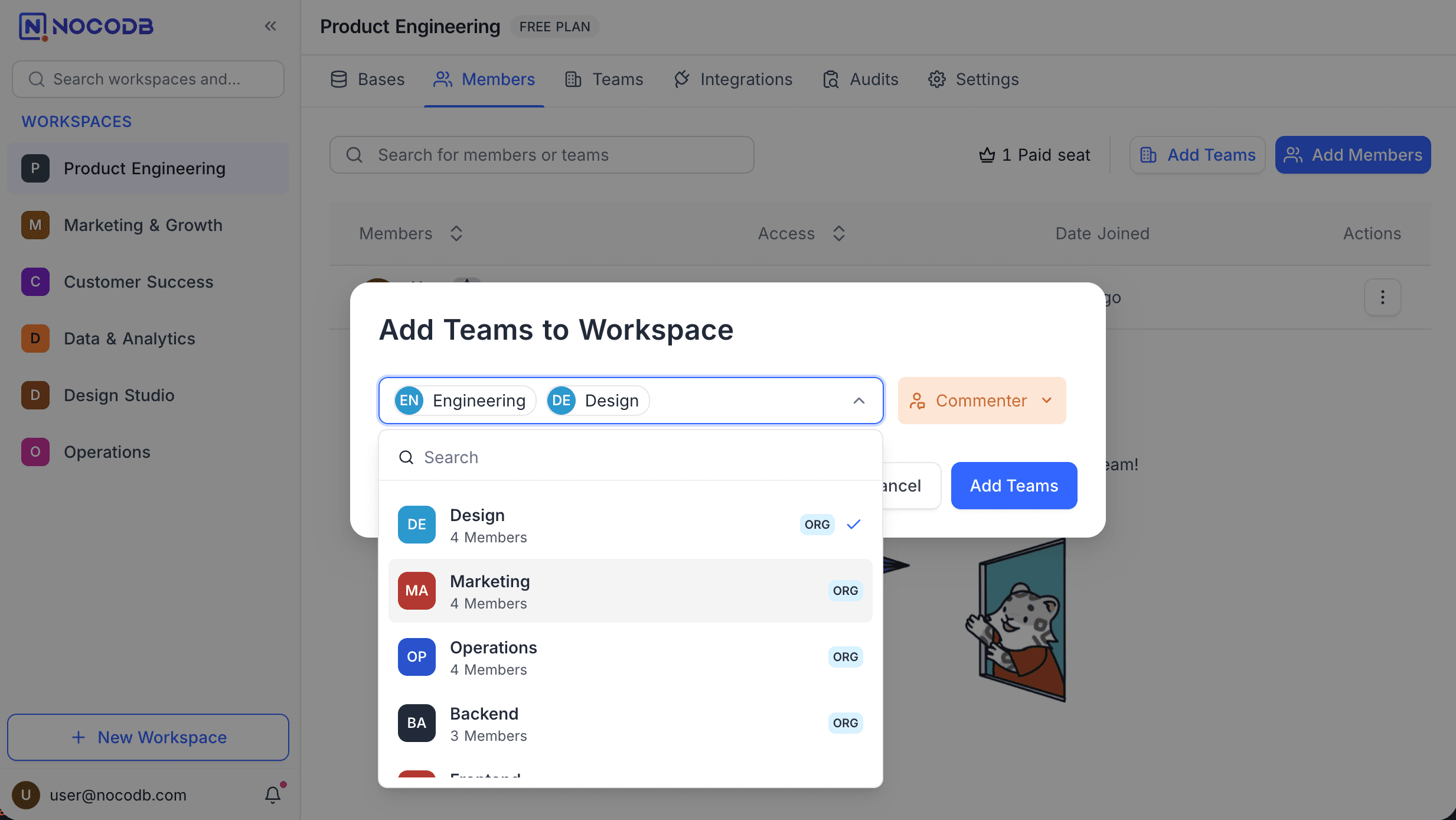
In workspace member and team lists, org teams show an ORG badge. They are read-only in a workspace. You cannot edit their members from workspace settings. You can give them workspace or base roles, the same as workspace teams.
Create an Org Team
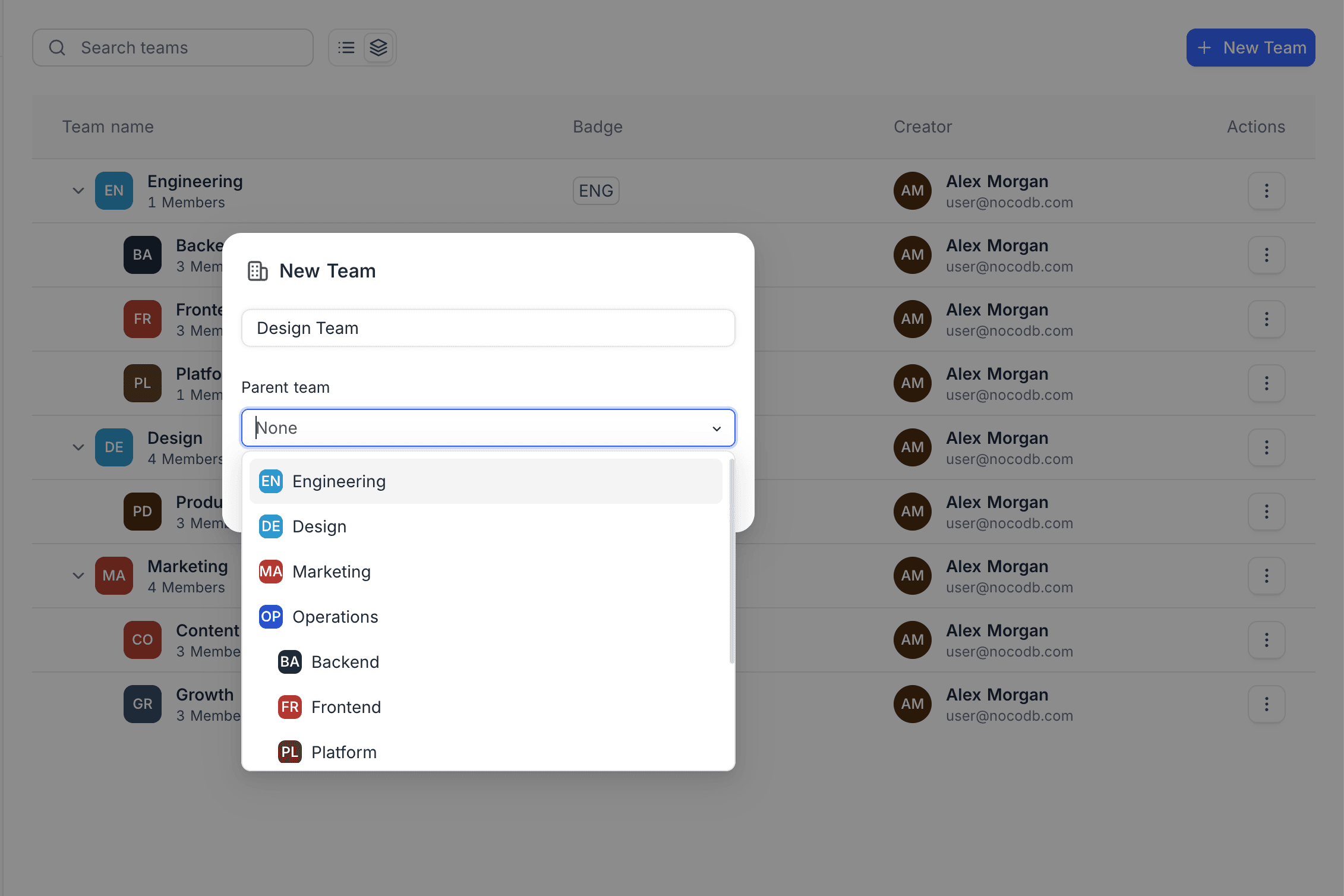
- Go to Admin Panel > Teams.
- Click + New Team.
- Enter a team name.
- Optional: to create the team as a sub-team, select a Parent team.
- Click Create Team.
Manage an Org Team
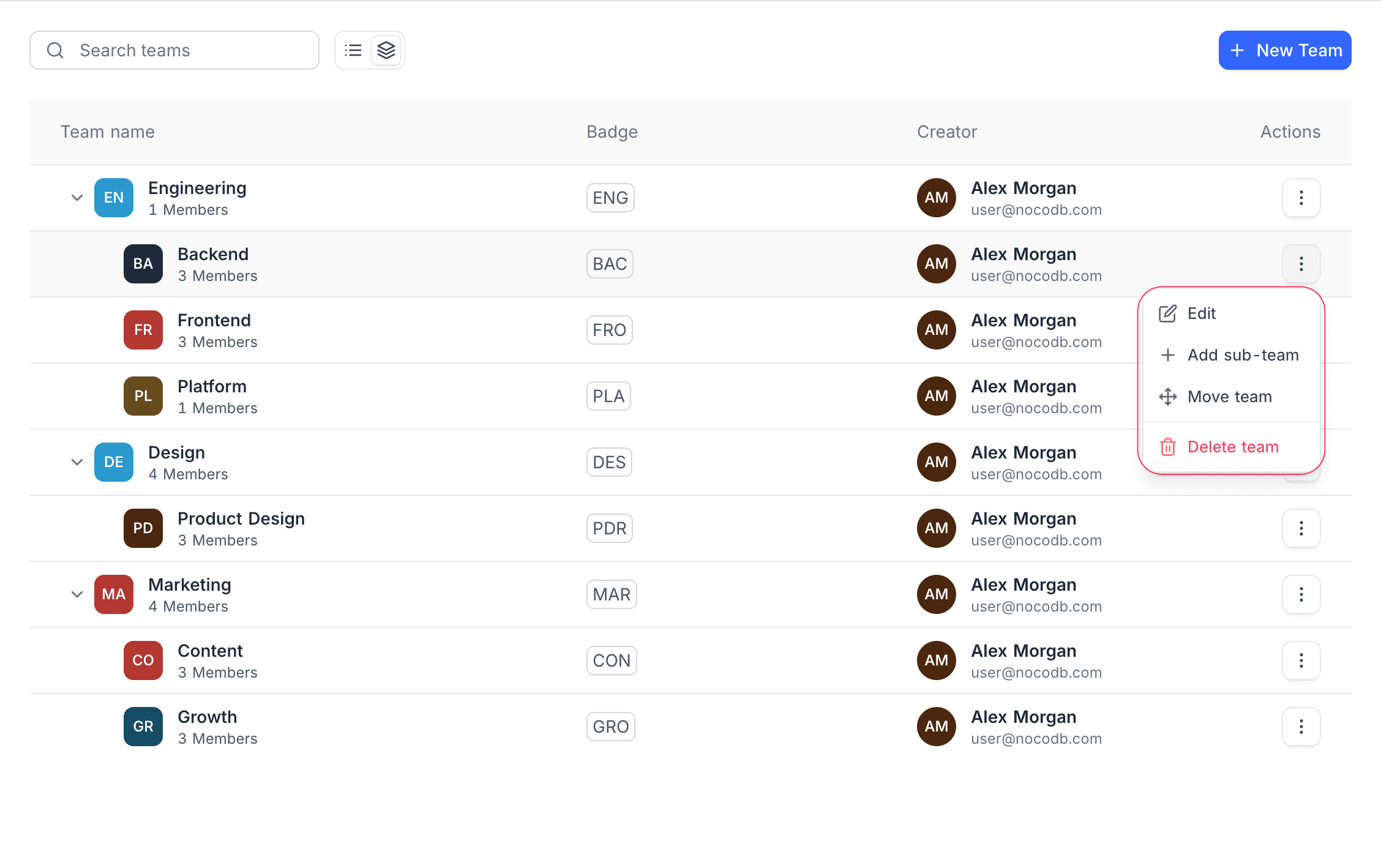
Next to a team, click the Actions (three dots) menu. The menu has these options:
| Option | What it does |
|---|---|
| Edit | Opens the team to manage its members and settings. |
| Add sub-team | Creates a nested sub-team below this team. |
| Move team | Moves the team below a different parent. |
| Delete team | Removes the team from the organization. |
Add Members to an Org Team
- In Admin Panel > Teams, click Edit on the team.
- Click Add Members.
- From the member list of the organization, select one or more members.
- Click Add Members to confirm.
The list marks members that are already in the team, and you cannot add them again. To find a user, search by name or email.
Sub-teams
Org teams use the same hierarchy as workspace teams. You can nest sub-teams up to 4 levels deep.
To create an org sub-team:
- In Admin Panel > Teams, next to the parent team, click the Actions (three dots) menu.
- Select Add sub-team.
- Enter a name.
- Click Create Team.
You can also click + New Team and select a parent team in the Parent team list.
Assign Org Teams to Workspaces and Bases
You can give an org team a workspace role or a base role, the same as a workspace team. When an org team gets a role, all its members get that access.
On the Members page of a workspace, org teams show an ORG badge. You can give or change their role on this page. You cannot edit the members of the team here. You manage the members from the Admin Panel.
Roles of org teams follow the same effective role resolution rules as workspace teams.
Org Teams vs Workspace Teams
| Aspect | Workspace Teams | Organization Teams |
|---|---|---|
| Plan required | Cloud Business+ / self-hosted Scale+ | Cloud Enterprise / self-hosted Scale+ |
| Scope | Single workspace | Entire organization |
| Managed from | Workspace sidebar > Teams | Admin Panel > Teams |
| Managed by | Team Owners | Org Admin |
| Visible in workspace | Yes (native) | Yes (with ORG badge, read-only) |
| Sub-team depth | 4 levels | 4 levels |
| Members source | Workspace members | Org members |
| Can parent the other type | No | No |
Best practices
- Use org teams for cross-workspace access. If a team needs the same roles in many workspaces, create an org team in the Admin Panel. Do not make copies of a workspace team in each workspace.
- Keep workspace teams for project-specific groups. If a team needs access in one workspace only, a workspace team is easier to manage.
Availability
- Organization Teams are available on NocoDB Cloud (Enterprise plan) and licensed self-hosted deployments (Scale plan and above).
Last updated on