Environments
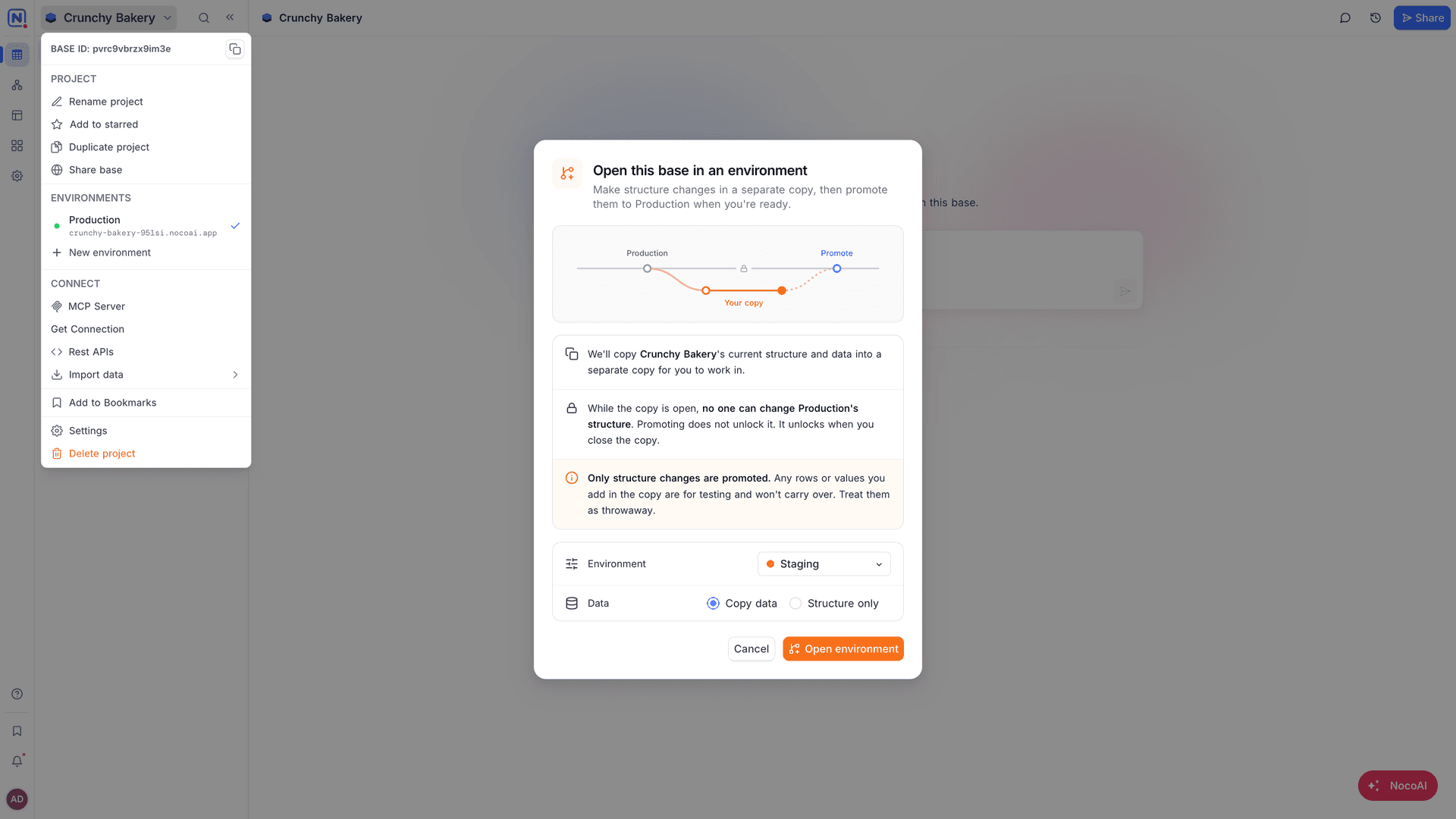
Release app changes with confidence. Environments give you a separate copy of the base, for example Staging, where you build and test changes to your app. The live app continues to run on Production. When the changes are ready, one deploy releases them.
Why use environments
- Safe changes. Build and test new features without risk to the live app or its data.
- One-step release. A deploy applies your changes to Production and publishes the app.
- Test accounts for tests. Integrations and variables can have a different value in each environment, for example a test API key in Staging.
- Your own environments. Use the built-in Staging environment, or create your own, for example "QA" or "Demo".
How it works
- From the base context menu, go to Environments → New environment and select an environment, for example Staging. NocoDB copies the base, with or without its records.
- Build and test your changes in the copy with NocoAI.
- Click Deploy. NocoDB applies the changes to Production and publishes the app.
Availability
Environments are available on the Scale plan and above.
Related
Last updated on
Latest product updates?See Changelog