Document Content
The NocoDocs editor is a block-based rich text editor. It supports many content types: simple text formatting, code blocks, math equations, tables, and media embeds.
Editor Layout
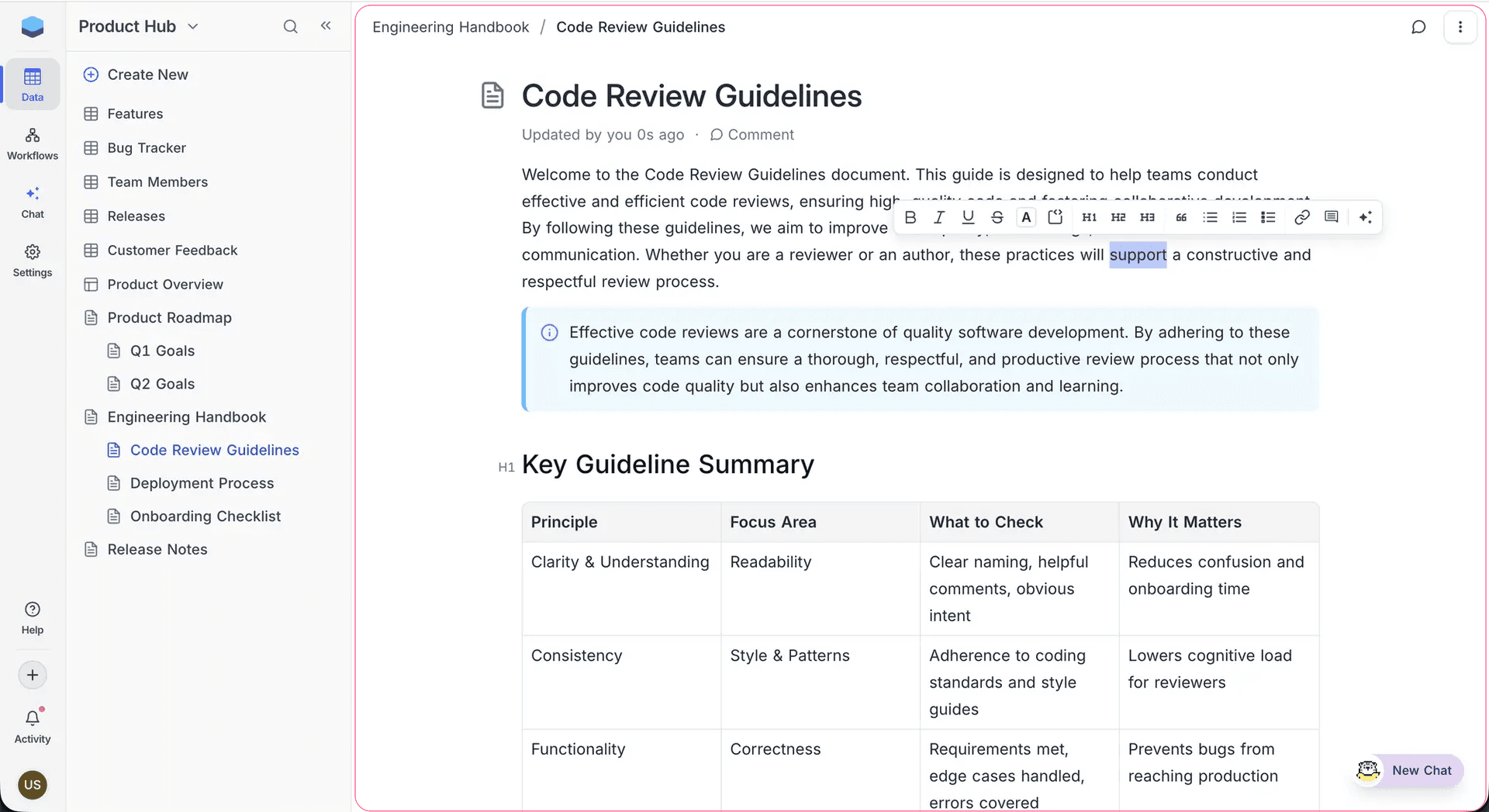
The editor has these parts:
- Document Title: The title area at the top of the editor. Click it to edit the title.
- Content Area: The main writing area. Add and arrange blocks here.
- Bubble Menu: A formatting toolbar that shows when you select text. Its options change with the context.
- Slash Command Menu: Type
/anywhere to open 60+ block and formatting options.
Slash Commands
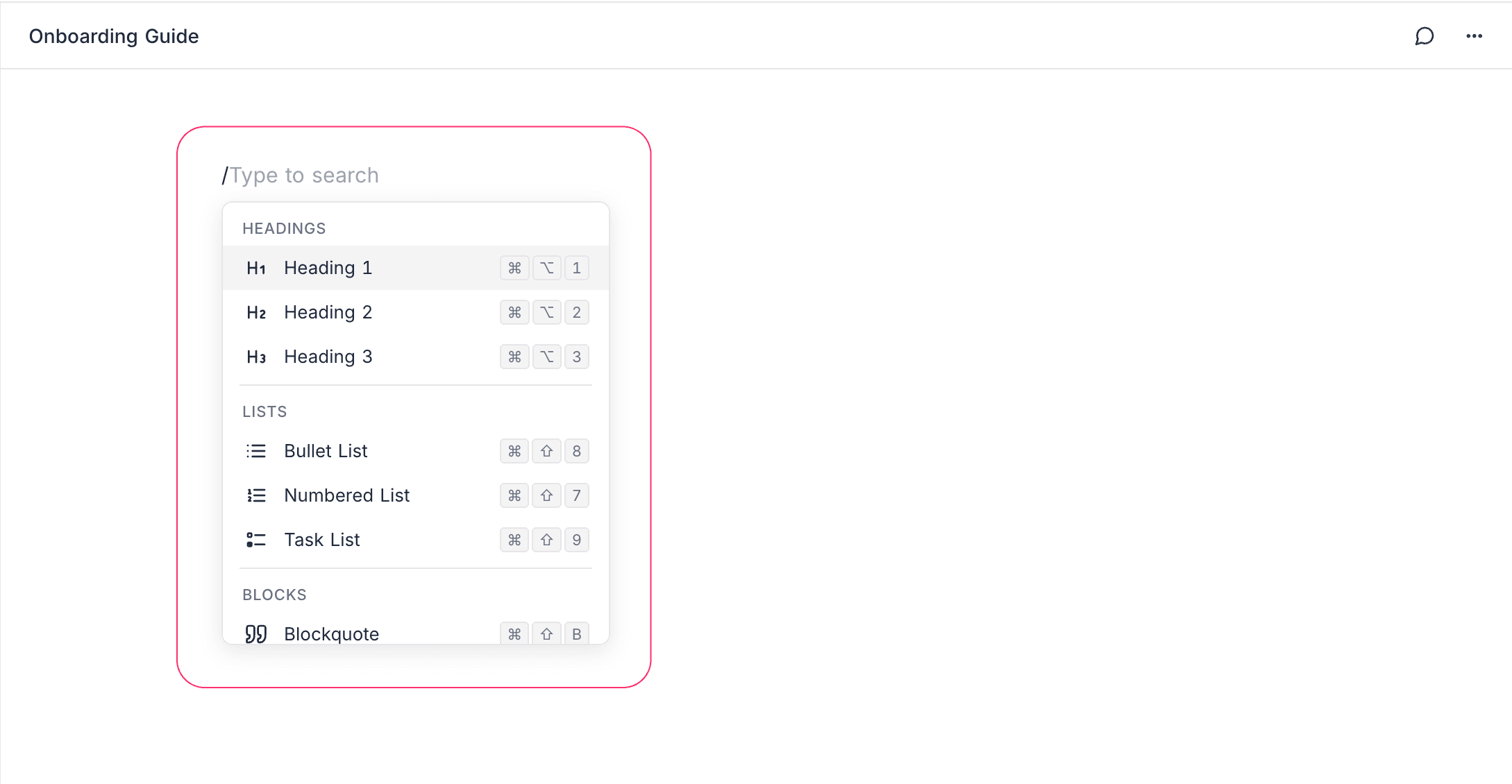
Type / in the editor to open the slash command menu. To search, type after the slash. The commands are in these categories:
| Category | Examples |
|---|---|
| Text | Heading 1, Heading 2, Heading 3, Paragraph |
| Lists | Bullet list, Numbered list, Task list |
| Blocks | Callout, Blockquote, Divider, Table, Columns, Tabs |
| Code & Math | Code block, Math equation |
| Media | Image, File attachment, Embed, Web bookmark |
| NocoAI | Continue Writing, Summarize Document |
## followed by a space to create a Heading 2, or - to start a bullet list.Bubble Menu (Inline Toolbar)
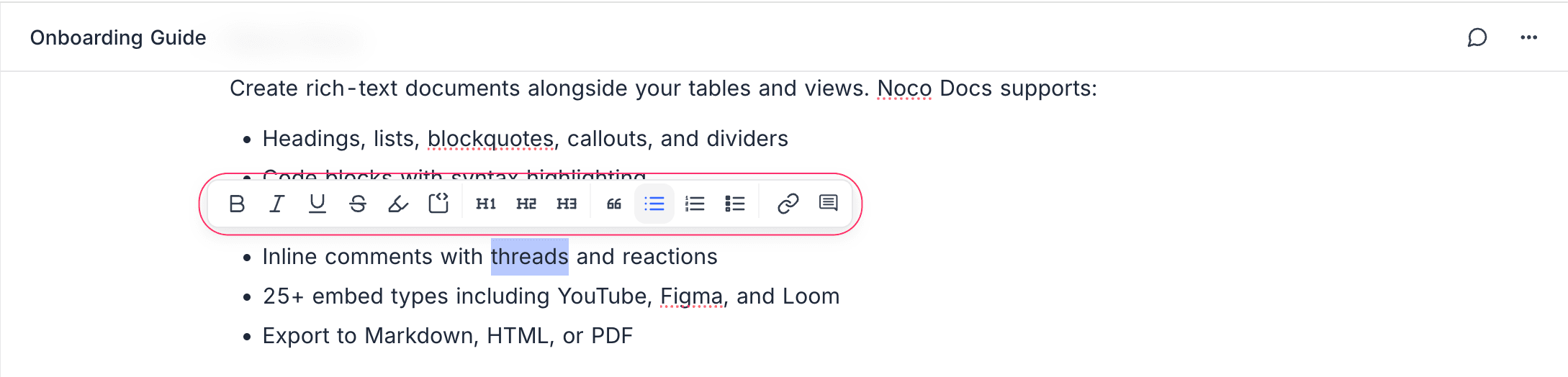
Select text to open the bubble menu. It gives quick access to:
- Bold, Italic, Underline, Strikethrough
- Inline code
- Text color and highlight
- Link insertion
- Comment creation
- AI Assistant: Write, improve, summarize, translate, and change the tone of selected text
Auto-Save
NocoDocs saves all changes automatically while you type. There is no manual save button.
When several people have the same document open, edits sync between them in real time and merge automatically. Nobody loses changes. For details, refer to Collaboration. If your connection stops, NocoDocs merges your offline edits when you connect again.
Content Types
For details on each content type, refer to these pages:
- Text Formatting: Bold, italic, color, highlights, and more.
- Blocks: Headings, lists, callouts, blockquotes, columns.
- Tables: Insert and edit table blocks.
- Code Blocks: Syntax-highlighted code in 30+ languages.
- Math Equations: LaTeX/KaTeX equations.
- Images & Attachments: Upload and embed media.
- Embeds: Embed content from 25+ platforms.
- Web Bookmarks: Save links as rich visual bookmark cards.
- Tabs: Put content into tabbed panels that you can switch between.
Last updated on