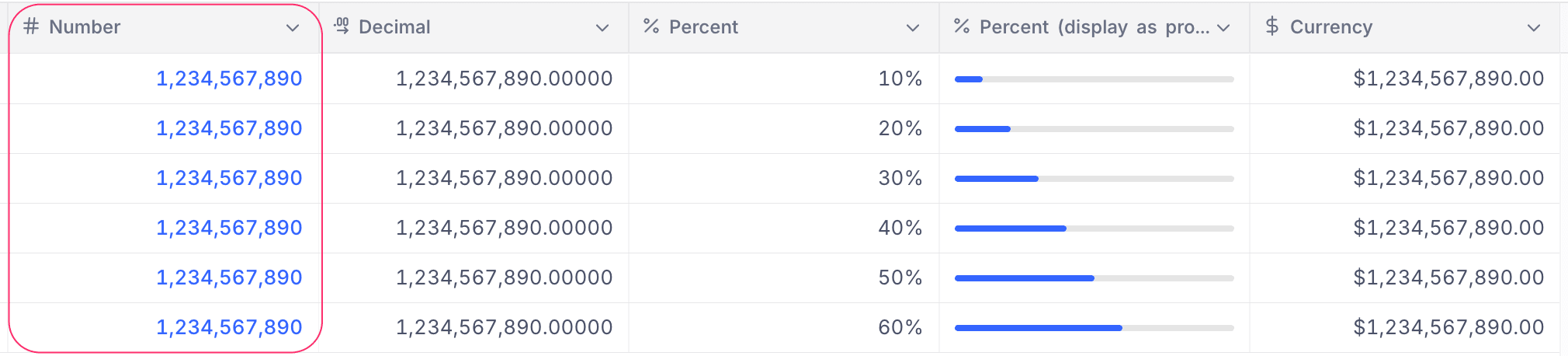
Number
This article explains how to create and use a Number field.
The Number field is a numerical field used to store integer values. It is commonly used for data such as age, salary, price, or quantity.
Supported range (JavaScript): -9,007,199,254,740,991 to 9,007,199,254,740,991
Create a Number field
- Click the
+icon next to the last field in your table. - Enter a name for the field.
- Select Number from the list of field types.
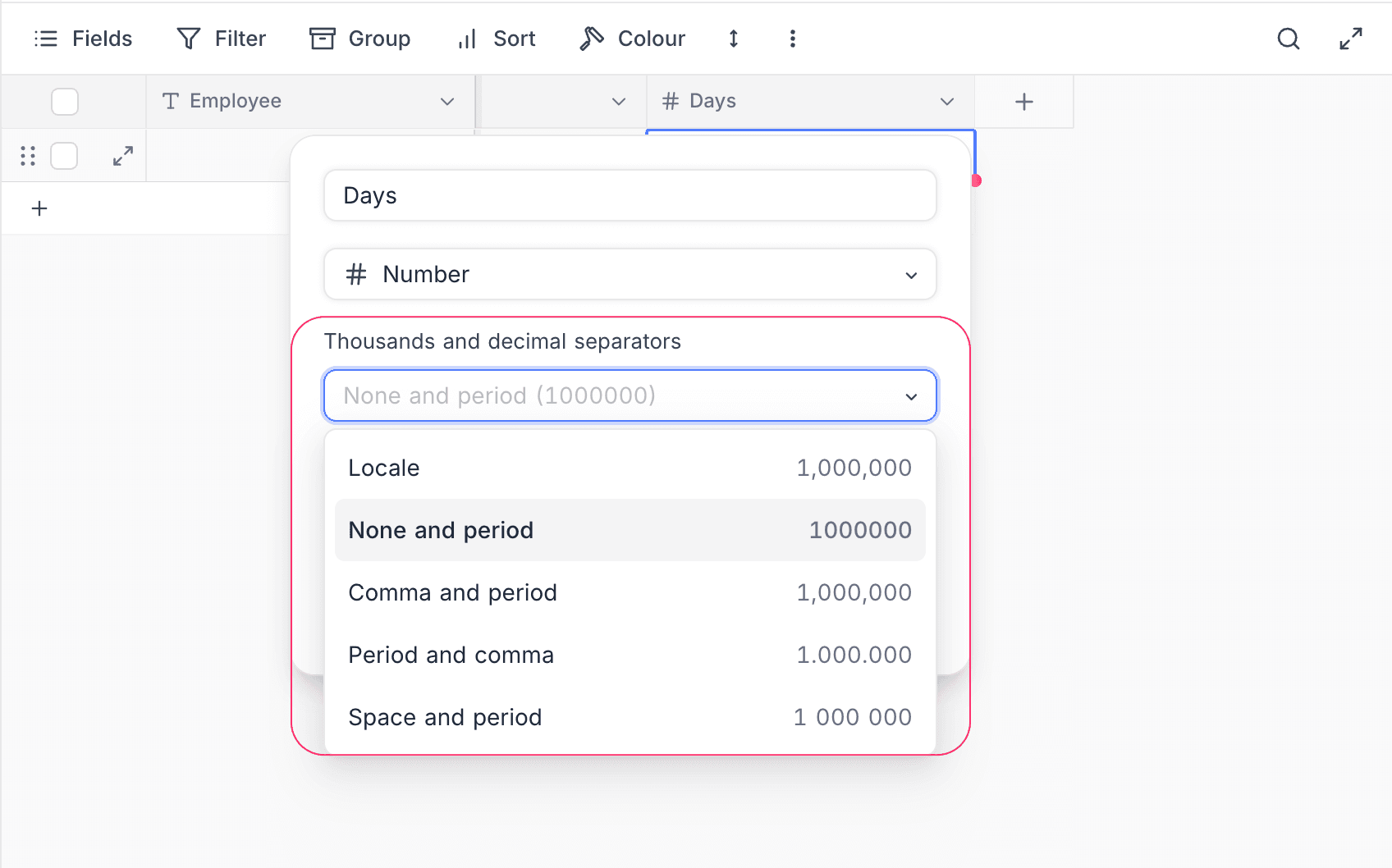
- Choose a Thousands and decimal separators style for display (see Separator styles below).
- (Optional) Set a default value for the field and add a description.
- Click Save Field to add the field to your table.
Refer to the general guidelines on creating a field.
The Number field supports both positive and negative values.
Separator styles
Use the Thousands and decimal separators dropdown to choose how integer values are grouped for display. Pick one of the following styles:
| Option | Example (1,000,000) |
|---|---|
| Locale | Uses the viewer's browser/system locale (e.g., 1,000,000 in en-US, 1.000.000 in de-DE) |
| None and period | 1000000 |
| Comma and period | 1,000,000 |
| Period and comma | 1.000.000 |
| Space and period | 1 000 000 |
Separators affect how the value is displayed. The underlying numeric value is stored without separators and is unaffected by this setting, so it remains consistent for sorting, filtering, formulas, and exports.
When entering or pasting values, you can freely include thousand separator characters (commas, periods, spaces, or non-breaking spaces). They are stripped automatically before the value is saved.
Cell display
The Number field appears as a numeric cell in the table, right-aligned for readability. Values are displayed using the configured separator style.