Workspaces
Overview of workspaces in NocoDB.
Workspaces in NocoDB help organize and manage your data collaboratively. Each workspace can contain one or more bases, bringing together related tables, views, and other elements under a unified structure. You can control access by assigning roles to workspace members, enabling secure and efficient teamwork.
You can invite team members to collaborate, assign roles to control access, and rename or delete workspaces as needed.
A default workspace is provided for all users. The ability to create additional workspaces depends on your subscription plan. Refer to the pricing page for details on plan-specific features.
Workspace home
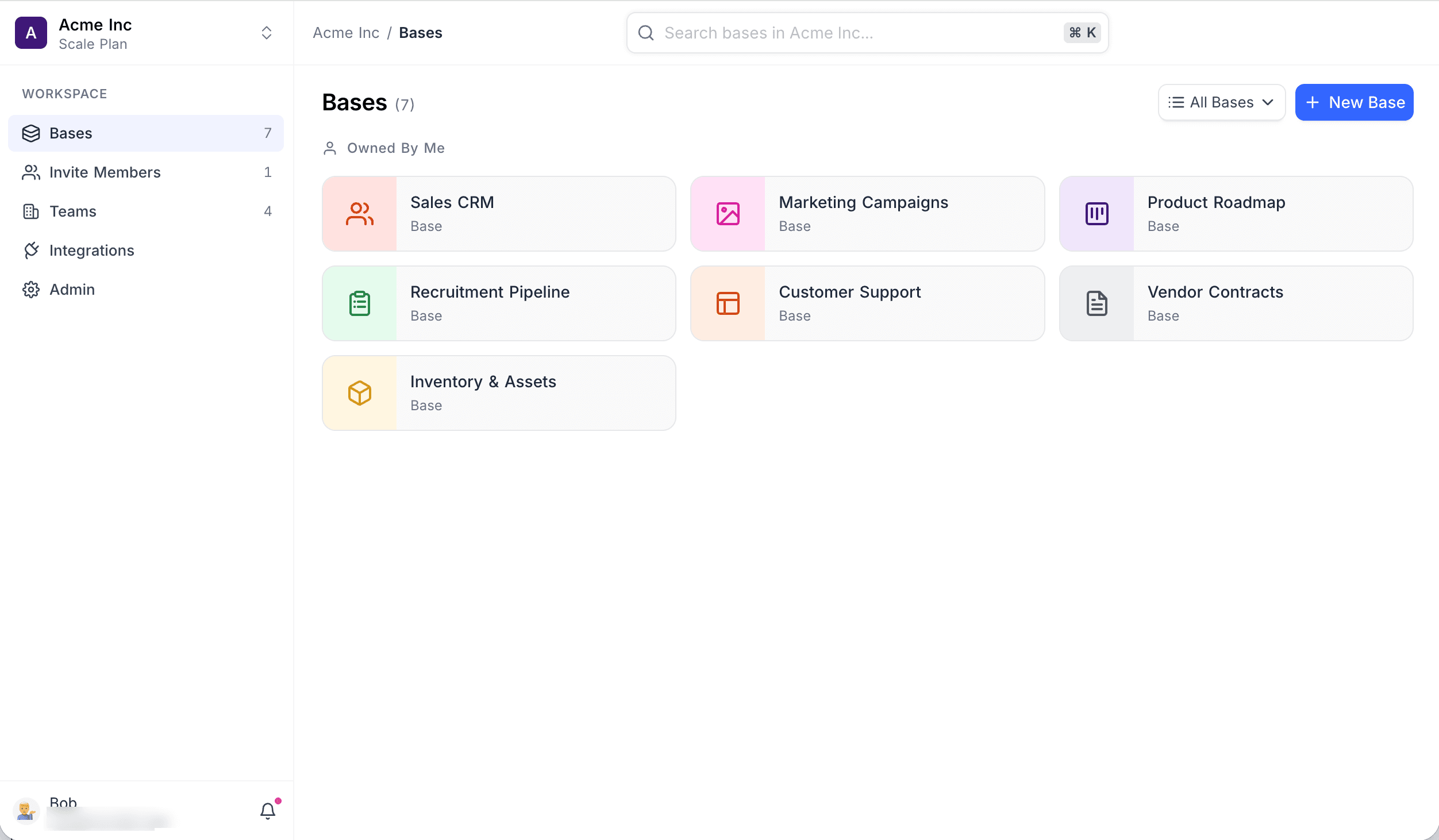
Opening a workspace lands you on its home page. The left sidebar is the workspace's navigation:
- Workspace switcher — at the top of the sidebar. It shows the active workspace along with its plan. Open it to see the workspace ID, switch to another workspace, or create a new one.
- Bases — all bases in the workspace, with a count.
- Invite Members — members and teams with access to the workspace, with a member count.
- Teams — create and manage teams.
- Integrations — connections to external systems.
- Admin — workspace administration, grouped into the sub-tabs General, Billing, Audits, and Single Sign-On (SSO).
The top bar shows a Workspace / Page breadcrumb, plus a search box that filters the bases in the workspace. Press ⌘ K (Ctrl K on Windows) from the search box to open the command palette.
Sidebar items vary by your role, plan, and edition. On self-hosted Community Edition the sidebar shows only Bases, Invite Members, and Integrations; Teams, Admin, and the workspace switcher are not available.