FAQs
What is available in the free version?
- Detailed comparison of Community Edition vs Enterprise Edition is here.
- NocoDB has one Community Edition version. It is free forever.
- All these advanced features are free in it:
- ACL
- Collaboration
- Advanced Views : Form View, Gallery View & Kanban View
- Share View
- Embed View
- Password protected View
- API Token Support
- We will never move these features from the free version to an enterprise version of NocoDB.
- There is no limit on the number of bases, records or fields.
Why is the feature I need not in Community Edition?
We know it is disappointing when a feature that you need is not in Community Edition. NocoDB Community Edition helps more than 35,000 companies, at no cost.
Some capabilities are part of our paid plans. They are not a barrier. They pay for the service, so that we can continue to give it to all users. If you need these features, you can support us through the cloud or a self-hosted license.
How do I upgrade NocoDB?
Refer to Upgrading.
How do I check my instance info?
Use the instance info when you report an issue.
- Open the
Base context menu. - Click
Copy Base Info.
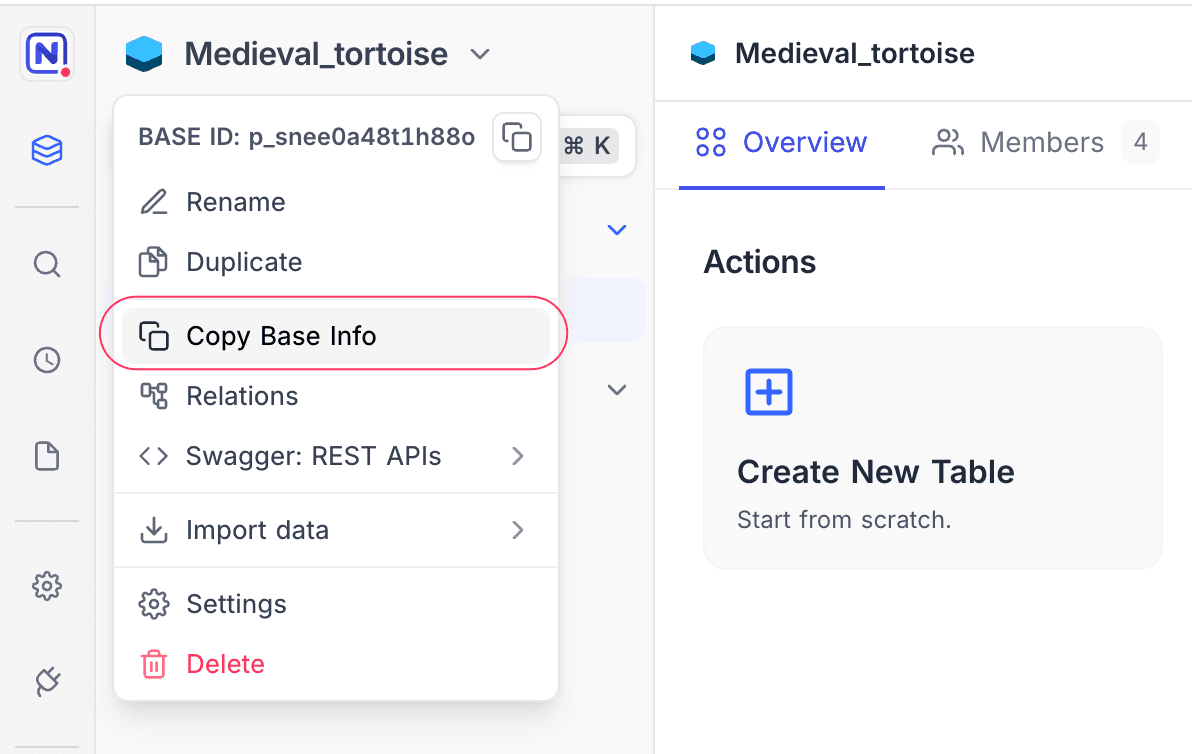
The result is similar to this:
Node: **v20.15.1**
Arch: **x64**
Platform: **linux**
Docker: **true**
RootDB: **pg**
PackageVersion: **0.258.2**
Why are CreatedTime and DateTime values shifted by a fixed offset?
NocoDB can show CreatedTime, UpdatedTime and DateTime values shifted by a constant offset, such as exactly 2 hours. This occurs when something overwrites the UTC zone file of the Postgres container. NocoDB stores datetimes in UTC and converts them with the Postgres session time zone. In this state, SHOW timezone; still shows Etc/UTC, but SELECT now(); returns an offset that is not zero, such as +02.
The cause is a docker-compose file that bind-mounts the /etc/localtime of the host into the Postgres container. In most Postgres images, /etc/localtime is a symlink to /usr/share/zoneinfo/Etc/UTC. Docker mounts the host file onto that target. This replaces its contents with the zone data of the host, for example Europe/Berlin. SHOW timezone; returns only the name of the setting, so it does not show the problem.
To check, run SELECT now(); on the Postgres container. A correct setup returns +00:
docker compose exec <postgres-service> psql -U <user> -c 'SELECT now();'To fix the problem:
- Remove the
/etc/localtimemount from the Postgres service only. - Run
docker compose up -dto create the container again.
The problem does not affect the NocoDB and MinIO containers. They can keep the mount, because they format timestamps in UTC for all host time zones.
Last updated on