Create view
Learn how to create a new view in NocoDB.
Create new view
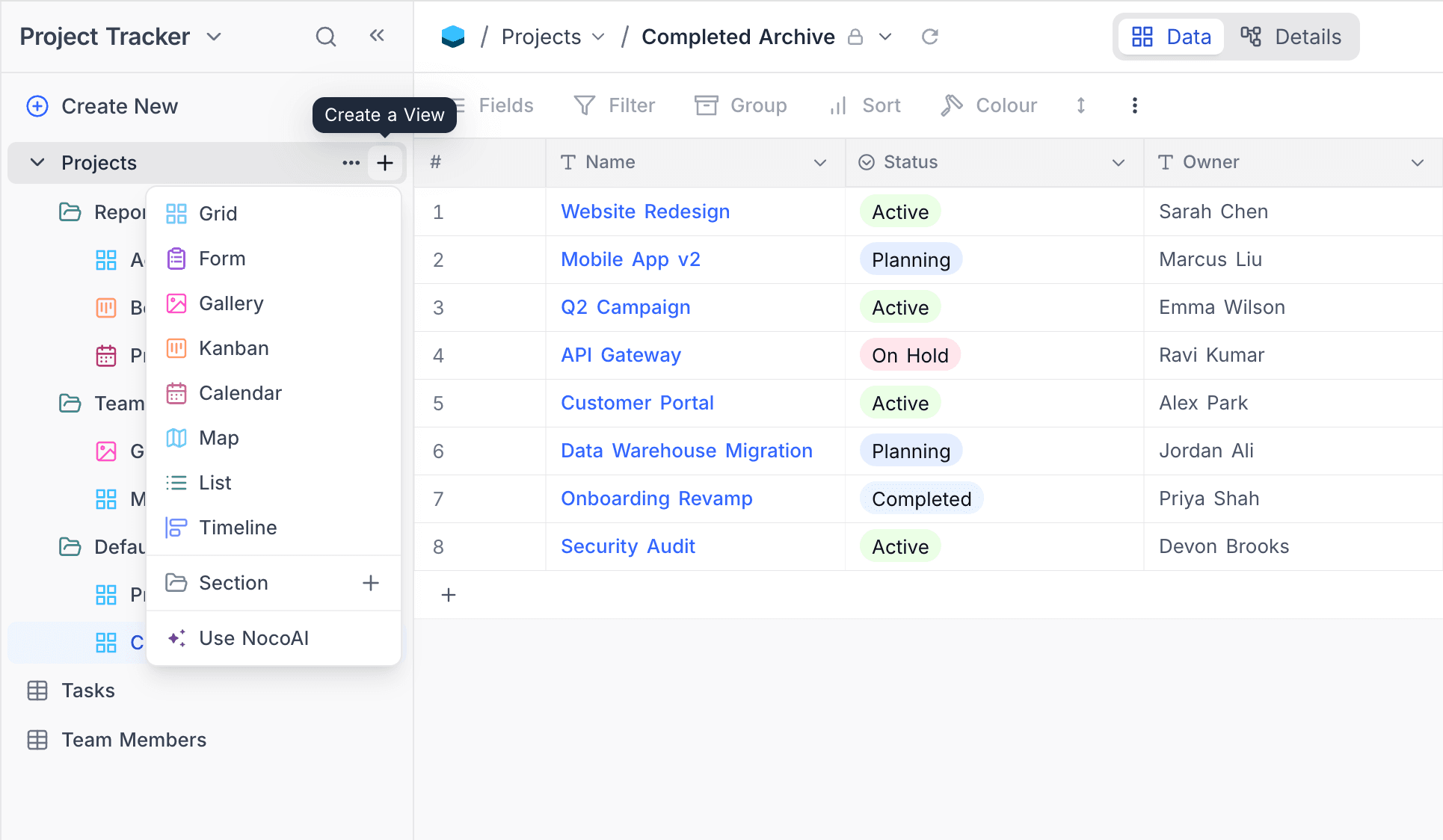
- Click on
+ New Viewbutton belowtable name. - Select view type from the dropdown modal.
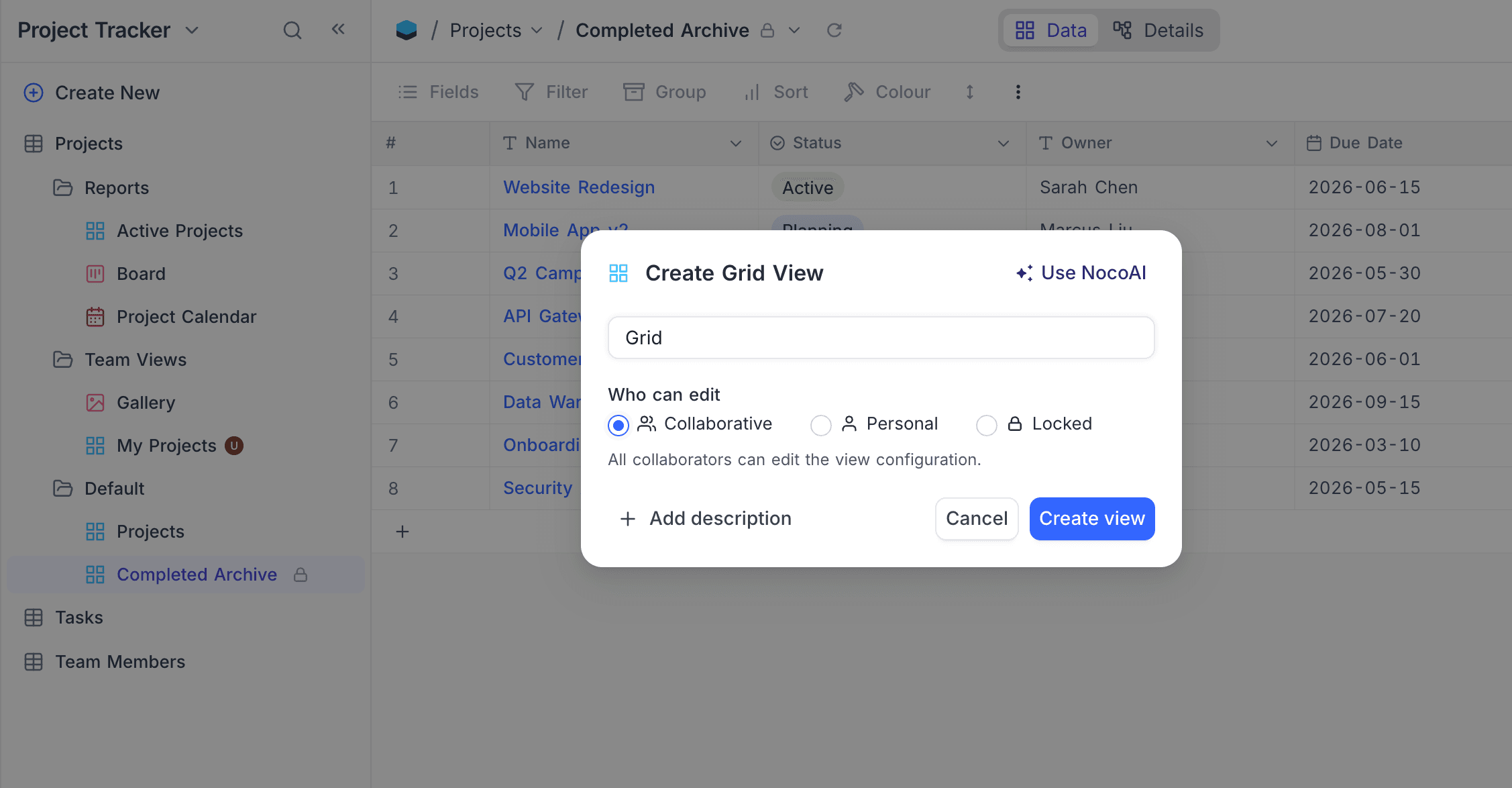
- Fill view name in the pop-up modal.
- For Kanban view, select the
Single selectfield to be used as the Kanban field. - For Calendar view, select the
DateORDateTimefield to be used as the Calendar field. - For Map view, select the
GeoDatafield to be used as the Mapped By field. - For Timeline view, select the
Date,DateTime,CreatedTime, orLastModifiedTimefield to be used as the start date. Optionally, add an end date field. - For Gantt view, the Configure Gantt Schedule dialog opens automatically after creation, where you pick the Start Date, End Date, and optional Successor Link fields.
- For Kanban view, select the
- Under Who can edit, choose the view's permission type (see Who can edit below).
- Click on
Create Viewbutton.
Who can edit
The Who can edit selector in the Create View dialog lets you pick the view's permission type at creation time, instead of creating a collaborative view and switching modes later.
| Option | Description |
|---|---|
| Collaborative | All collaborators can edit the view configuration. (Default) |
| Personal ☁ | Only you can edit the view configuration. You become the view owner. |
| Locked | No one can edit the view configuration until it is unlocked. |
Editors see only Collaborative and Personal options. The Locked option is available to Creators and Owners only. A view's permission type can always be changed later from the View Toolbar Menu.
Learn more about the behaviour of each permission type in View Permission Types.