Permission Inheritance
Understand how document permissions are inherited in the document tree.
Document permissions in NocoDocs follow a hierarchical inheritance model that flows through the document tree. This ensures consistent access control while allowing you to customize permissions at any level.
How Inheritance Works
When NocoDocs resolves permissions for a document, it walks up the document tree:
- If the document has an explicit permission set, that value is used.
- If not, the system checks the parent document, then the grandparent, and so on.
- If no ancestor has an explicit permission, the base default applies:
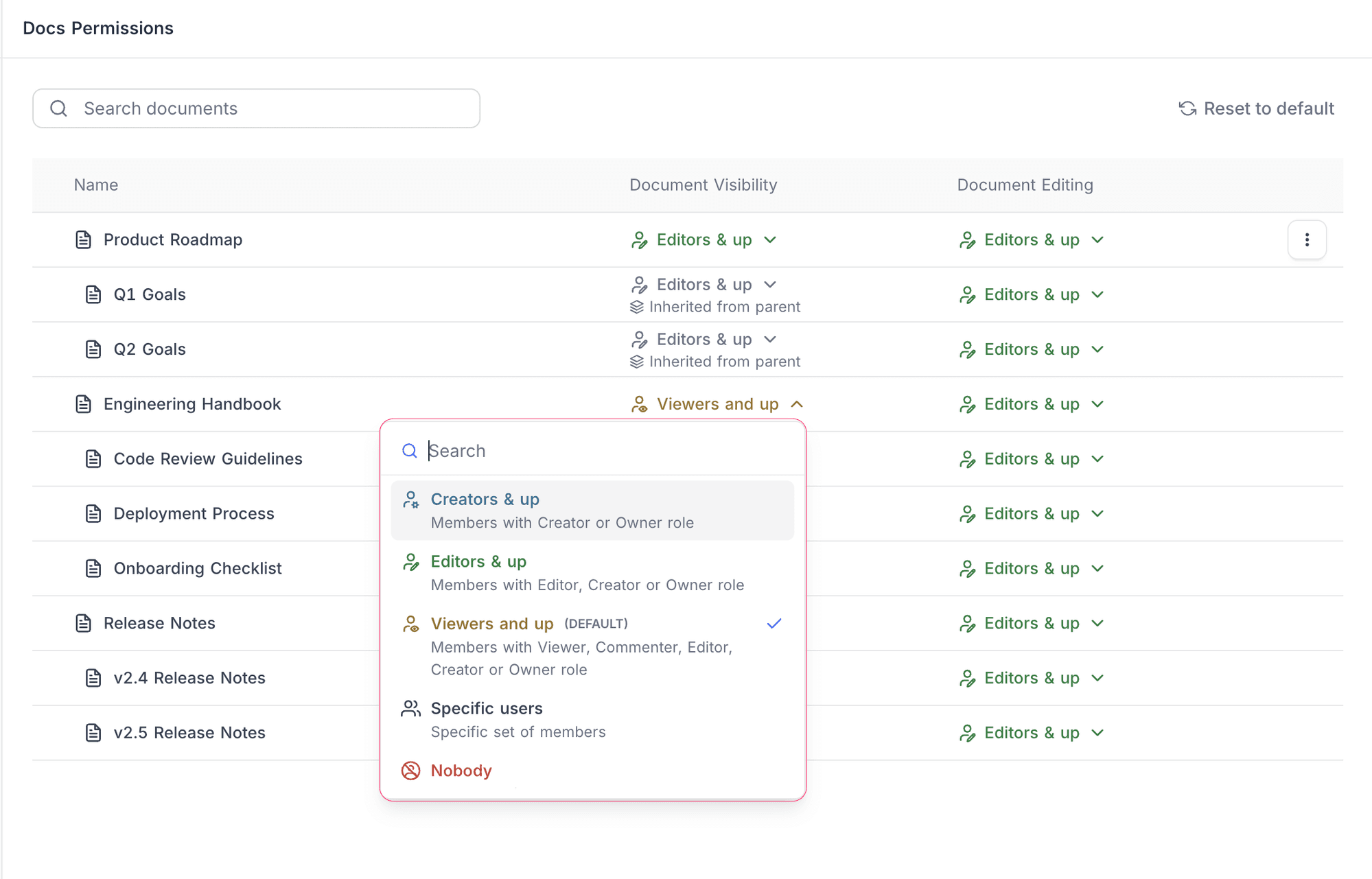
- Document Visibility: Viewers and up
- Document Editing: Editors and up
This means you can set a permission once on a parent document, and all its children automatically inherit that setting — no need to configure each document individually.
On the permissions management page, inherited permissions are labelled "Inherited from parent" to distinguish them from explicit settings.
Restrict-Only Rule
Child documents cannot be more permissive than their parent. Permissions can only be tightened (made more restrictive) as you go deeper in the tree.
For example:
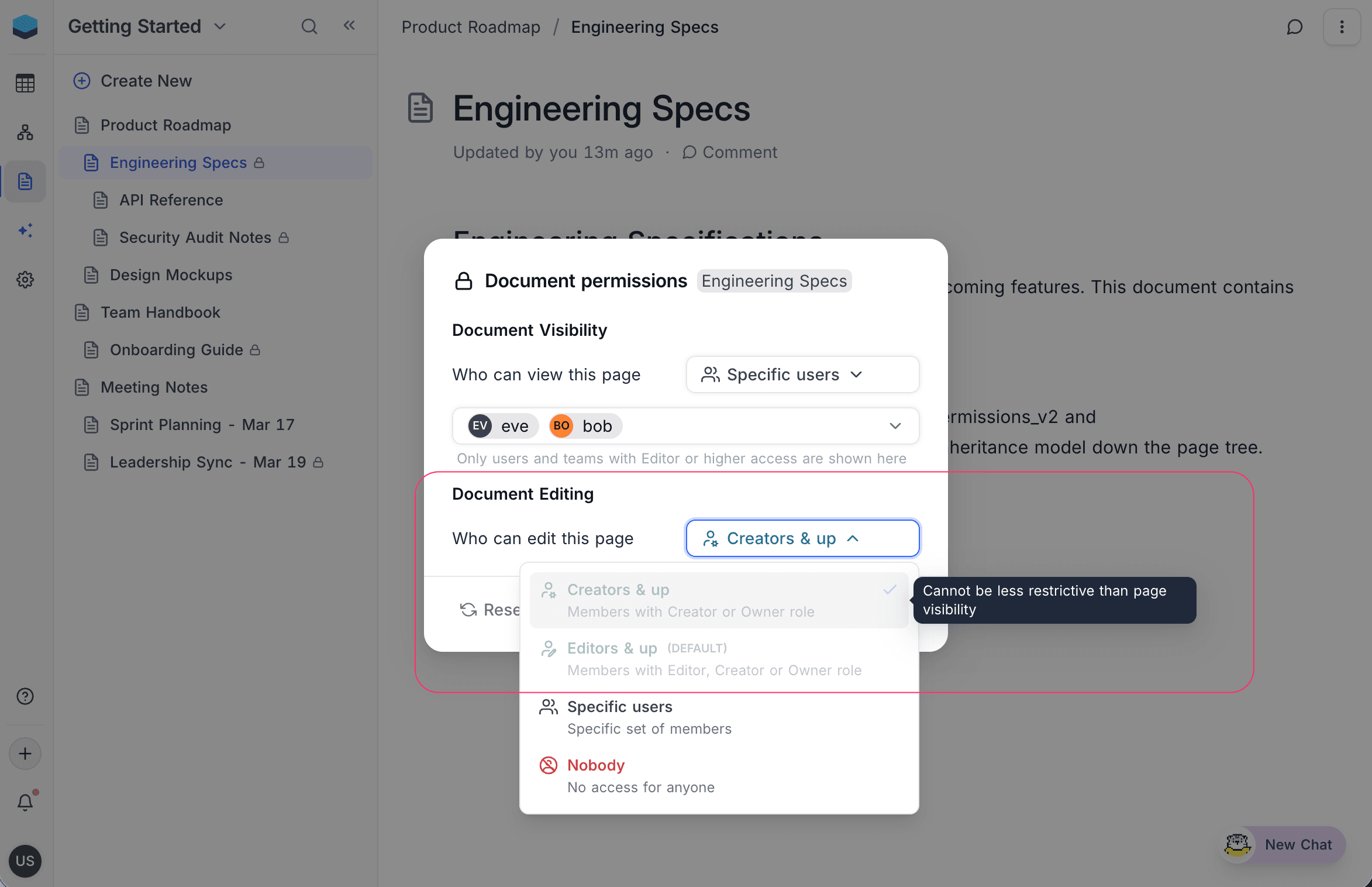
- If a parent's visibility is set to Editors & up, a child document cannot be set to Viewers and up.
- The child can be set to Creators & up, Specific users, or Nobody (all more restrictive).
Options that violate this rule are greyed out in the permission dropdown with the message "Cannot be less restrictive than page visibility".
Cascade Tightening
When you tighten a parent's permission, any child documents with explicit permissions that are now more permissive than the new parent setting are automatically reset. Those children revert to inheriting from the parent.
For example:
- Parent document has visibility set to Editors & up.
- A child document has an explicit visibility of Editors & up.
- You change the parent to Creators & up.
- The child's explicit permission is automatically removed because it would now violate the restrict-only rule. The child inherits the parent's Creators & up setting.
This prevents stale child permissions from becoming more permissive than their parent after a change.
Related Topics
- Document Permissions — Overview of permission types and levels.
- Managing Permissions — Set and change permissions on individual documents.