Document Permissions
Control who can view and edit individual documents.
Document permissions let you control who can view and edit individual documents within your base, giving you fine-grained access control beyond standard base-level roles.
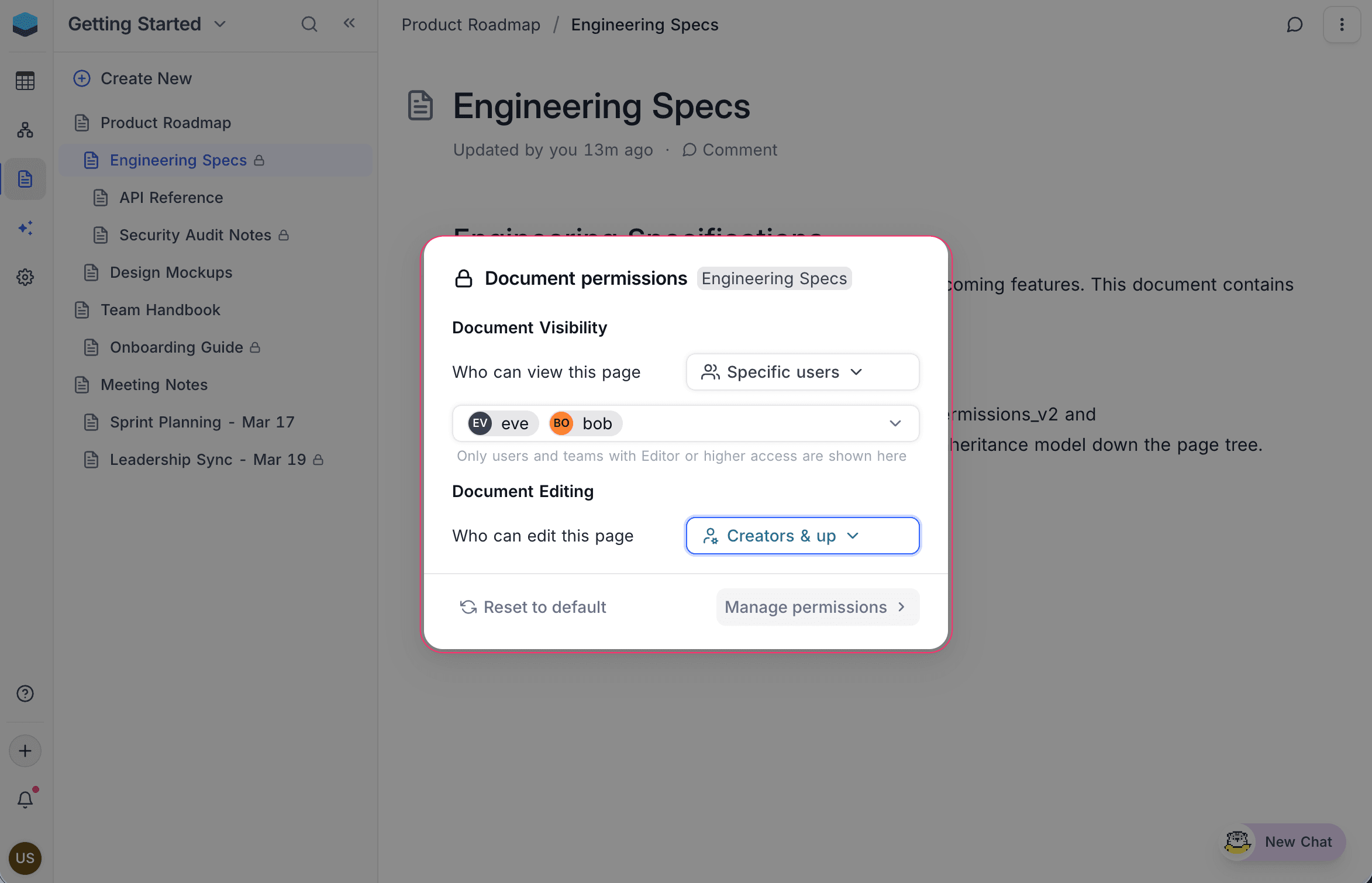
Permission Types
Each document has two independent permission settings:
| Permission | Controls | Default |
|---|---|---|
| Document Visibility | Who can see the document | Viewers and up |
| Document Editing | Who can edit the document | Editors and up |
Permission Levels
Both visibility and editing permissions support the following levels:
| Level | Description |
|---|---|
| Viewers and up | All base collaborators can access |
| Editors and up | Editors, Creators, and Owners |
| Creators and up | Creators and Owners only |
| Specific users | Only explicitly selected users or teams |
| Nobody | No one except the base Owner |
Identifying Restricted Documents
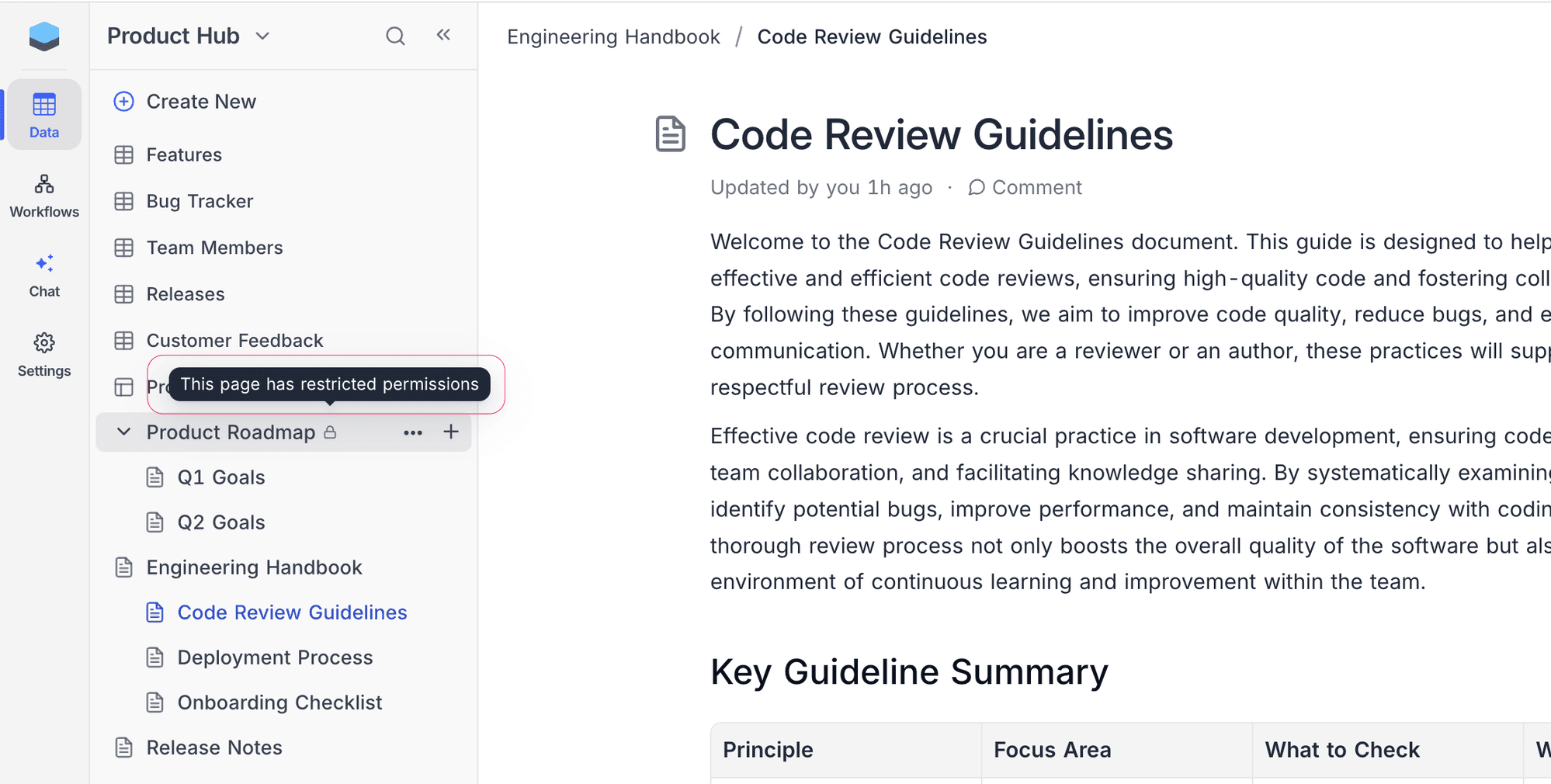
Documents with restricted permissions display a lock icon next to their name in the sidebar. Hover over the lock icon to see the tooltip "This page has restricted permissions".
Accessing Restricted Documents
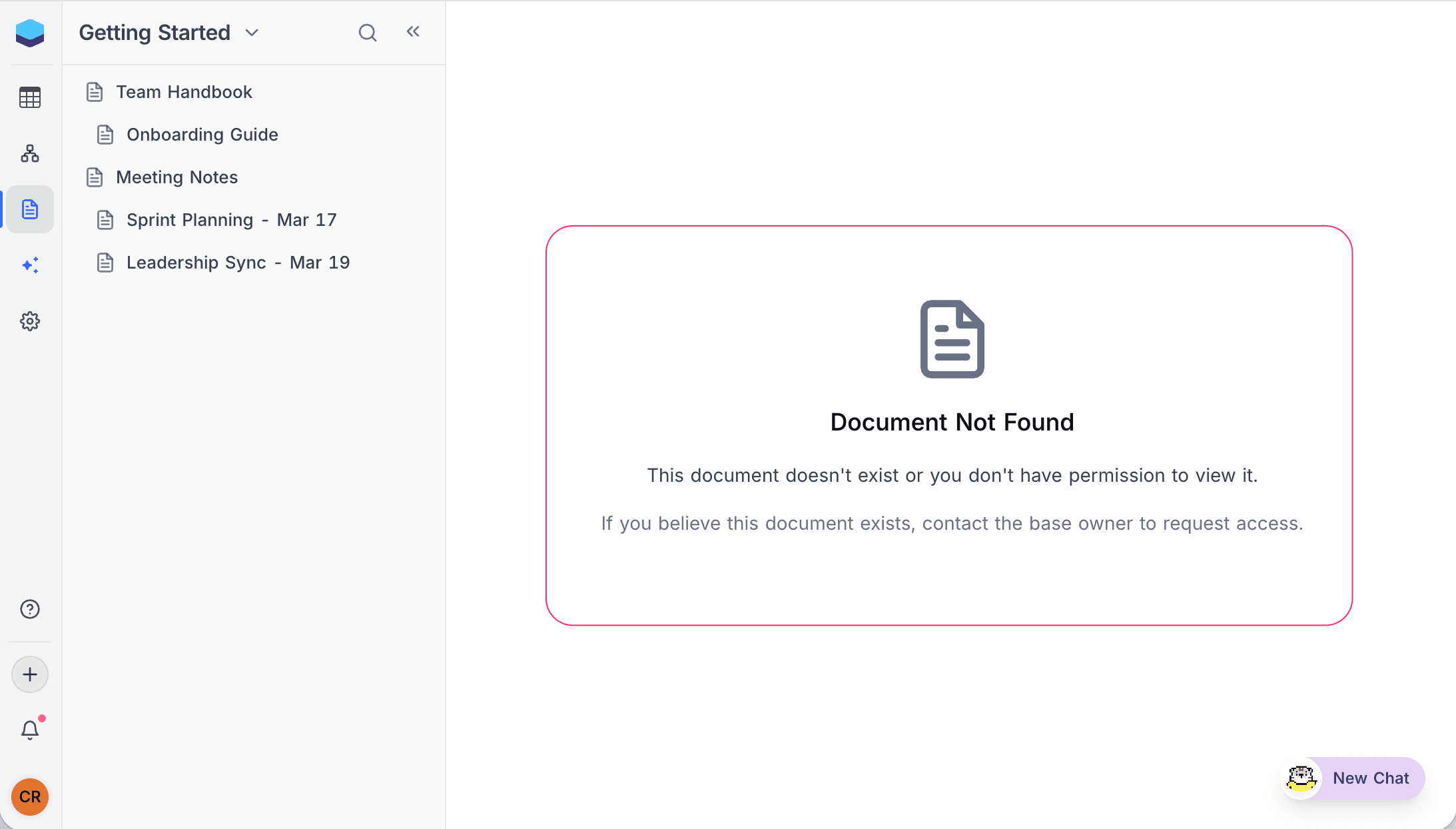
Documents hidden by visibility permissions do not appear in the sidebar for users without access. If a user tries to open a restricted document via a direct URL, a "Document Not Found" message is displayed with the note: "This document doesn't exist or you don't have permission to view it."
Who Can Manage Permissions
Only base Owners and Creators can configure document permissions. Editors, Commenters, and Viewers cannot change permission settings.
Related Topics
- Managing Permissions — Set and change permissions on individual documents.
- Permission Inheritance — Understand how permissions flow from parent to child documents.
- Actions on Document — Rename, reorder, and manage documents.