AI Assistant
AI-powered writing tools built into the NocoDocs editor.
NocoDocs includes a built-in AI assistant that helps you write, edit, and refine document content directly within the editor. It can continue writing from where you left off, improve or restructure existing text, change tone, summarize, and translate into 17 languages.
AI Assistant requires a Business plan or above on Cloud, or an Enterprise license for self-hosted deployments. An AI integration must be configured on the base before AI features become available.
Capabilities
| Capability | Description | Trigger |
|---|---|---|
| Continue Writing | Continue from the current cursor position | Slash command, Bubble menu |
| Improve Writing | Improve, fix grammar, shorten, or lengthen selected text | Bubble menu |
| Change Tone | Rewrite selected text in a different tone | Bubble menu |
| Summarize | Summarize the full document or selected text | Slash command, Bubble menu |
| Translate | Translate selected text to a target language | Bubble menu |
How to Access
AI writing tools are available through two entry points in the editor:
Slash Commands
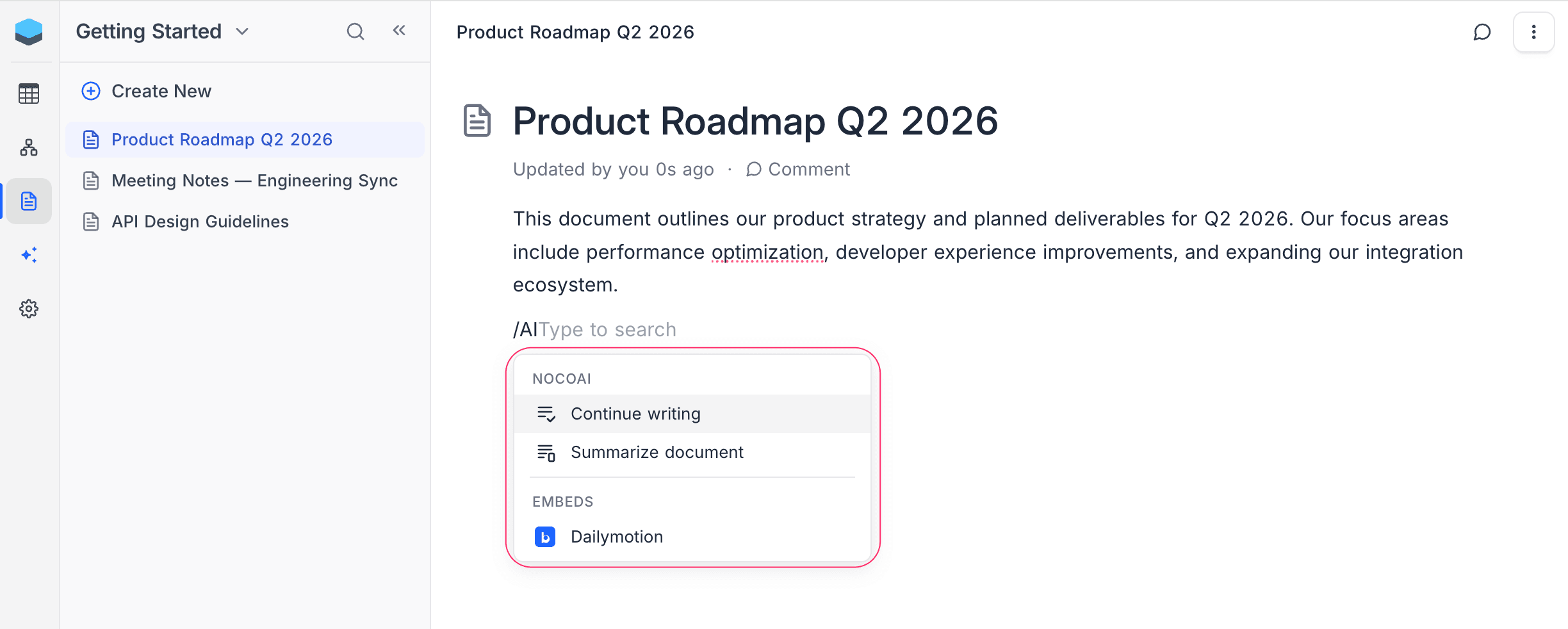
Type / in the editor and search for AI commands. The NocoAI group includes:
- Continue Writing — AI picks up writing from the current cursor position.
- Summarize Document — AI generates a summary of the entire document.
Bubble Menu
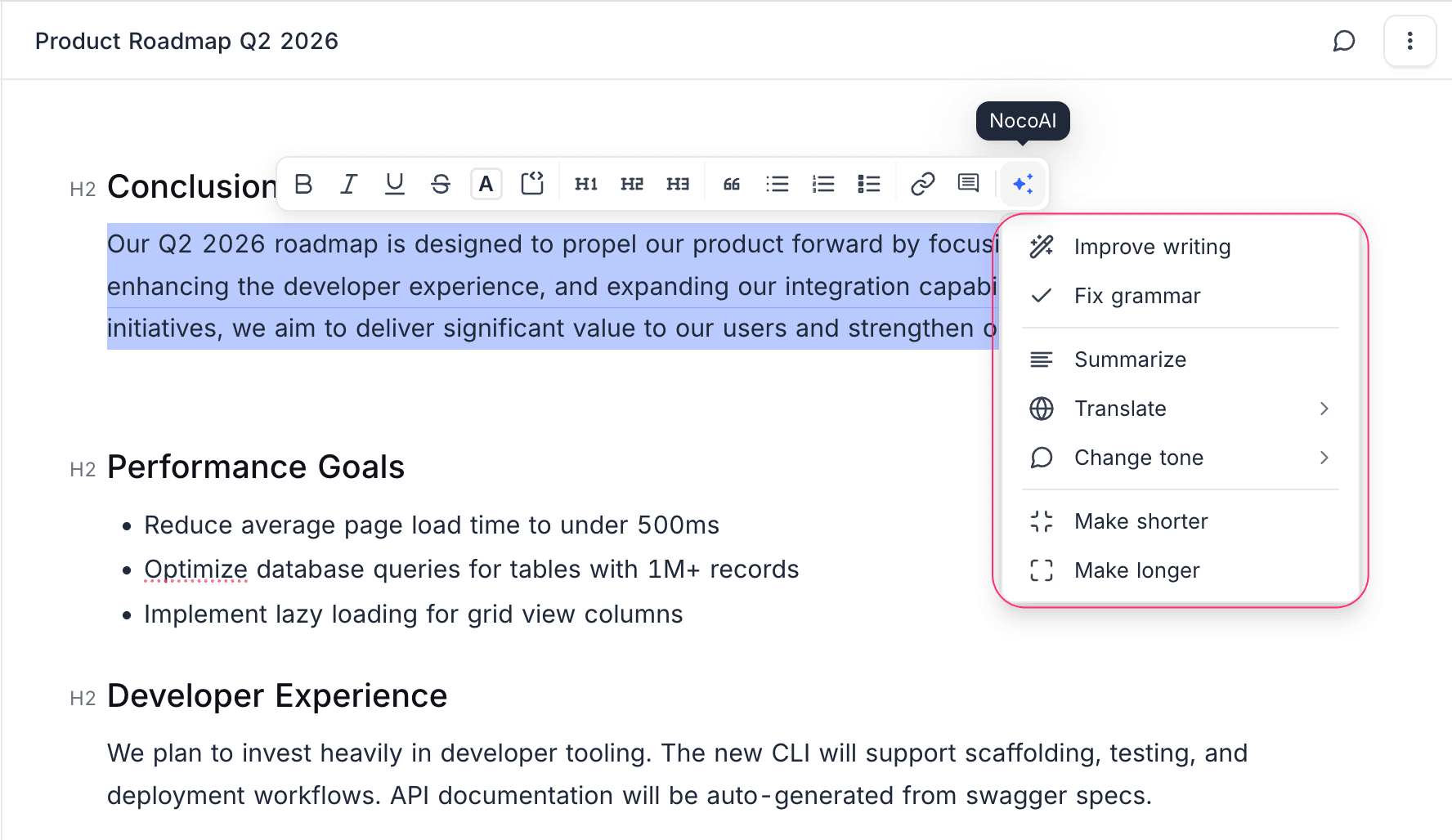
Select any text to reveal the bubble menu. Click the NocoAI button (sparkles icon) to open the AI dropdown with the full set of writing tools.
AI Suggestion Results
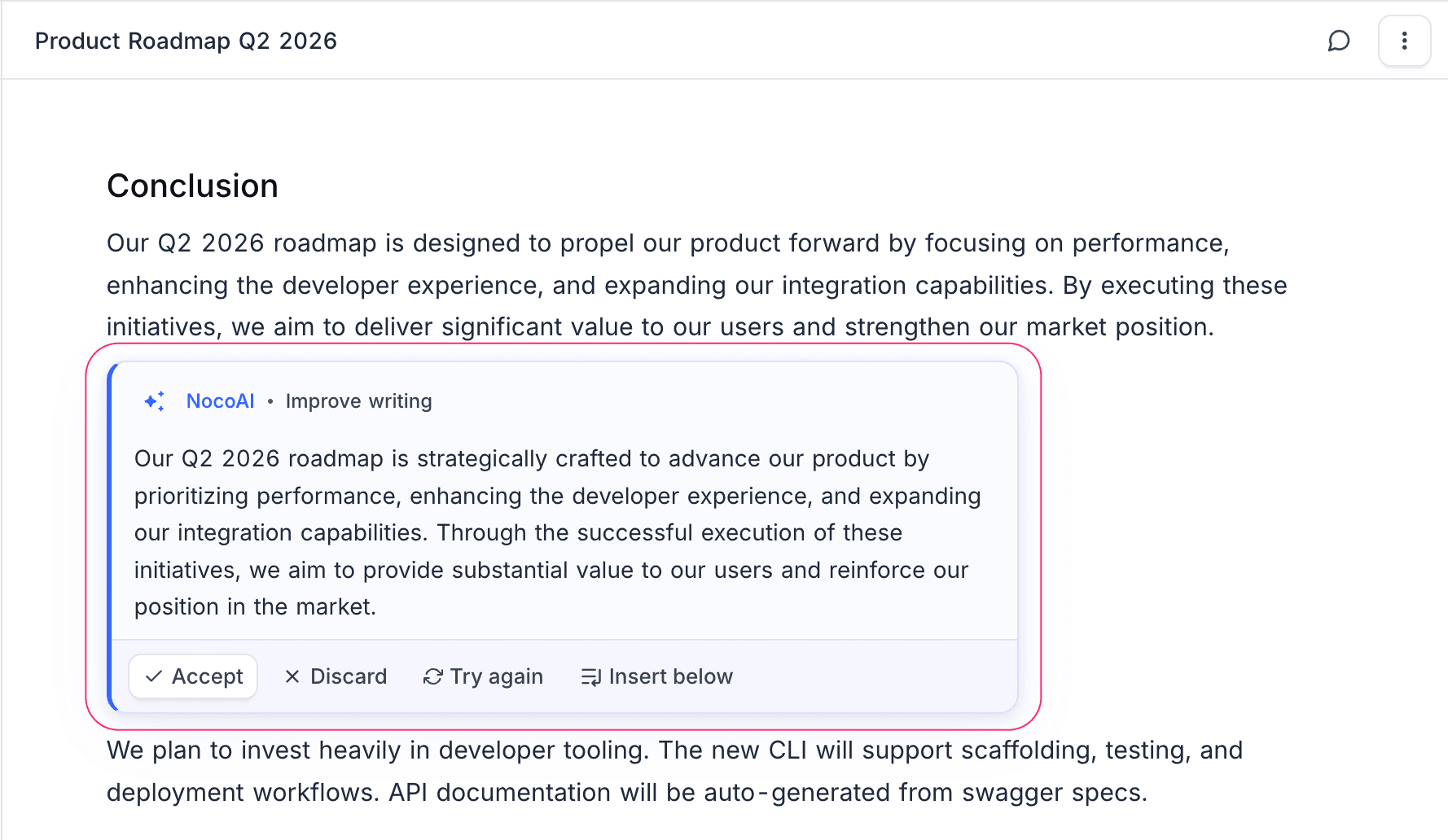
When an AI operation completes, the result is displayed either inline in the document or in a popup, depending on the operation. You can then choose to:
- Accept — Apply the AI-generated content (
Enter) - Discard — Remove the suggestion (
Escape) - Try Again — Re-run the same operation for a different result
- Insert Below — Keep your original text and insert the suggestion below it (available in popup mode)
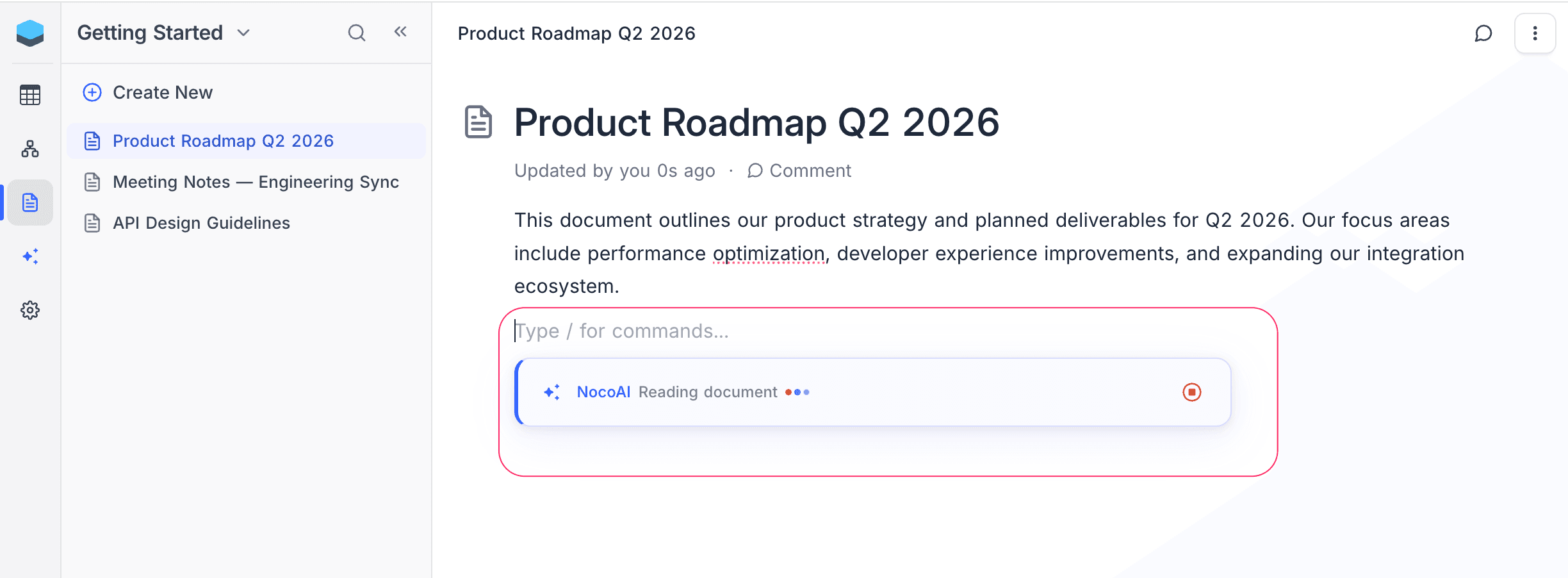
While the AI is generating, you will see an animated progress indicator with steps: Reading document → Thinking → Writing. You can click Stop at any time to cancel the request.
Next Steps
- AI Writing Tools — Detailed guide for each AI writing capability.