Script Steps
Script Steps show your users what occurs while your script runs. Each step is a real-time visual subsection, so complex operations are easier to follow.
Users do not see a blank screen. They see progress feedback as titled steps with icons, colors, and descriptions. This gives transparency, trust, and a polished experience.
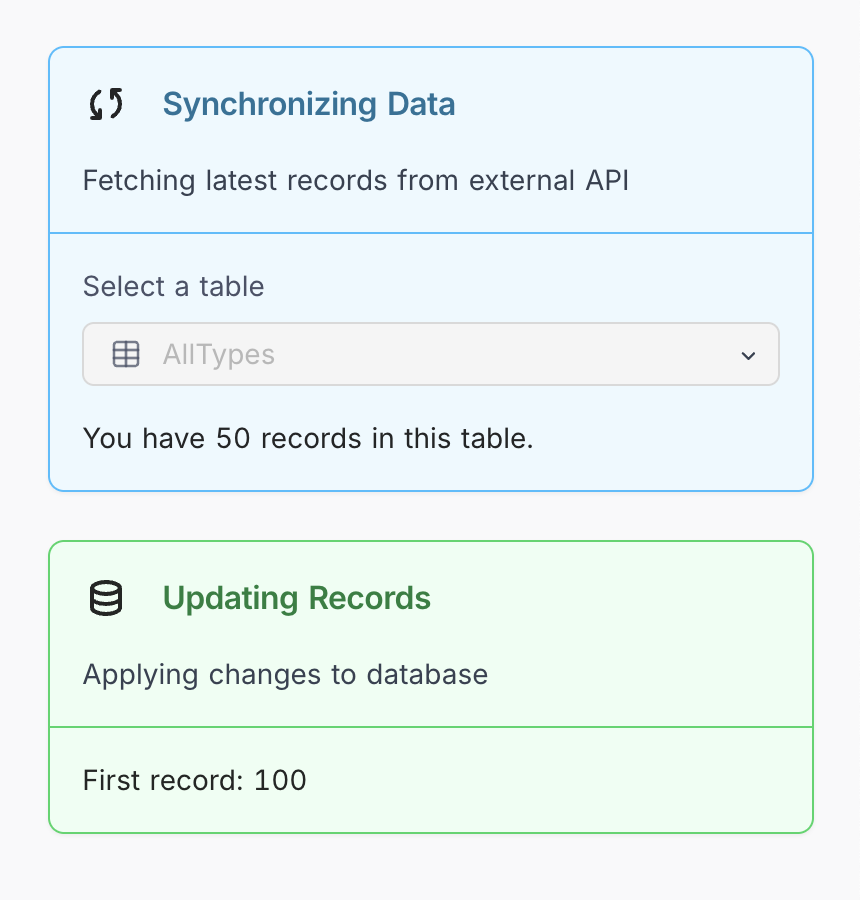
Basic Step
Add a step with only a title:
script.step('Loading your data...');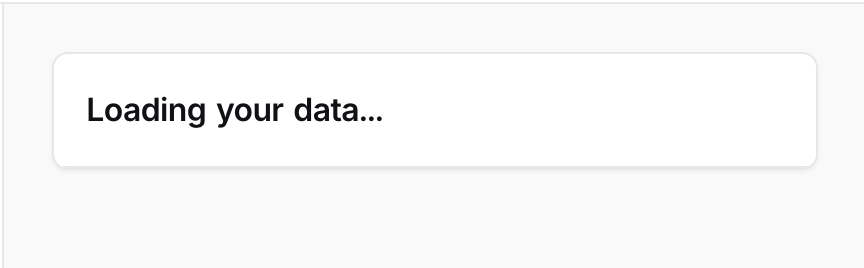
Detailed Step
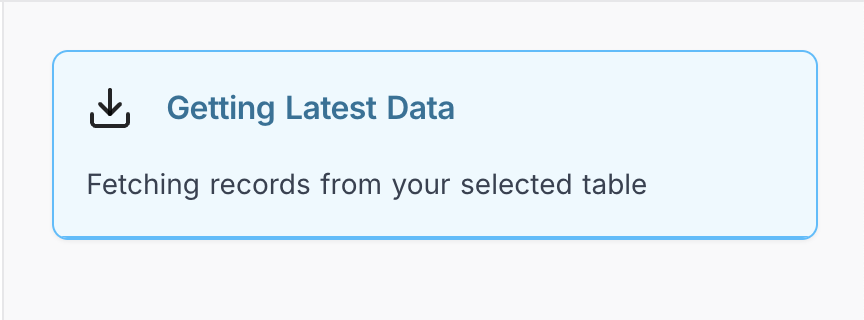
Add optional visuals to the step:
script.step({
  title: 'Getting Latest Data',
  description: 'Fetching records from your selected table',
  color: 'blue',
  icon: 'download'
});
Customization Options
Colors
Use colors to indicate the type of action:
| Color | Use Case |
|---|---|
blue | General info, loading data |
green | Success, completed actions |
yellow | Validation, warnings |
red | Errors, critical issues |
purple | Special or custom operations |
orange | Updates or changes |
gray | Background or neutral operations |
Icons
Suggested icons for common use cases:
| Icon | Meaning |
|---|---|
download | Fetching or retrieving data |
upload | Sending or submitting data |
database | Interacting with tables |
sync | Updating or syncing |
checkCircle | Completion or success |
settings | Configuration steps |
mail | Email-related actions |
Full Example
The following complete example uses script steps to guide the user through an import process:
// Step 1: Start import
script.step({
  title: 'Starting Import',
  description: 'Preparing to import customer data',
  color: 'blue',
  icon: 'database'
});

const sourceTable = await input.tableAsync('Which table has your customer data?');
const targetTable = await input.tableAsync('Which table should we import to?');

// Step 2: Validate data
script.step({
  title: 'Checking Your Data',
  description: 'Making sure the data will import correctly',
  color: 'yellow',
  icon: 'checkCircle'
});

const sourceRecords = await sourceTable.selectRecordsAsync();
if (sourceRecords.length === 0) {
  output.text('No records found to import!');
  return;
}

// Step 3: Import records
script.step({
  title: 'Importing Records',
  description: `Moving ${sourceRecords.length} customer records`,
  color: 'purple',
  icon: 'sync'
});

const newRecords = sourceRecords.map(record => ({
  fields: {
    'Customer Name': record.getCellValue('Name'),
    'Email': record.getCellValue('Email'),
    'Import Date': new Date()
  }
}));

// createRecordsAsync accepts at most 10 records per call
for (let i = 0; i < newRecords.length; i += 10) {
  await targetTable.createRecordsAsync(newRecords.slice(i, i + 10));
}

// Step 4: Finish
script.step({
  title: 'Import Complete',
  description: `Successfully imported ${newRecords.length} customers`,
  color: 'green',
  icon: 'checkCircle'
});

script.clear();
output.text(`✅ Done! Imported ${newRecords.length} customer records.`);
Advanced Usage
Manually Clear a Step
A step clears automatically when a new step starts. You can also clear a step explicitly:
script.step('Processing...');
await someAsyncTask();
script.clear();
Handling Errors Gracefully
Show errors in context to keep users informed:
script.step({
  title: 'Sending Emails',
  description: 'Notifying customers about their orders',
  color: 'blue',
  icon: 'mail'
});

try {
  await sendEmails();

  script.step({
    title: 'Emails Sent',
    description: 'All customers have been notified',
    color: 'green',
    icon: 'checkCircle'
  });
} catch (err) {
  script.step({
    title: 'Email Error',
    description: 'Could not send some emails – check your settings',
    color: 'red',
    icon: 'alert'
  });
}
Best practices
Step Titles
Use descriptive, action-based titles:
| ✅ Do | 🚫 Avoid |
|---|---|
| "Loading customer data" | "Step 1" |
| "Sending invoices" | "Processing" |
| "Updating inventory" | "Working" |
When to Use Steps
Use script steps to make these operations clearer:
- Long-running operations (API calls, imports, etc.)
- Multi-phase workflows (setup → validate → process → complete)
- Any place where user feedback improves trust
Do not use steps for very fast or trivial operations that need no explanation.
How Many Steps?
- 3–7 steps is ideal for most scripts.
- Too few steps give too little visibility.
- Too many steps give unnecessary noise.
Step Descriptions
Explain what’s happening, not how it’s implemented:
| ✅ Good | 🚫 Avoid |
|---|---|
| "Fetching latest orders from your store" | "Calling API endpoint with headers" |
Last updated on