Actions on an Interface
Manage interfaces and their pages in the Interfaces section of the base sidebar. Most actions are in the context menu of an interface or a page.
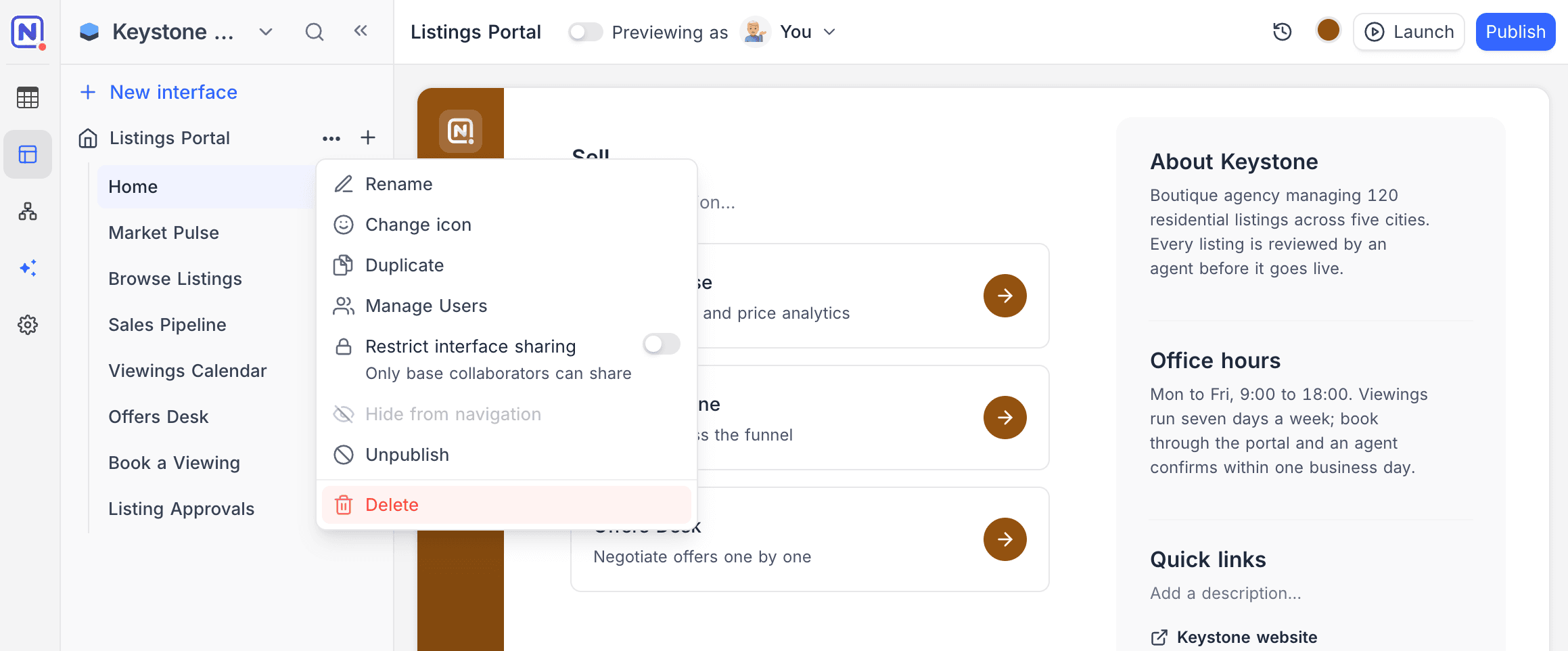
Interface actions
| Action | Description |
|---|---|
| Rename | Change the interface name inline. |
| Change icon, colour & style | Change the icon, accent color and style (Bold, Quiet, Wash or Ink) that you selected when you created the interface. |
| Duplicate | Make a copy of the interface with all its pages. |
| Manage users | Invite people to the interface and manage their roles. |
| Restrict interface sharing | When this is on, only base collaborators can share the interface. |
| Hide from navigation | Hide an interface that is not ready for use. You cannot publish a hidden interface, and you cannot hide a published interface. |
| Publish / Unpublish | Publish pending changes, or take the published version offline. See Publish an interface. |
| Delete | Delete the interface and all of its pages. |
When duplicating a base, you can choose whether to include its interfaces.
Page actions
| Action | Description |
|---|---|
| Rename | Rename a page inline. Press Enter to save or Escape to cancel. |
| Reorder | Drag pages to change their order in the interface navigation. |
| Hide from navigation | Remove the navigation entry, but keep the page available for contextual use (for example, as a record detail page). |
| Duplicate | Make a copy of the page in the same interface. |
| Delete | Remove the page from the interface. |
These rules keep an interface usable:
- You cannot delete the last page of an interface.
- You cannot hide or delete the last page that is visible in the navigation.
You can delete a record detail page that other pages use. The confirmation shows where the page is used. Each element that uses the page loses record details until you connect it to a different layout.
Last updated on
Latest product updates?See Changelog