Personal and Shared Agents
Every NocoDB agent is either Personal or Shared. A personal agent works as you: only you see it and its runs, and it acts with your access in the project, or less. A shared agent has its own identity and role, and everyone in the project can use it.
| Personal agent | Shared agent | |
|---|---|---|
| Who sees it | Only you. | Everyone in the project. |
| Who it acts as | You, at your role or lower. | Itself, at its own project role. |
| Who can create it | Editor and above | Creator and above |
| Results go to | The chat, or your email. | The chat, an email, or a Slack channel. |
| Channels | Not available. | Slack, Telegram and the other channels. |
| Plan limit | Outside the agent limit of the plan. | Counts towards the agent limit of the plan. |
Before you begin
- To create a personal agent, you need the Editor role or higher in the project.
- To create a shared agent, you need the Creator role or higher.
Pick the type of an agent
- Create an agent. See Create an agent.
- In the settings of the draft, open Tools & access.
- Under Type, select Personal agent or Shared agent.
A new agent starts as shared when you have the Creator role or higher, and as personal otherwise. It also starts as personal when the workspace has reached the agent limit of its plan. An Editor cannot select Shared agent.
To make a draft personal, first set its results to the chat or email, and disconnect its channels.
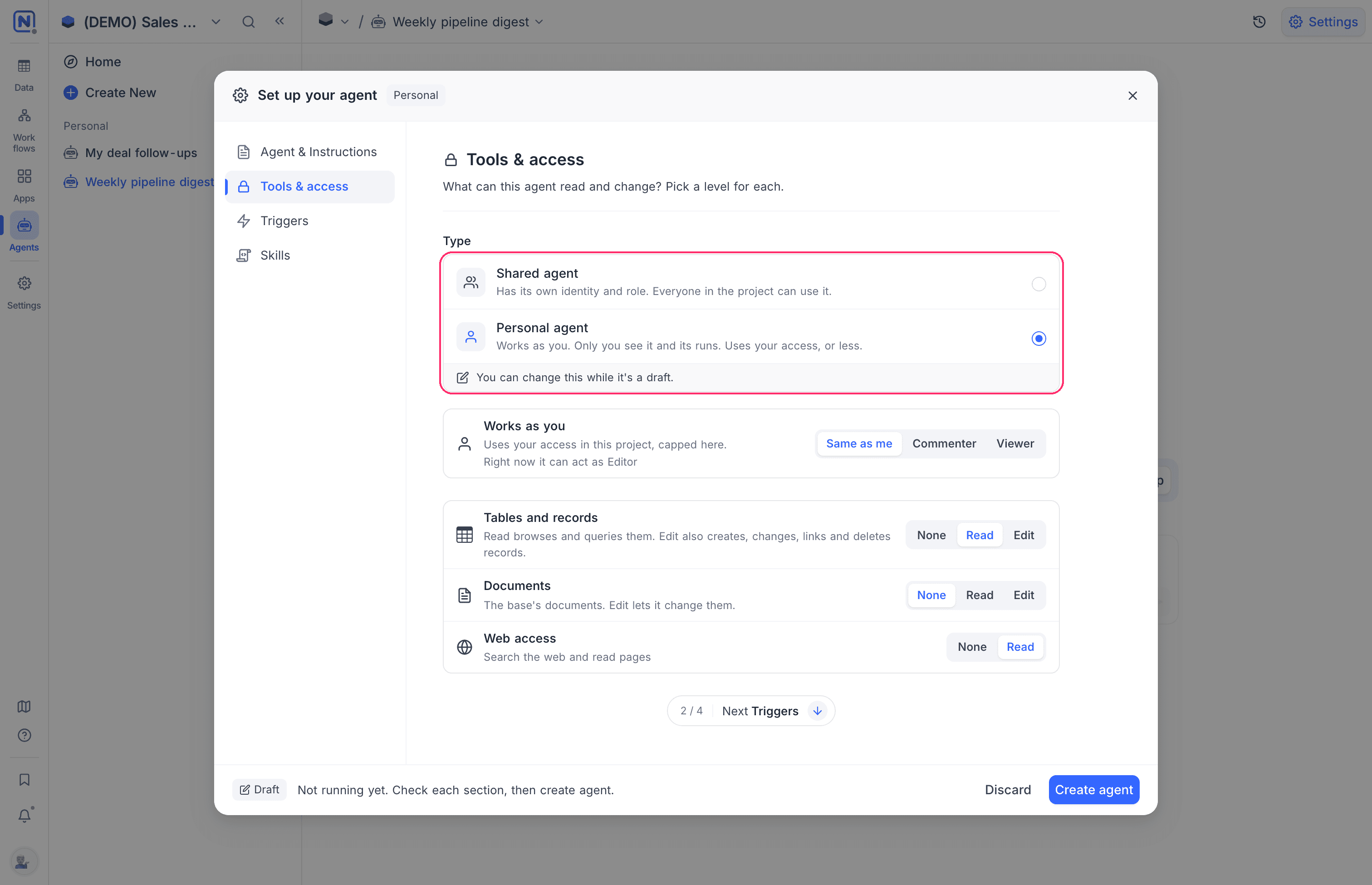
You can change the type only while the agent is a draft. After you turn the agent on, the type is fixed. To change it, duplicate the agent. The copy starts as a draft.
Coding agents are always shared.
Set what a personal agent can do
A personal agent acts as you, so it never reaches further than you do. To lower it further, use Works as you in Tools & access:
| Option | The agent acts as |
|---|---|
| Same as me | Your role in the project, up to Editor. |
| Commenter | Commenter, also when your role is higher. |
| Viewer | Viewer, also when your role is higher. |
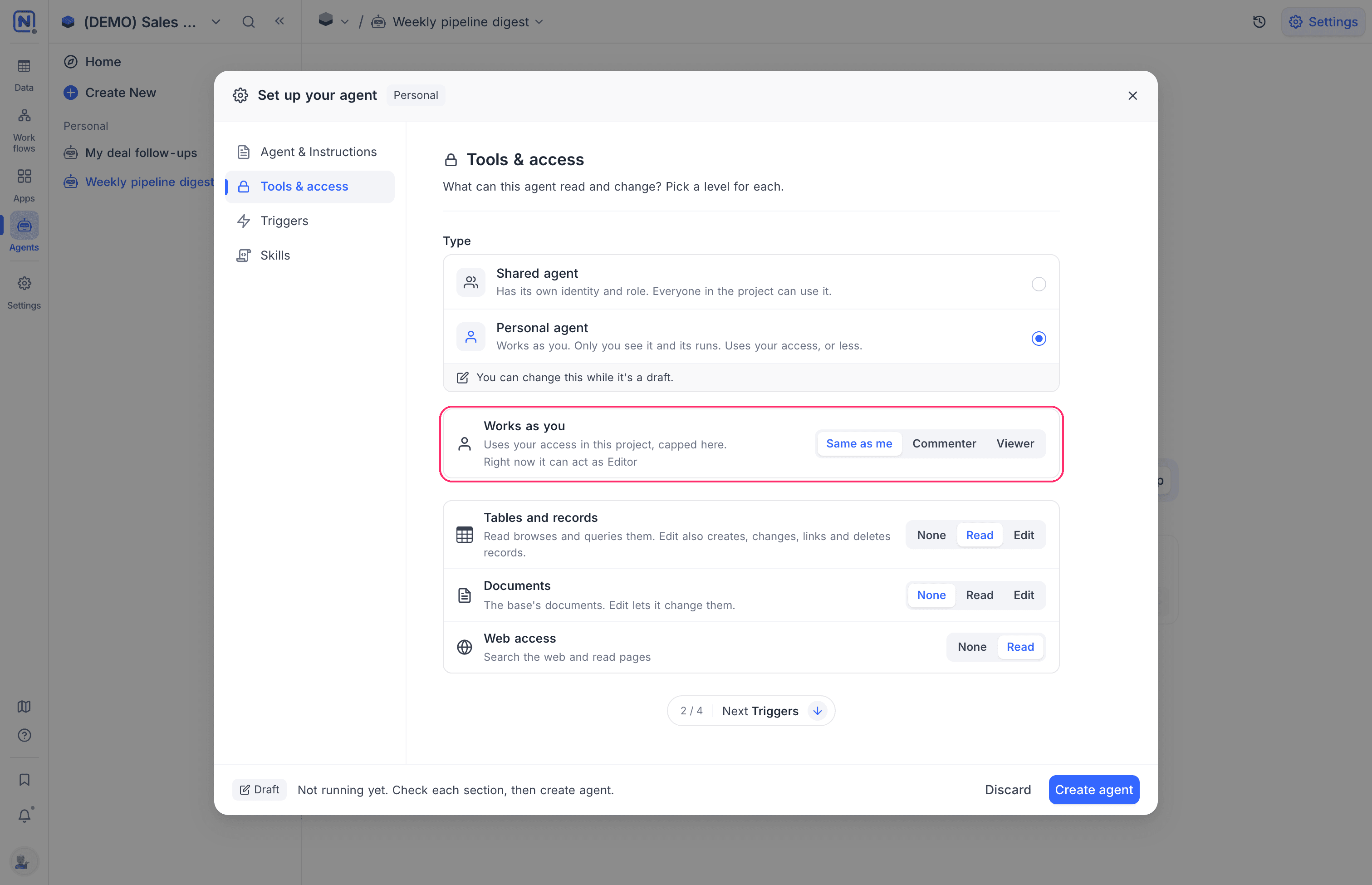
The section shows the role that the agent has right now, for example Right now it can act as Editor. A personal agent never acts above Editor, also when you are a Creator or an Owner.
The role applies to every run, also to a run that a trigger starts when someone else changes a record. The run sees the record as you see it, and does not start if you cannot see it. Table permissions, field permissions and record-level security policies apply to the agent as they apply to you.
Runs of a personal agent
A personal agent runs only for its owner:
- Only you see the agent, its settings and its sessions. An Owner of the project sees its name, but not its instructions or its runs.
- Results go to offers the chat and your email. A personal agent cannot post to Slack and has no channels.
- A webhook trigger of a personal agent accepts only your own API token.
When you lose access to the project
A personal agent needs its owner to have access to the project. When the agent next tries to run and you no longer have access, NocoDB pauses it. The settings then show Paused: you no longer had access to this project. Turn it back on to resume. After you get access again, turn the agent on.
See the personal agents of a project
Owners of a project see the personal agents that its members made, without their instructions or their runs:
- In the mini sidebar, click Settings.
- Go to Personal agents.
The list gives the name, owner, triggers, status, last run and creation date of each agent. An Owner can turn an agent off or delete it. The instructions and the runs of the agent stay private.
Good to know
- A personal agent cannot run from a workflow, cannot go into a folder, and is not available in a sandbox.
- Duplicating a project leaves out its personal agents.
- A record that a personal agent changes shows you as the author, with via and the name of the agent, in the record history and the audit log. Members who cannot see the agent read via an agent.
Availability
- Personal agents are available wherever agents are. See Availability.
Related
Last updated on